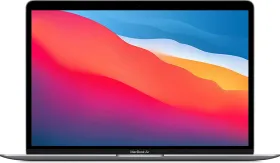
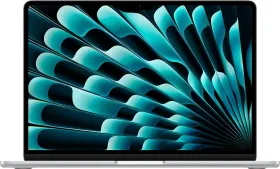
The MacBook Neo, launched on March 4, is Apple’s most affordable MacBook yet. In India it starts at ₹69,900 for the 256 GB model and ₹79,900 for the 512 GB version. The laptop brings a premium aluminum design in colors like Blush, Citrus, Indigo, and Silver, strong battery life rated at up to 16 hours of video playback, and the A18 Pro chip, which beats the M1 in both single-core and multi-core. The 13-inch Liquid Retina display reaches 500 nits, the keyboard feels solid, and the overall build quality feels far above what the price might suggest.

For students or first-time Mac buyers, it looks like a straightforward entry into macOS. Financing options and education pricing can also lower the effective cost, sometimes bringing it closer to ₹60,000 depending on offers. But the lower price comes with several compromises that many promotional videos and influencer posts barely mention. These trade-offs are worth noting before you make your purchase. Let’s take a look.
1. No Ambient Light Sensor

The MacBook Neo does not include an ambient light sensor. That means the display does not adjust brightness automatically based on surrounding light conditions. It also means True Tone is missing, so the display cannot dynamically adjust color temperature depending on the lighting environment.

In practical use this means brightness always needs to be adjusted manually when moving between different lighting conditions such as indoors, outdoors, or dim environments.
2. No Backlit Keyboard

Another notable omission is the lack of keyboard backlighting. Typing in darker environments will require external light since the keys themselves are not illuminated.
Backlit keyboards have been standard across MacBooks for many years, which makes this absence immediately noticeable for anyone upgrading from older models.
3. No Force Touch Trackpad

The MacBook Neo uses a multi-touch trackpad system that lacks Force Touch functionality. Almost every MacBook released in the past decade uses pressure-sensitive trackpads that rely on haptic feedback. Having used it myself, this is easily the best trackpad experience on any laptop. It’s not like the multi-touch trackpad on the MacBook Neo is bad, it’s just something not standard for a MacBook.
4. One USB-C Port Is Limited to USB 2.0 Speeds
The laptop includes two USB-C ports, but they do not operate at the same speed. One of the ports supports USB 2.0 data speeds (480 Mbps). That is sufficient for charging or simple accessories but significantly slower when transferring files to external drives or performing backups. The second port operates at higher speeds, up to 10 Gbps.

Apple has not added any visual cue to tell which port is which. The ports also sit together on the same side without any separation. The MacBook Neo does show a warning notification if you plug into the slower port, which helps avoid confusion.
5. Slower Charger and Other Small Cuts
The MacBook Neo ships with a 20W charger, while the laptop itself supports up to 30W charging. Using the included adapter means a full charge typically takes around 2 to 3 hours. Faster charging requires purchasing a higher-wattage adapter separately.

Other small omissions also appear in the base model. The 1080p webcam does not include Center Stage, which means it cannot automatically reframe during video calls like the MacBook Air. The 256 GB model lacks Touch ID, which is only included on the 512 GB variant.

The laptop also removes features such as a physical notification/mic indicator LED and includes a simplified 3.5 mm headphone jack without support for high-impedance devices.
A Budget Mac with Clear Trade-Offs

At 1.22 kg, the MacBook Neo remains lightweight and portable, has a nice design, nice display, dual speakers, the A18 Pro with great performance, and most importantly, the reliability of a Mac.
However, the missing features add up, and don’t make sense, especially when older MacBook Air models like the M2 or M3 Air laptops sometimes sell at similar prices after discounts.
For those of you who only need macOS for browsing, documents, streaming, and basic productivity, the MacBook Neo still makes sense. Those expecting the full MacBook experience, however, may find the compromises harder to ignore and be better off with an older generation MacBook Air.

You can follow Smartprix on Twitter, Facebook, Instagram, and Google News. Visit smartprix.com for the latest tech and auto news, reviews, and guides.