How To Enable Dual SIM Support On Google Pixel 3A and 3A XL

Main Image
  • Like
  • Comment
  • Share

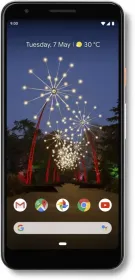
With Android 10, Google has added Dual SIM Dual Standby support on Pixel 3a phones.  Google Pixel phones have essentially been single SIM phones. With the Android Q Beta, Google leveraged the eSIM on Pixel 3 and 3XL phones and added Dual SIM Dual Standby support to these phones. The privilege was later revoked in subsequent Beta versions, only to be bestowed back with the new Android 10.

The Dual-SIM support will, however, work only for the mid-range Pixel 3a and Pixel 3a XL, and only for supported carriers. Google’s Support page details steps you need to follow to avail Dual SIM Dual Standby functionality.

Also Read: Google Pixel 3a Review – Fabulous experience

How to enable Dual SIM dual Standby Support to Pixel 3a and Pixel 3a XL

  1. Insert the first SIM in the SIM tray

    First, eject the SIM tray and set-up your physical SIM as you would on any other phone.

  2. Open ‘Network & Internet’

    Now go to the second settings menu and select the ‘Network and Internet’ option

  3. Add Mobile Network

    Now tap on ‘Add+’ and select ‘Don’t have a SIM card?’ and Next.

  4. Use 2 Numbers

    On the next screen that asks for confirmation to use 2 numbers, tap on ‘continue’ option. Next tap Restart.

  5. Select call preferences

    When your phone restarts, open ‘Network and Internet’ as in Step 2, and select Mobile network. You will now see dual SIM networks. You can tap on any network to select call and text preferences.

Also Read: What is Dual SIM Dual VoLTE – Everything You Need To Know

Activate Dual SIM Support on Pixel Phones

Even when Pixel 3 phones also have e-SIM support, the Dual SIM functionality has been added only for Pixel 3a phones as of now. There are good chances that upcoming Pixel 4 phones will have similar dual SIM support as well.

Deepak SinghDeepak Singh
Deepak Singh is a technology journalist and editor with over 13 years of experience covering consumer electronics. A computer engineering graduate, he has developed deep expertise in chipsets, displays, and hardware performance.

Over the past decade, Deepak has reviewed more than 700 products, including smartphones, laptops, TVs, and audio gear. He currently leads the editorial team at Smartprix, focusing on accurate, useful, and hands-on tech reporting.

When he’s not testing new devices, Deepak enjoys reading and spending time with his family.

Related Articles

ImageHyundai Ioniq 5 Facelift Spied In India: A Quieter, Sharper EV On The Way

Hyundai has just given us a sneak peek at the upcoming India-bound Ioniq 5 facelift. Fresh spy shots showcase the electric SUV being tested on local roads. The heavily camouflaged test mule almost confirms that the car is in the final phases of testing before its official launch in the country, which might take place …

ImageGoogle Pixel 3a XL Review – A Fabulous Experience

Not so recently, Google introduced mid-range Pixel phones to make its own Android vision more accessible to masses as is. The new Pixel 3a phones aren’t exactly affordable in India, but they still make a compelling case for the mid-range. (Google Pixel 3a XL Review हिंदी में पढ़िए) On paper, they are outclassed by better-specced …

ImageGoogle Pixel 6a might launch around May this year, Pixel Notebook is in the works too

Google’s much-awaited smartphone, Google Pixel 6a is gearing up for its launch this year. Yes, you heard it right, Google might finally be bringing a Pixel device to India. According to tipster Max Jambor, the company is all set to launch a Pixel device in May 2022. The chances seem bright as Google had previously …

ImageGoogle Confirms Quick Share AirDrop Support Will Expand Beyond Pixel in 2026

Google has confirmed it will expand Quick Share’s AirDrop interoperability to many more Android phones this year. This will likely be via a Google Play system update, and not the typical software update. The feature first arrived last year on the Pixel 10 series. It lets Android users share files directly with iPhones, iPads, and …

ImageSamsung Brings AirDrop Support to Quick Share on Galaxy S26 Series

With the Pixel 10 series, Quick Share started supporting AirDrop-style file transfers. That later expanded to the Pixel 9 series as well. The idea was simplRe, you could share files directly with iPhones using native AirDrop, without installing anything extra. All you had to do was enable the “Everyone” option in AirDrop on the iPhone, …

Discuss

Be the first to leave a comment.

Related Products