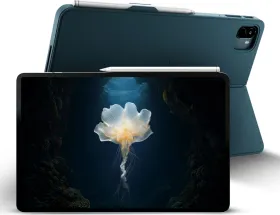
I was halfway through an important presentation when the Brave Ark Pen just stopped working. It wasn’t a dead battery or a connection error; it simply refused to register on the screen. I had to switch to my finger, fumble through the rest of my slides, and sit there realizing exactly what this device is. This is what happens when a company ships ambitious hardware before the software is ready.
That moment defines the Brave Ark Tablet. It is the first major release from a new Indian brand, and on paper, it shouldn’t exist at this price. You get a high-end Snapdragon processor, a massive battery, and an included stylus for ₹34,999. But in practice, it is a first-generation product that still very much feels like a prototype.
Built like a tank, but just as heavy

Pick up the Brave Ark, and you immediately feel where your money went. The aluminum body is dense and rigid. The boxy frame makes it feel more like a serious tool than a media toy, and the silver octopus logo on the back is a confident touch for a brand that hasn’t been heard of yet.

But the reality check hits as soon as you carry it. At 706 grams on its own, it is incredibly heavy. Snap on the keyboard and kickstand cover, and you are lugging around nearly a kilogram of weight, putting it right next to a modern laptop. It is structurally solid, but it lacks the premium polish of an iPad or the OnePlus Pad 2. The paint on my unit started chipping near the corners after just a week of normal use.
There is also no water or dust resistance, and strangely, no fingerprint scanner. Typing a PIN to unlock a device meant for fast-paced work feels outdated. This is a great machine to leave on a desk, but carrying it around all day is a chore.

The 12.95-inch screen is huge. When you first turn it on, the slim borders and smooth 144Hz refresh rate make a great impression. It is genuinely nice for sketching or reading.
A massive screen that misses the details
Then you look a little closer. Because the screen is so large, the 2.8K resolution is stretched thin. Text and fine details just aren’t as crisp as they are on rival tablets.

The bigger issue is watching videos. The screen gets reasonably bright indoors, but it washes out completely in direct sunlight. Worse, it lacks HDR support. If you fire up Netflix or YouTube on this massive 13-inch canvas, movies look flat and dull, almost as if you were watching them through slightly foggy glass.
The Ark Pen and PC Mode: great ideas, bad execution
Including the Ark Pen in the box is a huge value win. It is comfortable to hold, and I loved the three customizable buttons. I set mine to take screenshots, control my music, and act as a slide laser pointer. It gives you a level of control that even Apple doesn’t offer.

But using it is frustrating. The pen randomly disconnected from me multiple times. The screen frequently mistook my resting hand for the pen, leaving messy streaks all over my notes. To make matters worse, clicking the pen’s shortcut button opens Google Keep, but the tablet’s default notes app is Microsoft OneNote. It is a tiny software oversight, but it shows a lack of attention to detail.
Then there is PC Mode, the feature Brave uses to market this as a laptop replacement. It gives you a familiar desktop interface with a taskbar and floating windows. The idea is perfect; the execution is jittery. Windows stutter when you drag them, and the whole interface feels like a beta test that was rushed out the door.
Fast performance, but no promise for the future
The hardware muscle is absolutely there. The fast Snapdragon 8s Gen 3 chip easily handled everything I threw at it, from heavy web browsing to editing video. Gaming is incredibly smooth, and the tablet stays cool. However, mobile gamers should know there is no gyroscope, which is a bizarre missing feature for a device with this much power.

The software itself is clean, without any annoying third-party junk apps installed. But it is also visually boring and lacks basic, helpful apps like a dedicated photo gallery.
The biggest red flag of all? Brave has not promised any future software updates. If you buy this tablet for ₹34,999, you have zero guarantee that it will ever get the next version of Android or crucial security patches. For a new brand asking for your trust, that silence is hard to ignore.
A battery that refuses to die
If there is one reason to buy the Brave Ark, it is the battery. At 14,550mAh, it is larger than what you get in Samsung’s most expensive tablets, and it easily dominates the competition.
I consistently got between 12 and 14 hours of screen time. If you only use it for a few hours a day, it will easily last you the entire weekend. It takes about two and a half hours to fully recharge using the included brick, but that is a fair trade for stamina this good.
Should you buy the Brave Ark Tablet?
The Brave Ark is a genuine hardware achievement. If you just want a massive screen and a battery that lasts forever to leave on your kitchen counter, it gets the job done.
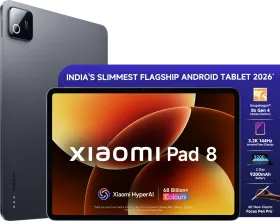
But for most people, I can’t recommend it. The desktop mode is buggy, the stylus is unreliable, and the lack of promised software updates is a massive risk. For the exact same price, the Xiaomi Pad 7 and OnePlus Pad 2 offer much smoother, more refined experiences from brands that actually support their devices over time.
The Brave Ark shows real promise, but it’s a prototype. Wait for version two.