It’s official. OpenAI has finally launched the app for ChatGPT on the App Store for iOS devices. The app brings onboard the power of ChatGPT on your iPhone without needing to access it via a browser.
ChatGPT app on iOS is made to give you instant answers without sifting through endless search results and ads on Google or other search engines. You can ask any hyper-specific questions such as “What is the Nutritional Value of Calcium in Valencia Oranges?” Or “What are some unusual recipes using mangoes as the primary ingredient?” ChatGPT will generate an answer for you right away.
OpenAI has added voice input onboard the ChatGPT iOS app as well. It uses OpenAI’s speech recognition model Whisper to generate responses with voice-based queries. The app auto-syncs with its web version once you log in which lets you tap on all previous searches with relative ease. The ChatGPT Plus that uses the later GPT-4 version is available with a few new features onboard as well. The best thing about GPT-4 is that it is real-time and not limited to September 2019 as the last-gen GPT-3.5.
As of now, the ChatGPT app is available for iOS only. The announcement does mention that the Android version of ChatGPT is next in the pipeline and will arrive soon. However, there are no dates associated with the Android launch at the time of writing this.
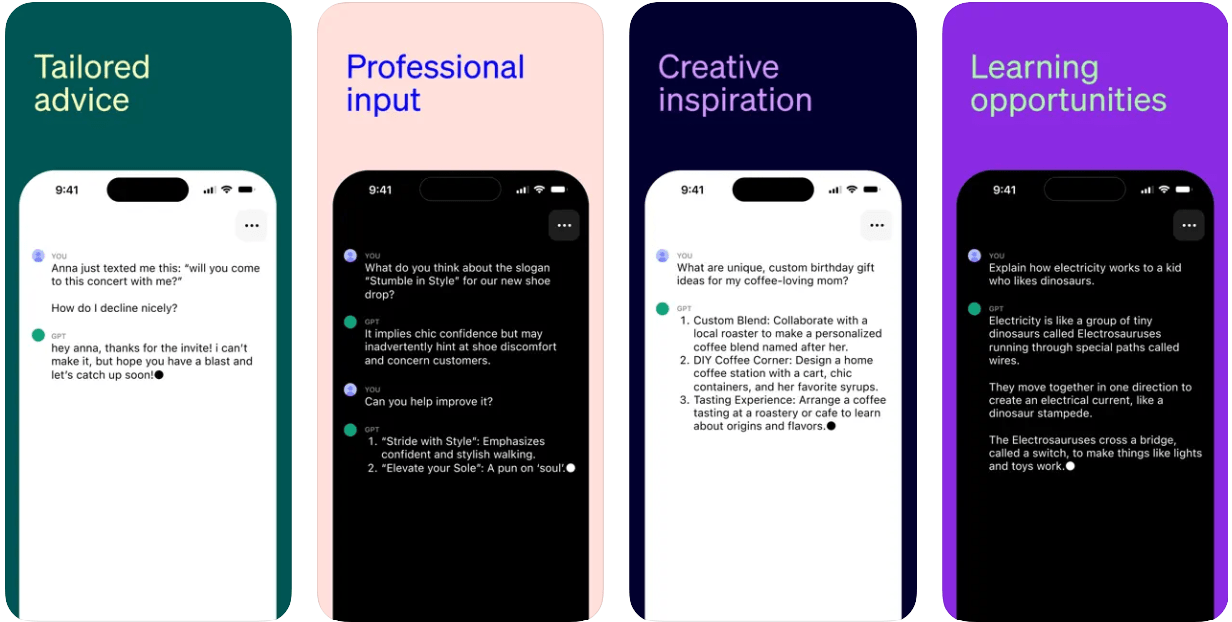
How To Use ChatGPT App on iPhone?
- Go to the Apple App Store on your iPhone/iPad or follow the link here.
- Search for ChatGPT and locate ‘ChatGPT by OpenAI’. Note that there are many apps that say they are powered by ChatGPT but look out for ‘OpenAI’ to get the official listing.
- Install it on your iPhone.
- Once installed, tap on ‘Open’.
- You will have to log in using the credentials that you have been using earlier. If you are a new user, it’s time to register.
- If you are a free user, you will be loaded into ‘GPT-3.5’ and if you are a paid user, you can go to ‘GPT-4’.
- Type in the questions or queries you have and there you go, the answers will be generated right away.
- One of the features that the app has brought on-board is voice command. You can give the app an audio command and it will use its speech-to-text recognition to detect the command and generate answers accordingly.