How to Install MIUI 10 Stable in Xiaomi Redmi Note 5 Pro, Redmi Y2, Mi MIX 2, And Mi 5

Main Image
  • Like
  • Comment
  • Share

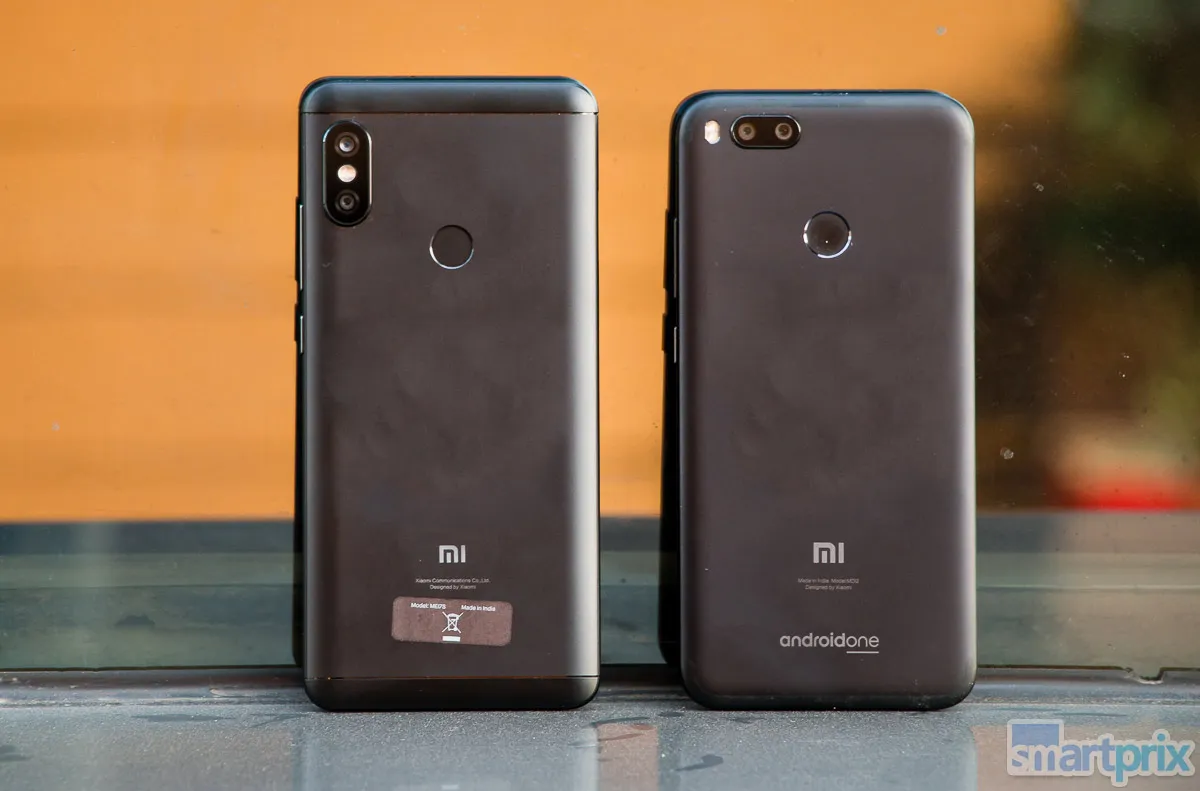
Xiaomi MIUI fans should be happy to note that after an extended beta testing phase, the company has put out MIUI 10 stable global version for its popular devices such as Redmi Note 5 Pro (review), Redmi Y2 (review), Mi Mix 2 (review) and Mi 5.

The latest version of Xiaomi’s MIUI Skin comes with a number of new features such as AI-based AI Portrait mode, navigation gestures, new notification panel and a lot more. To help you understand all the MIUI 10 features we have already published a story to which you can refer for here.

How To Install MIUI 10 in Redmi Note 5 Pro, Redmi Y2 and other Xiaomi phones

The list of devices supporting MIUI 10 stable version is very less. To gets MIUI 10 update over the air (OTA) one has to check for your device settings. Just follow this simple step:

  • Open Settings
  • Head over to About Phone option in settings.
  • Now look for System Updates option and tap on Check for updates.
  • Now, you should see an update is available, kindly commence the download process.
  • Once downloaded, it should reboot your device. Now, be patient. Voila! the installation is complete.

Note: Before, you go ahead with the update process, Kindly ensure that the phone has adequate battery. Also, same steps are also applicable for MIUI 10 update on Redmi 6-series.

How To Install MIUI 10 Global ROM Update Via Recovery mode in Redmi Note 5 Pro, Redmi Y2, and other Xiaomi phones

  • First you have to headover to Xiaomi’s offical MIUI 10 download page on your PC or laptop.
  • Now, first our phone listing and download the MIUI 10 Global stable.
  • In the next step you have to rename the downloaded zip as “update.zip”.
  • Now move the file to root directory of your phone.
  • Next you have to reboot to recovery mode. The easy way to do that pressing power and volume up/down and hold for few seconds.
    Once you enter Recovery mode, set your English as preferred language.
  • Now look for the “update.zip” file and select it to Install the System update and confirm, and then your device will begin updating automatically.
    Wait update installation process doesn’t gets completed.
  • Once done choose Reboot to System One, it will take few extra second then your device should boot to the MIUI 10 stable version.

Deepak RajawatDeepak Rajawat
Deepak Rajawat is a technology journalist and editor with over 12 years of experience in both print and digital media. Before transitioning to online journalism, he contributed to renowned publications including Hindustan Times and The Statesman.

At Smartprix, Deepak reviews smartphones, laptops, TVs, and soundbars, with a focus on answering the real-world questions that matter most to consumers. Over the past decade, he has reviewed more than 1,000 devices, combining hands-on expertise with a user-first approach.

A graduate in Journalism and Mass Communication from Calcutta University, Deepak also follows emerging technologies closely—including Virtual Reality (VR), Augmented Reality (AR), and Mixed Reality (MR). Earlier in his career, he covered sports with the same passion he now brings to tech.

He is based in Noida and joined Smartprix in September 2015.

Related Articles

ImageOnePlus Nord Buds 4 Review: The Easy Recommendation Under ₹3,000

At around ₹3,000, the budget TWS segment has become incredibly competitive. Almost every brand promises strong ANC, long battery life, gaming features, and companion apps packed with extras. The problem is that many of these earbuds usually get one or two things right and compromise elsewhere. The OnePlus Nord Buds 4 manage to avoid most …

ImageList of MIUI 14 eligible Xiaomi Phones; MIUI 14 Features & Release Date

Xiaomi is gearing up for the next custom skin dubbed MIUI 14 based on Android 13. It is speculated to arrive sometime next year although there’s no specific date at the moment. As with every MIUI iteration, Android 12-powered devices will also get MIUI 14 and even Android 11 users could get it because that’s …

ImageMIUI 14 Announced for Xiaomi and Redmi Phones; Features, rollout timeline and other details

Xiaomi has released the next iteration of its Android-based Mobile operating System MIUI. The MIUI 14 brings in privacy controls, an upgraded AI assistant, and some cool visual changes MIUI 14 was announced on 11th December with Xiaomi 13 series. Starting with UI visuals, MIUI 14 comes with a new icon and widget customization. With …

ImageUpcoming Smartphone Launches In India (June 2026): Motorola Edge 70 Pro+, Xiaomi 17T, Redmi Turbo 5, iQOO Z11 & Others

After the parade of flagships in May 2026, like the vivo X300 Ultra (review), Oppo Find X9 Ultra, and the OnePlus Nord CE 6 (review) series, June 2026 shifts gears toward the mid-range and the upper-mid-range segments that move the most units in India.  While a handful of confirmed launches will headline the month, including the …

ImageRedmi Note 15 SE Launching In India On April 2: What To Expect

Redmi India’s official X handle has confirmed the launch of the all-new Redmi Note 15 Special Edition or the Note 15 SE in India. It will join the rest of the Note 15 lineup, which already includes the Redmi Note 15 5G, the Redmi Note 15 Pro 5G, and the Redmi Note 15 Pro+ (review).…

Discuss

1 Comment
User
Walter
Anonymous
7 years ago

Can I ota update with a Custom Recovery? I have TWRP installed…….Thank you

Reply
User
Deepak Rajawat
Anonymous
7 years ago

Yes, you can.