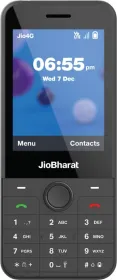
How to install Whatsapp on Jio Phone and Jio Phone 2

Main Image
  • Like
  • Comment
  • Share

Reliance Jio recently enabled WhatsApp on its JioPhone line of mobiles. The telecom company, which is a subsidiary of larger Reliance Industries, had announced the addition of such features, like the WhatsApp on the JioPhone platform back in July this year. Up until now, Reliance Jio has introduced two JioPhones.

To assist the users, Reliance Retail has created a dedicated helpline number 1991 for answering queries related to Whatsapp on both of its smart feature phones.

The “Whatsapp on Jio Phones” feature was launched on September 10, 2018 and the upgrading process will be completed on all Jio phones by September 20, 2018, the company said.

Reliance Jio Infocomm director Akash Ambani said in a statement, that “During this movement of connecting the unconnected, many partners came forward to strengthen the cause. One such partner who has really stood by us from the beginning is Facebook and its ecosystem. The result of one such partnership is out for the world to see today…Jio wants to thank the Facebook and WhatsApp team for making this happen.”

The company further added that WhatsApp worked on its chat app to make it compatible with Jio Phones and “give people a simple, reliable, and secure way to communicate with friends and family”

Read More: Oppo A7X with 6.3 inch display, waterdrop notch, 4,230mAh battery launched 

Install Whatsapp on Jio Phones in two simple steps

Read More: Gboard is working on a smarter search button 

1. To download WhatsApp on JioPhone and JioPhone 2, go to JioPhone app store, and browse for Whatsapp application. Follow this by clicking on the download button to install the app.

 2. To use Whatsapp on JioPhones, the user must verify their phone numbers with the chat app. The user will be able to conduct one-to-one as well as group chats after the installation and verification process have been completed.


Related Articles

ImageTesla is Finally Coming to Bengaluru but There’s a Catch

Tesla is making its first official move into Bengaluru. Starting January 15 through January 31, 2026, the company is setting up a temporary pop-up experience at the ACKO Drive Service Centre in Kudlu Gate. It’s a significant moment for the city’s EV enthusiasts. While Tesla has already established a presence in Mumbai, Delhi, and Gurugram, …

ImageYou can now install YouTube on JioPhone and Jiophone 2

Whatsapp was made available on both JioPhones, earlier this month. Almost a week later, YouTube has gone live on the two feature phone launched by Reliance mobile manufacturing wing. YouTube’s KaiOS compatible version is now available for download on Jio Store for JioPhone and JioPhone 2. Read More: How to install Whatsapp on Jio Phone and Jio …

ImageJioPhone Next launches with optimized Android and India-specific features

Jio and Google formed a strategic partnership last year. Finally, that partnership has reaped its first fruit in the form of JioPhone Next. This Jio and Google co-developed phone comes with an extremely optimized version of the Android operating system. It is built for India and thus has several features tailored for the local audience …

ImageJio Phone Prima 2 4G Launched in India: Price, Availability & Specs

Reliance has launched the next 4G feature phone, the Jio Phone Prima 2 4G in India. It is the successor to the Jio Phone Prima that launched in October 2023. The 2nd generation Jio Phone Prima comes with a new curved design, a leather-like finish for the back, and more features, all for a super-affordable …

ImageJio Phone 2 Launched In India With QWERTY Keypad, WhatsApp, Facebook and YouTube Apps

Apart from JioGigaFiber launch announcement, Jio Phone 2 also set the eyeballs rolling at the Reliance AGM earlier today. After the tremendous success of first-generation Jio Phone, which apparently was the first 4G and VoLTE-enabled phone in the country, Mukesh Ambani announced the JioPhone 2 which will support with Whatsapp, Youtube, and Facebook apps. Original JioPhone vs JioPhone 2: What’s New? …

Discuss

Be the first to leave a comment.