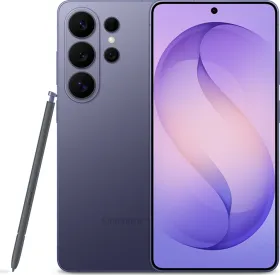
Artificial Intelligence changed the way smartphones work when Samsung introduced Galaxy AI with the Samsung Galaxy S24 Series in January 2024. Now, following the trend OnePlus has rolled out a new AI Eraser feature for its devices. It is the first generative AI feature from OnePlus that shows how the brand is trying to catch up with the likes of Samsung and Google. OnePlus Magic Eraser has started rolling out to OnePlus devices and today we’ll talk about the availability of Magic Eraser and how it can be enabled.
OnePlus AI Eraser
With the announcement of the OnePlus AI Eraser, the era of the OnePlus AI has officially begun. Users on Reddit claim that the brand will soon roll out more AI features like AI Summarizer, Breeno Touch, Article Summarizer, and more.
ALSO READ: How to Change the Ringtone on Your Android Phone & Messaging Applications (Comprehensive Guide)
Eligible OnePlus Devices for AI Eraser

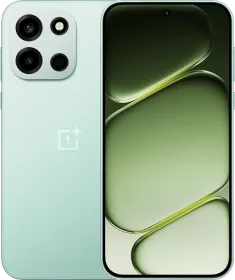
AI Eraser has currently been planned for OnePlus 12, OnePlus 12R, OnePlus 11, OnePlus Open, and OnePlus Nord CE 4. It will be available via an OxygenOS 14 update that will upgrade the Photos app on OnePlus devices. In India, OnePlus 12 and 12R will receive this update now and more devices will follow later.
How to use OnePlus AI Eraser
To use AI Eraser on devices that are compatible and have the new update installed, follow these simple steps-
ALSO READ: Airtel PUK Code Explained (2024): Here’s How to Unlock Your Airtel SIM Using the PUK Code


- Open the Photos app. You will immediately get a new disclaimer that you will have to accept to use the AI Eraser feature. If you choose the basic features option, you won’t be able to use the AI Eraser.
- Go to the gallery and choose the image you want to edit.
- Click on the edit button in the bottom toolbar.
- There you will find a new AI Eraser function along with other editing options. Click on it.
- When you use the feature for the first time, you will have to click through a few Terms and Conditions dialogs before you can use the feature.
- AI Eraser offers two functions to remove unwanted objects- Smart Lasso and Paint Over. Using Smart Lasso, one can circle one or more people to remove them from the photo, while using Paint Over would mean painting over people or objects to remove them from your click.
- Editors can choose either option to remove objects they want to remove. Smart Lasso tool might work slightly better than Paint Over so that objects don’t get fat-fingered.
- The app is smart and will be able to recognize the bounds of your selected object to present you with a result wherein the object is erased.
- You can then save the image as an original or copy in your gallery.
ALSO READ: How to Activate Windows 11 for Free: 3 Easy and Safe Methods
OnePlus recommends using photos over 100KB file size. This is because low-resolution photos can’t be edited properly as they lack details. According to OnePlus Community Guidelines, the AI Eraser tool is rate-limited which means it can only be used a certain number of times a day. If this happens, it will prove to be a bummer.
The AI Eraser tool needs an active internet connection and OxygenOS 14 has to be updated to access the Eraser tool.
You can follow Smartprix on Twitter, Facebook, Instagram, and Google News. Visit smartprix.com for the most recent news, reviews, and tech guides.