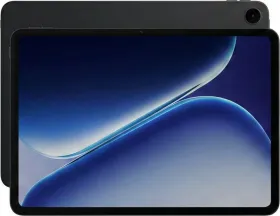
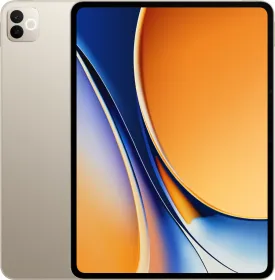
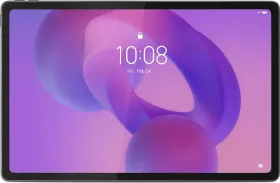
OPPO Pad 5 steps in a part of the tablet market that is crowded with devices trying to do the same things. A big screen, decent speakers, long battery life, and a price that stays somewhat reasonable. That formula shows up again here.
The tablet comes with a 12.1-inch 2.8K display, quad speakers, stylus support, and a 10,050 mAh battery. On paper that sounds like the usual checklist for a modern Android tablet aimed at students and casual use.
And in daily use, the experience feels mostly familiar. It handles streaming, browsing, reading, and note-taking without much trouble. At the same time, some compromises become noticeable once you start using it more heavily. After spending time with the tablet for a few weeks, here’s my full review.
OPPO Pad 5 Price & Availability
The OPPO Pad 5 comes in a few configurations depending on storage and connectivity.
- 8 GB + 128 GB, Wi-Fi: ₹26,999
- 8 GB + 256 GB, Wi-Fi: ₹29,999
- 8 GB + 256 GB, 5G: ₹32,999
The tablet is available through OPPO’s online store, major e-commerce platforms, and select offline retail stores.
Pros
- Large sharp 120 Hz display
- Loud quad speakers with decent separation
- Dolby Vision support
- Very good battery life
- Fast charging in the box
- Good ecosystem features with OPPO phones
- Optional 5G variant
Cons
- Performance is average
- Lag during multitasking
- Cameras are basic with no flash
- No ingress protection
- Back panel attracts smudges
- No fingerprint scanner
OPPO Pad 5 Specifications
- Display: 12.1-inch LCD, 2800 x 1980 resolution, 120 Hz refresh rate, 7:5 aspect ratio, 284 PPI, 600 Nits manual, 900 nits HBM
- Processor: MediaTek Dimensity 7300 Ultra
- RAM: 8 GB LPDDR5X
- Storage: 128 GB / 256 GB UFS 3.1
- Rear Camera: 8 MP f/2 1080p30
- Front Camera: 8 MP f/2 1080p30
- Speakers: Quad speaker setup with Dolby Atmos
- Battery and Charging: 10,050 mAh, 33 W wired charging (charger included)
- Connectivity: Wi-Fi, Bluetooth, optional 5G model
- Software: ColorOS 16 based on Android 16, 2 + 3 update policy
- Build: Metal frame with polycarbonate back
- Weight and Thickness: 6.8 mm, 530 grams
OPPO Pad 5 Review: Unboxing
Inside the box, you get the tablet, a 33W SUPERVOOC charger, a USB-A to USB-C cable, and the standard paperwork. That is the complete package. There is no case or screen protector included.
OPPO Pad 5 Review: Design and Build

The OPPO Pad 5 follows the modern tablet formula. Flat edges, a large display on the front, and a clean back panel with a single camera. It is a simple design that works.
The tablet measures around 266 × 192 mm and is about 6.8 mm thick. Weight comes in around 597 grams for the Wi-Fi version. It feels slim in the hand and does not feel overly heavy when used on a couch or desk.

The back panel has a matte texture that looks neat and keeps reflections low. It still attracts fingerprints and smudges more than expected though, which is something I noticed after a few hours of use. The frame feels solid and the tablet does not flex when held firmly.
The camera module sits in the corner of the back. It is fairly small and does not stick out too much, so the tablet stays stable when placed on a desk. There is no flash here, unfortunately.

Bezels around the display are evenly sized but not extremely thin. That actually works in its favor because there is enough space to hold the device without constantly touching the screen by mistake. Tablets with thinner borders often struggle with that.
Button placement is simple. The power button and volume controls sit along the edges (top and right edges, respectively). The USB-C port sits on the bottom edge with the microphone and speaker grills. You’ll find another pair of speaker grills at the top alongside the SIM card tray (on the 5G variant).

The front camera sits along the longer edge of the display, which makes video calls feel natural when the tablet is placed horizontally on a table. Anyone using it for online classes or meetings will appreciate that placement.
Unfortunately, the OPPO Pad 5 does not come with any IP rating here, so dust or water resistance is not something OPPO officially promises. That is fairly typical for tablets in this segment.
Overall the build quality is good for the price. It looks modern, feels solid, and remains slim enough to carry easily. The only real annoyance is the smudge-prone back panel and the lack of a flash.
OPPO Pad 5 Review: Display

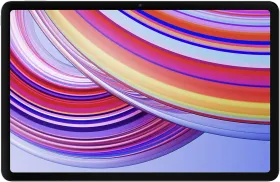
The display is one of the strongest parts of the OPPO Pad 5. The tablet uses a 12.1-inch LCD panel with a 2800 x 1980 resolution and a 7:5 aspect ratio. That aspect ratio works especially well for reading, browsing, and multitasking.
Compared to taller displays, the screen shows more vertical content, which helps while reading PDFs, documents, or articles. Split-screen multitasking also feels comfortable because both apps remain usable instead of feeling cramped or stretched out.

Sharpness is good. With around 284 PPI, text appears crisp and icons look clean even when you sit close to the screen. Small fonts remain readable without zooming in constantly. It’s lower than something like the Xiaomi Pad 7 at 344 PPI, but still very good.
The panel supports refresh rates of 30, 60, 90, and 120 Hz. Scrolling through the interface feels smooth at higher refresh rates, though you may still notice a few occasional jitters in the UI. That seems more related to the chipset than the display itself.

Brightness reaches about 600 Nits in normal use and up to 900 Nits in high brightness mode. Indoors the display looks great. Outdoors it stays usable, though strong sunlight can still make it harder to see. It also does not handle reflections very well.
Colors look good for an LCD panel. Vivid mode covers about 98% of the DCI-P3 color space while the natural profile targets accurate sRGB colors. Watching movies or YouTube looks pleasing without appearing overly saturated.

The screen also carries TÜV Rheinland Intelligent Eye Care certification. OPPO added hardware-level low blue light technology and flicker control to reduce eye strain during long reading sessions. That makes a difference if you use the tablet for studying or browsing for extended periods.
Viewing angles are actually surprisingly decent, though not perfect. From sharp angles the brightness and colors shift slightly. This is typical of LCD panels in this category.
Overall the display is very good for the price. It is sharp, smooth, and comfortable to use, even if it does not quite reach OLED levels of contrast.
OPPO Pad 5 Review: Speakers
The OPPO Pad 5 uses a quad-speaker setup designed to improve media playback. Tablets benefit greatly from good speakers because people often watch content without headphones.
In daily use the speakers are loud and clear. Dialogue in movies and shows is easy to hear, and stereo separation becomes noticeable when holding the tablet horizontally. The device can reach around 84 dB according to OPPO, which explains why it fills a room fairly easily.
Sound quality remains clean through most of the volume range, though pushing it to maximum makes the audio slightly muddy. Bass is present but not very deep, which is expected from tablet speakers in this range.
OPPO Pad 5 Review: Software

The OPPO Pad 5 runs ColorOS 16 based on Android 16. The interface is clearly designed with large screens in mind. The layout feels clean and easy to navigate. A taskbar helps switch between apps quickly, and split-screen multitasking works well for activities like reading while taking notes or watching a lecture while browsing the web.


Floating windows are also supported, which helps when replying to messages without leaving the main app. Students juggling between Gmail, notes, PDFs, and messaging apps will find this helpful.
Animations are generally smooth, though stutters appear occasionally when the system is under load. There are a lot of customization options here. AI tools are a major focus as well.
Inside the Notes app, OPPO includes AI note-taking features designed for students and meetings. One of the most interesting tools allows you to circle content on screen and instantly drag it into notes instead of taking screenshots and pasting them manually.

There is also an AI recording summary, which can transcribe lectures or meetings and organize the information automatically. It can even separate speakers during conversations.
The gallery app also includes AI editing tools such as object removal, reflection removal, motion blur correction, and image upscaling. These tools make sense on a large display and can help clean up photos quickly.
Another useful feature is AI Summary and AI Search inside Notes. These tools help summarize articles and search through handwritten notes or typed text quickly. There is also Gemini and Circle to Search support.
Unfortunately, OPPO has only promised 2 years of OS updates and 3 years of security updates for the OPPO Pad 5. Overall, the software experience is quite good. It is easy to use, optimized for large screens, and packed with productivity features.
OPPO Pad 5 Review: Biometrics

The OPPO Pad 5 only supports face unlock and there is no fingerprint scanner on the device. In good lighting it works fine most of the time, though it is not very consistent. In low light it struggles unless you enable the screen brightening option to illuminate your face. A fingerprint sensor in the power button would have made everyday unlocking much more reliable.
OPPO Pad 5 Review: Performance
The OPPO Pad 5 runs on the MediaTek Dimensity 7300 Ultra processor paired with 8 GB RAM and either 128 GB or 256 GB of UFS 3.1 storage. On paper, this is a mid-range setup. In practice, it behaves exactly like one.
Synthetic Benchmarks
| Benchmark | OPPO Pad 5 (Dimensity 7300 Ultra) |
| AnTuTu v10 | 781,129 |
| Geekbench 6 CPU | 1,008 (Single) / 3,000 (Multi) |
| Geekbench 6 GPU (OpenCL) | 2,383 |
| Geekbench 6 GPU (Vulkan) | 2,485 |
| Wild Life Extreme Stress Test | Best: 864, Lowest: 859, 99.4% |
| Wild Life Extreme Overall Score | 866 / Avg FPS: 5.19 |
| Storage Test Score | 113,460 (Read: 2,166 MB/s, Write: 1,920 MB/s) |


For regular daily use, the tablet feels fine. Opening apps, browsing Chrome, scrolling social media, streaming YouTube, or reading documents works smoothly most of the time. The 120 Hz display helps make the interface feel fluid, and animations in ColorOS generally look polished.
Things change once you push the tablet harder. Running multiple apps in split screen, switching between heavy apps, or keeping several tasks open at once can introduce lag. The tablet does not completely fall apart, but the limitations of the chipset start to show. I noticed this most when multitasking or when apps reload more often than expected.
RAM management isn’t great. Four or five apps can stay active without problems, though the system often closes background apps earlier than ideal.
Gaming performance is decent. Casual games run without any issues, and lighter titles feel smooth on the large screen. More demanding games such as BGMI or similar shooters are playable, though you will need to stick to lower graphics settings for stable performance. Long sessions also introduce minor frame drops.
Thermals remain controlled during most tasks. The tablet warms up during gaming but never becomes uncomfortable to hold.
This is not a performance tablet. The chip is enough for media consumption, studying, browsing, and light productivity. OPPO also mentions that the tablet is designed to maintain smooth performance for over four years, though real-world results will depend on usage.
OPPO Pad 5 Review: Cameras
Tablet cameras rarely matter much, and the OPPO Pad 5 follows that trend. You get an 8 MP camera on the back and another 8 MP camera on the front.
The rear camera works fine for scanning documents, capturing notes from a whiteboard, or quickly taking a reference photo. Image quality is nothing special. Details are limited and colors can look slightly flat. Video recording is capped at 1080p at 30 fps.

The front camera is more important for most people because tablets are often used for online meetings or classes. In good lighting, the image looks clear enough for video calls. In dim environments it becomes grainy fairly quickly.

The camera app includes the usual modes like photo, live photo, video, portrait video, panorama, and document scanning. HDR is available as well, though processing takes a moment.
Overall the cameras do the basics and nothing more, which is perfectly normal for a tablet in this category. Only the missing flash is a major downside.
OPPO Pad 5 Review: Battery Life and Charging

Battery life is one of the highlights of the OPPO Pad 5. The tablet packs a 10,050 mAh battery, which is large enough to last through long study sessions, streaming marathons, or a full work day without anxiety.
In normal mixed usage that includes browsing, streaming, note-taking, and messaging, the tablet easily stretches across 2 days with around 13 to 15 hours of screen-on time. With 5G usage, the battery life should drop by a few hours though.
OPPO claims up to 15 hours of video playback, around 53 hours of music playback, and roughly 6 hours of heavy gaming under testing conditions. Real usage will vary, though the battery life still feels strong in practice.
Charging happens through 33W SUPERVOOC wired charging. It is not the fastest charging speed in the tablet world, though it is reasonable considering the battery size. A full charge takes roughly around an hour and a half depending on usage.
The system also includes battery health protections and smart charging options designed to maintain long-term battery performance. For a device that is likely to be used for classes, travel, or entertainment, the battery reliability is reassuring.
OPPO Pad 5 Review: Connectivity Features

Now let’s talk about my favorite part about this tablet. The tablet supports Wi-Fi 6, Bluetooth 5.4, and optional 5G connectivity depending on the variant you choose.
Where the device becomes more interesting is ecosystem integration. When logged into the same OPPO account, the tablet can automatically connect with a nearby phone and use its mobile network and GPS. This removes the need to manually enable hotspot each time and even helps save phone battery compared to normal hotspot sharing.

You can also check messages and answer calls from your OPPO smartphone right on the tablet. I was honestly a bit shocked at how seamless the connectivity between the tablet and the phone felt.

It would even prompt me to open a certain app on the tablet if it was already open on my phone. OPPO calls this “App relay.”

You can also quickly move content between devices. Photos taken on your phone can be inserted directly into notes on the tablet with a simple drag or tap. That workflow is very convenient when working across devices.

Another convenient part of the ecosystem is the shared clipboard. Text and images you copy on your OPPO phone show up on the tablet right away. There is also a screencast option that mirrors your phone on the tablet, which lets you control the phone directly and move files by simply dragging and dropping between the two devices. It does feel a bit laggy at times, though it still gets the job done.

You can also add your OPPO Pad to the control center on the phone and check its battery percentage instantly. The same works the other way around. Open the control center on the tablet and you can see your phone’s battery as well.

OPPO also includes cross-ecosystem sharing features. Files can move between the tablet and devices like iPhones, iPads, Macs, Windows PCs, and even Insta360 cameras. Transfers happen quickly and progress can even appear on the iPhone’s Dynamic Island during transfers. Although it’s kind of a bummer that the Share with Phone feature doesn’t work with OPPO’s own phones.
If you already own an OPPO or OnePlus phone, the tablet fits into that ecosystem nicely. Without it, the tablet still works well as a standalone Android device.
Review Verdict: Should You Buy the OPPO Pad 5?
The OPPO Pad 5 ends up being a decent tablet that focuses on the fundamentals. The display is sharp and comfortable for reading or streaming. The speakers are loud enough for movies and classes. Battery life is excellent, and the design feels slim and modern.
Software is also a strong point. ColorOS adapts well to a large screen and includes useful multitasking tools. Performance is the area where compromises appear. The chipset handles everyday tasks well but struggles when pushed with multitasking or demanding games. Occasional lag also shows up in the interface.
The cameras are basic and the back panel collects smudges easily. If you want the most reliable tablet experience overall, the base iPad is still hard to beat. But if you want a large Android tablet that works well with OPPO and OnePlus phones, offers good battery life, and provides a strong media experience, the OPPO Pad 5 is a sensible option.

Smartprix ⭐ Rating: 8/10
- Design and Build: 8/10
- Display: 8/10
- Speakers: 9/10
- Software: 8/10
- Performance: 7.5/10
- Cameras: 7.5/10
- Battery Life & Charging: 9/10
- Connectivity Features: 9.1/10
First reviewed in February 2026.