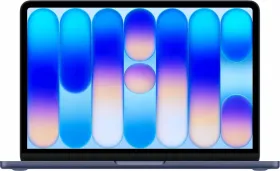
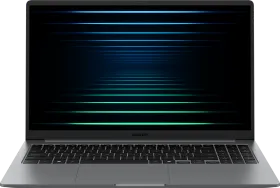
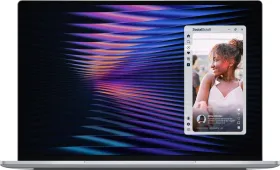
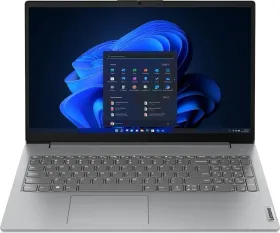
XPS 13 (2026) vs. MacBook Neo: Table of contents
For years, budget laptops have been dominated by Windows devices, with capable machines from major OEMs available for ₹50,000–₹60,000. MacBooks, by contrast, typically started around ₹80,000, even for discounted older models.
That changed in March 2026 when Apple launched the MacBook Neo. Priced below ₹70,000, it disrupted the entry-level laptop market and raised expectations for what an affordable premium laptop could offer. Despite a worsening RAM and storage supply crunch, the Neo became a runaway success.
Dell’s response arrived at Computex 2026 with the new XPS 13. Targeting the same audience, it is Dell’s thinnest and lightest XPS yet, starts at $699 (around ₹66,629), and features Intel’s latest processors, Wi-Fi 7, a touchscreen, and a backlit keyboard, two features missing from the Neo at launch.
But does the XPS 13 have what it takes to challenge the MacBook Neo’s dominance in the affordable premium laptop segment? Let’s find out. For this comparison, we’re focusing on the base variants of both laptops, since they offer the most value for your money.
Also Read: vivo X200T vs. OnePlus 15R: Which Is The Best Android Phone Under Rs. 55,000?
Dell XPS 13 vs. Apple MacBook Neo: Design
| XPS 13 (2026): Base | MacBook Neo (2026) | |
| Price | $699 (₹66,629) | ₹69,900 (₹59,990 students) |
| Dimensions | 296.9 × 200.66 × 12.7 mm | 297.5 × 206.4 x 12.7 mm |
| Weight | 2.2 lbs (1.0 kg) | 2.7 lbs (1.23 kg) |
| Build material | CNC-machined aluminum | Recycled aluminum unibody (60% recycled materials) |
| Colors | Sky, Storm (silver and dark gray) | Silver, Blush, Citrus, Indigo |
| Cooling | Dual-fan active cooling | Fanless (aluminum heat dissipator) |
| IP rating | – | – |
Both laptops are compact, portable, and lightweight. The manufacturers have carved the chassis out of aluminum for the premium metal feel, which is quite rare in the segment. However, it’s the small differences in the spec sheet that matter a long way with day-to-day usage.
The first and perhaps the most important difference here is the weight. The XPS 13 is around 230 grams lighter than the MacBook Neo (review), and at just 1.0 kilogram, it’s one of the lightest 13-inch laptops on the market, not just in its segment. For students carrying a laptop in their hands from one campus building to another, or for professionals commuting daily, the gap could be substantial.

The XPS 13 is available in two colors: silver and dark gray. However, the Neo brings personality to the conversation with four vibrant yet subtle colors. Two of those colors, Blush and Citrus, have no equivalent options in the Windows laptop market at this price. Yellow and pink color laptops might sound absurd at first, but they say something about who this laptop is for.
One thing that you should keep in mind is that both laptops share is the absence of an IP rating. Neither is marketed as water-resistant in any meaningful way.

- Winner: Tie
Also Read: Motorola Razr Fold vs. Samsung Galaxy Z Fold7: The Definitive Premium Book-Style Foldable Comparison
Dell XPS 13 vs. Apple MacBook Neo: Display
| Dell XPS 13 (2026) | MacBook Neo (2026) | |
| Screen size | 13.4 inches | 13.0 inches |
| Panel type | LCD IPS, touchscreen | Liquid Retina IPS |
| Resolution | 2560 × 1600 (2.5K) | 2408 × 1506 |
| Pixels per inch | ~224 ppi | 219 ppi |
| Refresh rate | 30–120Hz variable (VRR) | 60Hz fixed |
| Peak brightness | 500 nits | 500 nits |
| Color gamut | 100% DCI-P3 | sRGB only, no P3 wide color |
| HDR | Dolby Vision, DisplayHDR 400 | No HDR certification |
| Anti-glare | Yes | Not specified |
From the dimensions mentioned in the previous table, it is clear that the XPS 13 is almost as compact and thin as the Neo. However, despite measuring similarly, Dell’s new affordable laptop comes with a slightly larger 13.4-inch display (vs. 13.0-inch on the Neo), thanks to thinner bezels. This also leads to a more contemporary appearance.
The display itself contains more pixels on the XPS 13, which results in a slightly higher pixel density (224 ppi vs. 219 ppi). What’s even more interesting is the presence of a 30-120Hz variable refresh rate (VRR) on the XPS, which is a meaningful quality-of-life improvement over the fixed 60Hz refresh rate the Neo offers.

Finally, the XPS 13 also includes a touchscreen, right from the base model, which is the kind of feature that sounds unnecessary until you use it, get used to it, and then can’t use your laptop without it. I recently received the Asus Zenbook S14 (review), and it reminded me about the perks of having a touchscreen laptop.
The XPS 13’s display wins this comparison without much of a fight. A wider color gamut, variable refresh rate, 100% DCI-P3 coverage, Dolby Vision, DisplayHDR 400, touchscreen support, and Eyesafe certification. I’d have to say that Dell has packed a genuinely impressive screen into an affordable laptop.

The MacBook Neo’s display, by contrast, makes some notable omissions, including no P3 wide color, no HDR certification, no touchscreen, and a fixed 60Hz refresh rate.
- Winner: XPS 13
Also Read: Snapdragon 6 Gen 5 vs. Dimensity 7450: Which Mid-Range Chipset Is Better And Why?
Dell XPS 13 vs. Apple MacBook Neo: Processor
| Dell XPS 13 (2026) | MacBook Neo (2026) | |
| Chip | Intel Core 5 320 (Wildcat Lake) | Apple A18 Pro |
| Manufacturing node | Intel 18A | TSMC N3E (3nm) |
| CPU cores | 6 cores / 6 threads (2P + 4E) | 6 cores (2 performance + 4 efficiency) |
| P-core max clock | 4.6GHz | 4.04GHz |
| E-core max clock | 3.4GHz | 2.42GHz |
| GPU | Intel Xe3 (2 cores) | Apple 5-core GPU |
| NPU / AI performance | 16 TOPS (NPU 5) | 16-core Neural Engine |
| RAM | 8GB LPDDR5X-7467 | 8GB unified memory |
| RAM type | Discrete (separate from CPU) | Unified memory architecture |
| Storage | 512GB PCIe Gen 4 SSD | 512GB SSD |
| Copilot+ PC | No (16 TOPS, below 40 TOPS threshold) | No |
| Upgradeability | Configurable up to 32GB RAM | Fixed |
This is one of the main differences between the two laptops. Apple’s MacBook Neo is based on the A18 Pro chip (TSMC N3E), which is an iPhone-derived chip. Meanwhile, the XPS 13 is based on the Intel Core 5 320 processor, based on Intel’s Wildcat Lake architecture (18A node), which is an entry-level mobile-device chip with a higher peak frequency across the performance and the efficient cores.
For buyers at this price point, both chips are more than capable, offering smooth browsing, video calls, document editing, streaming, and light photo editing. The Intel chip holds a measurable advantage under sustained multi-core workloads, and that’s worth acknowledging plainly.

At the same time, the A18 Pro’s N3E architecture remains one of the most efficient chip designs available today. Intel’s 18A is a new and competitive process, but the A18 Pro’s unified memory architecture gives Apple Silicon a clear efficiency advantage that raw clock speeds and core counts fail to reflect.
What’s interesting is that Dell has claimed longer video streaming endurance with the Intel chipset than Apple claims with the A18 Pro. If those figures hold up in real-world testing, it would represent a significant achievement for Intel’s latest platform.

The XPS 13 is an AI-ready PC, which simply means that it doesn’t qualify for the minimum AI compute threshold to be called a Copilot+ PC. Dell will ship the device with an Intel Core Ultra chipset as well, which will provide 50 TOPS of AI compute and fill that gap, but that would debut later in 2026, and at a higher price tag.
Apple’s Neo supports all Apple Intelligence features out of the box, giving it a clear advantage in AI capabilities at launch. If futureproofing is important for you, you can get the XPS 13 with 16GB of RAM, but that would increase your initial cost.
- Winner: XPS 13 (for sustained workloads) / MacBook Neo (for Apple Intelligence)
Dell XPS 13 vs. Apple MacBook Neo: Software
| Dell XPS 13 (2026) | MacBook Neo (2026) | |
| Operating system | Windows 11 Home (25H2 or later, actively supported) | macOS Tahoe 26.5.1 |
| UI design language | Fluent / Mica design | Liquid Glass: macOS Tahoe’s major visual overhaul |
| AI assistant | Microsoft Copilot (cloud-based) | Siri with Apple Intelligence (hybrid) |
| Ecosystem integration | Microsoft 365, Xbox, OneDrive, Phone Link (Android) | iPhone Mirroring, Handoff, AirDrop, iMessage, FaceTime, Continuity Camera |
| App compatibility | Broadest: runs x86/x64 apps natively, full gaming library | Mac App Store + iOS/iPadOS apps on Mac; no native x86 Windows app support |
For $699, you’re getting standard Windows 11, with the iconic Start menu and Microsoft’s Copilot assistant in the taskbar. As mentioned earlier, the Intel Core 5 320 maxes out at 16 TOPS of AI compute, which doesn’t qualify as the minimum threshold for Copilot+ PCs. As a result, the baseline XPS 13 doesn’t offer features like Recall, Cocreator, or Live Captions.

The MacBook Neo, on the other hand, runs on macOS Tahoe 26.5.1 out of the box, which supports the full Apple Intelligence suite on-device. You get access to features like Writing Tools, Image Playground, Smart Reply, notification summaries, and on-device AI photo editing (which is mostly limited to object remover for now), all processed either on-device or through Private Cloud Compute when additional resources are required.
The main distinction, which will likely determine your purchase decision, is whether you want a Windows or a macOS device. While the former provides good connectivity with other Windows and Android devices and has a wider variety of accessories built for it, the latter provides excellent connectivity with Apple devices through Apple’s Continuity ecosystem.

For instance, iPhone Mirroring, which controls your iPhone directly from your Mac desktop, is genuinely useful in daily life and currently has no direct equivalent in the Windows ecosystem. Continuity Camera, Handoff, and AirDrop are similarly seamless and also lack true one-to-one Windows alternatives. Windows 11 wins on app compatibility, though, particularly for gaming, enterprise software, and anything that lives outside the App Store.
In the end, I’d say that if you’re already invested in Apple’s ecosystem, the MacBook Neo offers a stronger software and connectivity experience. However, if you need maximum software flexibility, gaming support, or greater hardware flexibility, the XPS 13 remains the go-to choice.
- Winner: Tie
Also Read: vivo X300 FE vs iPhone 17 & Samsung S26: The Compact Flagship Battle Set to Get a New Leader
Dell XPS 13 vs. Apple MacBook Neo: Keyboard, Trackpad & Audio
| Dell XPS 13 (2026) | MacBook Neo (2026) | |
| Keyboard type | Edge-to-edge | Color-matched, full-height function row |
| Keyboard backlighting | Yes | No |
| Trackpad type | Glass multi-touch trackpad | Multi-touch trackpad |
| Speakers | Quad speakers, 8W total, Dolby Atmos | Two side-firing speakers, Spatial Audio, Dolby Atmos |
| Microphones | Dual microphone array | Dual mics, Voice Isolation, Wide Spectrum modes |
The keyboard situation is perhaps the most notable reason to consider the Dell XPS 13 over the MacBook Neo. Why? Dell’s XPS features a backlit keyboard, which, and I can’t stress this enough, is one of the most useful (and visually pleasing) features to have on modern laptops.

Whether you’re working in a lecture hall, an airplane cabin, or on the rooftop of your vacation stay under the stars, a backlit keyboard is a must-have on a laptop in 2026. It’s one of the clearest illustrations of the corners Apple had to cut to hit the $599 price point, and it’s the kind of omission that follows the MacBook Neo through every single comparison and review it appears in.
Both the XPS 13 and the MacBook Neo ship with a standard multi-touch trackpad, which is more of an equalizing factor. Both of them have a hinge-based mechanical trackpad that doesn’t include vibrational feedback. Standard gestures, including swipe, pinch, zoom, and scroll, will still work on both trackpads.

On audio, the XPS 13 pulls ahead on hardware. Four speakers delivering 8W of Dolby Atmos output is a meaningful advantage over the MacBook Neo’s two side-firing speakers. Both audio setups should be enough for daily content consumption, but the XPS 13 should definitely pull ahead in scenarios like group watching or playback.
The MacBook Neo’s dual microphone array with Voice Isolation and Wide Spectrum modes gives it a software processing edge on calls. Dell’s dual microphone array is capable but lacks equivalent on-device processing modes.
- Winner: XPS 13
Also Read: OnePlus Nord 6 vs. Nothing Phone (4a): Will You Choose Performance Or Personality?
Dell XPS 13 vs. Apple MacBook Neo: I/O, Biometrics, & Webcam
| Dell XPS 13 (2026) | MacBook Neo (2026) | |
| Ports | 2 x USB-C (USB 3.2 Gen 2, DisplayPort 2.1, Power Delivery) | 1 x USB-C (USB 3, DisplayPort 1.4, up to 10Gb/s, charging), 1 x USB-C (USB 2) |
| Headphone jack | No | Yes: 3.5mm on right side |
| SD card slot | No | No |
| Security lock | Kensington lock via USB-C ports | No Kensington lock support |
| Face recognition | Windows Hello, IR camera (facial recognition) | No Face ID, standard FaceTime HD camera only |
| Webcam resolution | 1080p IR webcam | 1080p FaceTime HD camera |
| Webcam features | Windows Hello facial recognition, Express Sign-In | Computational video, advanced ISP, dual mics with beamforming |
| Fingerprint reader | Not confirmed on base model, IR face login only | Touch ID: 512GB model only |
| Microphones | Dual microphone array | Dual mics with directional beamforming, Voice Isolation, Wide Spectrum |
| Wireless | Wi-Fi 7 (Intel BE213), Bluetooth 6.0 | Wi-Fi 6E, Bluetooth 6 |
One similarity before we dive into the differences: the port situation on both laptops is deliberately minimal. On the XPS 13, you get two USB-C ports with equal capabilities (DisplayPort 2.1 and charging), allowing you to charge the device and connect monitors from either side of the laptop.

The MacBook Neo features both of its USB-C ports on the left (when the screen is facing you). While the one closer to the hinge supports USB 3 speeds (DisplayPort 1.4), the one farther away only supports USB 2 speeds. As a result, it is only the primary USB-C port that supports an external display. However, the presence of a headphone jack flips the situation. For people who’re still using wired headphones in 2026, the Neo provides a dedicated jack for them.
On the biometrics front, neither notebook comes with a fingerprint scanner. The XPS 13 uses an IR camera with Windows Hello facial recognition, which is fast, reliable, and works surprisingly well in the dark. The MacBook Neo doesn’t feature any kind of facial recognition, neither Face ID nor optical face scanning.

Neither of the laptops sports a fingerprint scanner, not on the base variants that we’re comparing here. One wireless note worth flagging: Wi-Fi 7 on the XPS 13 versus Wi-Fi 6E on the MacBook Neo is a real generational gap. In environments with Wi-Fi 7 routers, which aren’t quite common in India (yet) but are gaining popularity rapidly, the XPS 13 will deliver faster wireless throughput and lower latency.
Even though both laptops come with a 1080p camera, the MacBook Neo, through its software layer, supports features like Portrait Mode and Studio Light.
- Winner: XPS 13
Dell XPS 13 vs. Apple MacBook Neo: Battery Life & Charging
| Dell XPS 13 (2026) | MacBook Neo (2026) | |
| Battery capacity | 52Wh | 36.5Wh |
| Claimed battery life | Up to 17 hours streaming (Netflix, Core 5 320, 150 nits, Dell lab test) | Up to 16 hours video streaming; up to 11 hours wireless web |
| Battery cycles | Not publicly disclosed | 1,000 charge cycles |
| Included charger | 65W USB-C GaN adapter | 20W USB-C power adapter |
| Fast charging | Yes, 80% in approximately one hour | No, 20W only, no fast charging at any price |
| Charging port | Either USB-C port | Left USB-C port only |
The battery capacity gap between these two laptops is the widest of any spec in this comparison: 52Wh on the XPS 13 versus 36.5Wh on the MacBook Neo. This battery capacity is of the 16GB variant with the Intel Core 5 320 chip, while the MacBook Neo’s battery capacity is standard across both models.

Dell claims 17 hours of Netflix streaming on the XPS 13, tested in Dell’s own lab on the base Intel Core 5 320 chip at 150 nits. However, independent real-world numbers aren’t available yet. With the Neo, Apple claims 11 hours of wireless browsing and 16 hours of video streaming, which lasts around 11 to 13 hours in real-world usage now that there are plenty of reviews out there.
Where the MacBook Neo falls short is charging. Apple ships a 20W USB-C adapter in the box, and that is the only charging speed that the laptop supports. There is no fast charging support, and charging from flat to full takes approximately two to two-and-a-half hours.

The XPS 13’s included 65W GaN adapter reaches 80% charge in around one hour, a meaningfully better experience for anyone who needs a quick midday top-up to get through the evening.
- Winner: XPS 13
Also Read: Xiaomi 17 vs. Vivo X300: Leica vs. Zeiss, HyperOS vs. OriginOS, and Everything in Between
Dell XPS 13 vs. Apple MacBook Neo: Verdict
Dell XPS 13

At $699, the Dell XPS 13 wins on nearly every measurable spec: a better display, a backlit keyboard, a touchscreen, a faster charger, a larger battery, more storage configuration options, and Wi-Fi 7. For a buyer who lives on Windows or needs the flexibility that macOS simply doesn’t offer, broader app compatibility, gaming, enterprise software, the XPS 13 is the stronger value proposition at this price, full stop.
India pricing and availability for the Dell XPS 13 DX13260 2026 is not yet confirmed.
| Who Should Buy It | Who Should Skip It | |
| Dell XPS 13 | — Windows users who want the most capable $699 laptop available right now — Students and professionals who type frequently in low-light environments and need a backlit keyboard — Anyone who values a touchscreen | — macOS users or anyone deep in Apple’s ecosystem — Buyers who want Copilot+ AI features — Those who rely heavily on a headphone jack daily — Anyone unwilling to wait for independent real-world battery and performance reviews |
MacBook Neo

The MacBook Neo’s case is quieter but genuinely compelling for the right buyer. If you’re already in Apple’s world, iPhone, AirPods, iCloud, the macOS Tahoe continuity features, iPhone Mirroring, and Apple Intelligence on-device add up to an experience the XPS 13 can’t replicate regardless of specs. The A18 Pro is efficient, capable, and well-matched to the everyday workloads this laptop was built for.
| Who Should Buy It | Who Should Skip It | |
| Dell XPS 13 | — iPhone users who want seamless continuity: iPhone Mirroring, AirDrop, Handoff, and iMessage on a laptop — Students who want a genuine Mac at the lowest price Apple has ever offered one — Anyone who values macOS software cohesion, long-term OS support, and the App Store ecosystem | — Anyone who frequently types in dim environments unless they can touch type — Power users or creators who need more than 8GB of RAM — Buyers who need fast charging — Anyone who needs a second display or fast data transfer |

You can follow Smartprix on Twitter, Facebook, Instagram, and Google News. Visit smartprix.com for the latest tech and auto news, reviews, and guides.