

iPhone users will soon get this useful WhatsApp feature: Read on to know more

The new picture-in-picture mode will change the way iOS users use WhatsApp

Main Image
  • Like
  • Comment
  • Share

Messaging app WhatsApp is reportedly working on a new picture-in-picture feature for video calls on iPhones. This new feature will allow iOS users to simultaneously open and use other apps while being on a WhatsApp video call. For now, the feature is in the testing phase and is available for some specific iOS beta testers.

According to tWABetaInfo, the messaging app has rolled out the new picture-in-picture mode for some beta iOS testers who have the latest WhatsApp beta for iOS 22.24.0.79. The feature will be available for all users soon.

WhatsApp Picture-in-Picture Mode
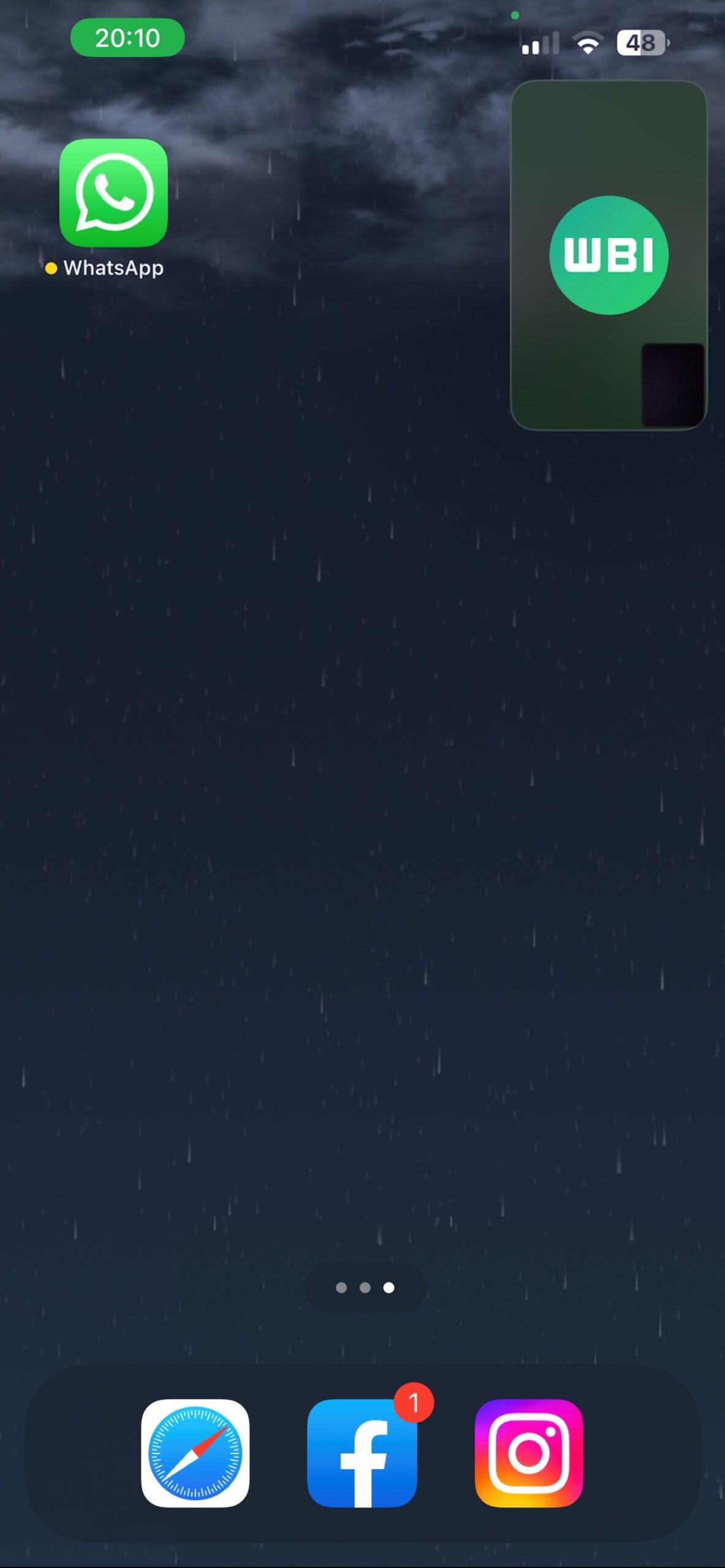
The screenshot that has been seen revealed by WABetaInfo clarifies that the new mode will allow iPhone users to multitask on their phones while being on a WhatsApp video call. During a video call, if a user closes the WhatsApp app, the picture-in-picture view will show up on the main window. This will help users to use other apps on the iPhone without closing the video call window or pausing their camera. The users will be able to turn off or temporarily disable the video call view at per convenience.

The mode, for now, is available in iOS 16.1 and later, so this can be one of the features supported by the update that brings official support for ios 16. WhatsApp is also working on releasing support for iOS 15-powered devices.

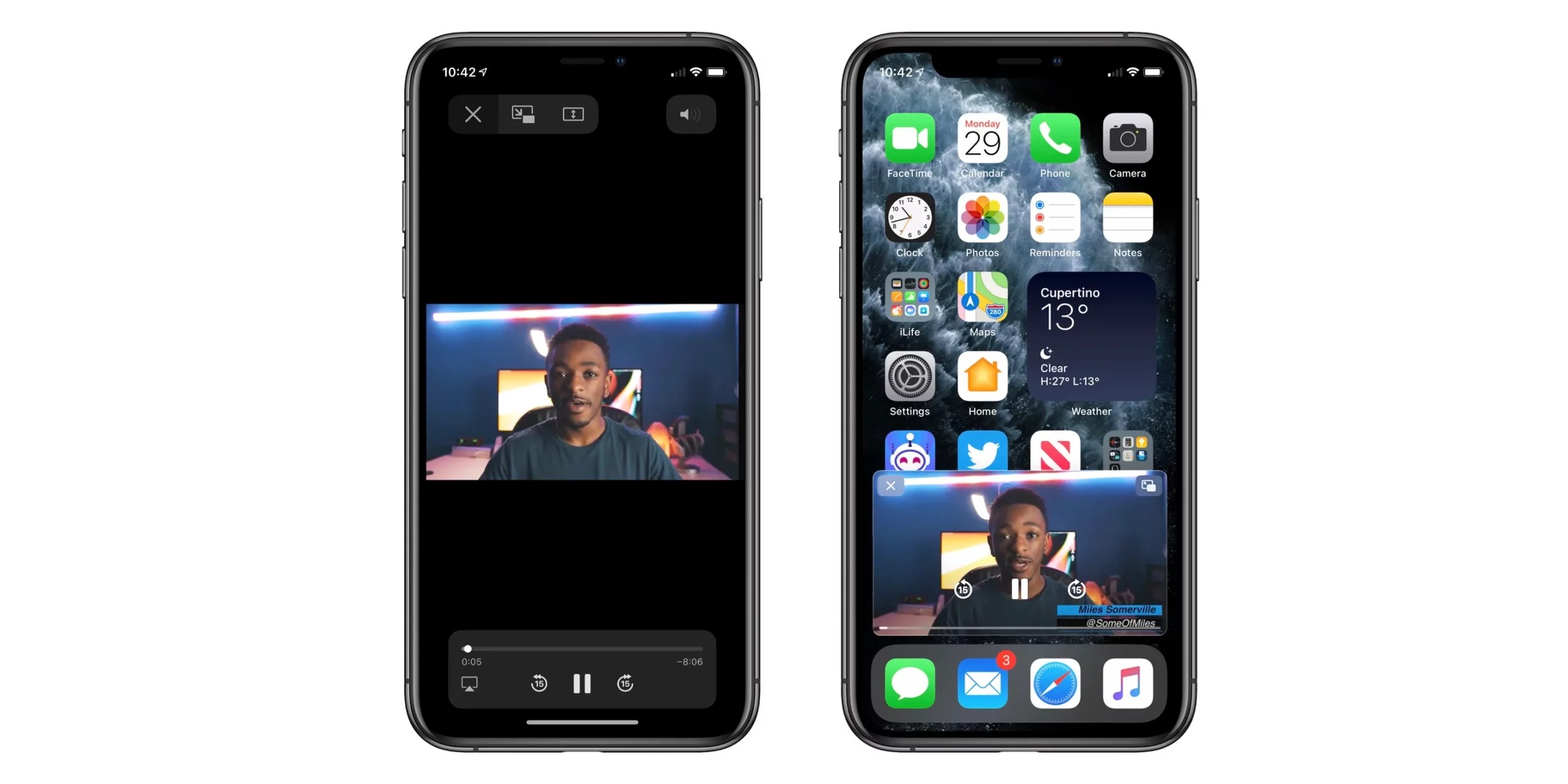
This feature is already available for video calls on Android devices. In addition to that, WhatsApp also allows iOS users to turn on the picture-in-picture mode to watch shared video files on the app. To turn it on, go to device settings, apps and notifications, WhatsApp, and advanced picture-in-picture.

Other new features
The messaging app is also working on an update which includes re-designing and adding more options under the disappearing messages shortcut button. It has redesigned and launched 8 emojis and will add 21 new emojis to make the user’s experience even more fun.

FAQs

1. What are the latest features added to WhatsApp?

WhatsApp has introduced Communities, Polls in chat, an extension of video calling that can include 32 people at once, groups of 1024 people, and more recently.

2. What will happen if you don’t update WhatsApp 2022?

If one doesn’t accept the update, then WhatsApp will not erase your account.

Shivangi AgarwalShivangi Agarwal
Shivangi is a tech writer at Smartprix, where she covers consumer technology news with a focus on smartphones, wearables, laptops, and the evolving world of OTT streaming. Since joining the team in August 2021, she has written over 120 in-depth reviews, comparisons, and buying guides aimed at helping readers navigate the ever-changing tech landscape.

With a strong foundation in English literature and education, Shivangi brings clarity, insight, and a reader-first approach to every story. Her expertise lies in breaking down complex features into accessible, practical insights—whether she’s reviewing the latest smartphone or exploring trends in infotainment.

Shivangi holds a B.A. (Hons.) and M.A. in English, along with a B.Ed in English and Social Studies. She is based in Faridabad, India. You can follow her work on Smartprix or connect with her for tech-related queries.

Related Articles

ImageVivo Watch GT 2 India Price Tipped Under ₹15,000 Ahead Of November 26 Launch: Specs, Battery & Colors

There are plenty of smartwatches in the Indian market, and whether a new one joins the generic crowd or does something different depends on the brand’s intent and the pricing. The Chinese smartphone manufacturer Vivo has been teasing a wearable for the Indian market for quite long.The watch is no secret, since it debuted …

ImageBest upcoming Whatsapp features you must know

Whatsapp is one of the most used apps in our daily lives. From the days of its barebone infancy, the app has come a long way in terms of features and user experience. Although many other instant messengers are there in the market, Whatsapp is still the undisputed king. Ever since its acquisition of Whatsapp, …

ImageHow to transfer WhatsApp data from Android to Apple iOS via the ‘Move to iOS’ App

Gone are those days when Android and iPhone users could not exchange any form of data with each other. Now, Apple has announced a Move to ios data porting app that will help in transferring data between Apple and iOS. The feature will be available in WhatsApp’s Beta version and will roll out slowly and …

ImageHow to Use Face ID on the iPhone Duo

Apple has added a camera-based face unlock option to the iPhone Duo with the second iOS 27.3 developer beta, released on November 16, 2026. Called “Unlock with Front Camera,” the feature lets users unlock the phone using facial recognition when the foldable is closed. The new option appears under Settings > Touch ID & Passcode. …

ImageHow to Turn Any GIF Into an Animated WhatsApp Sticker in 10 Seconds on Android and iPhone

WhatsApp lets you turn GIFs into animated stickers and share them directly in your chats. You can use your phone’s keyboard, WhatsApp’s built-in sticker editor, or a third-party tool to create stickers from GIFs you already have. The process takes only a few seconds once you know where to look. Here’s how to do it …

Discuss

Be the first to leave a comment.