




TL; DR
- X has been redesigning its app frequently, with the latest interface changes moving the Likes tab into a History section on iPhone.
- On iPhone, tap your profile picture, open the side menu, select History, and switch to the Likes tab.
- On Android and the web, Likes usually remain on your profile. If it is missing, check History or visit x.com/yourusername/likes.
- Likes have been private since June 2024. Only you can see your full list, although individual post authors can still see when you like their posts.
X has been rolling out interface changes frequently, with users seeing new layouts and features almost every week. The latest change moves the Likes tab into a History section on iPhone, making it harder to find for users accustomed to accessing liked posts directly from their profile.
How to find liked posts on X for iPhone
Open the X app and tap your profile picture in the top-left corner to open the side menu. Select History, which replaces the previous Bookmarks entry.
At the top of the History screen, you will find tabs for Bookmarks, Videos, Articles, and Likes. Tap Likes to see your saved list of posts, arranged with the newest first. Scroll down to find older posts.
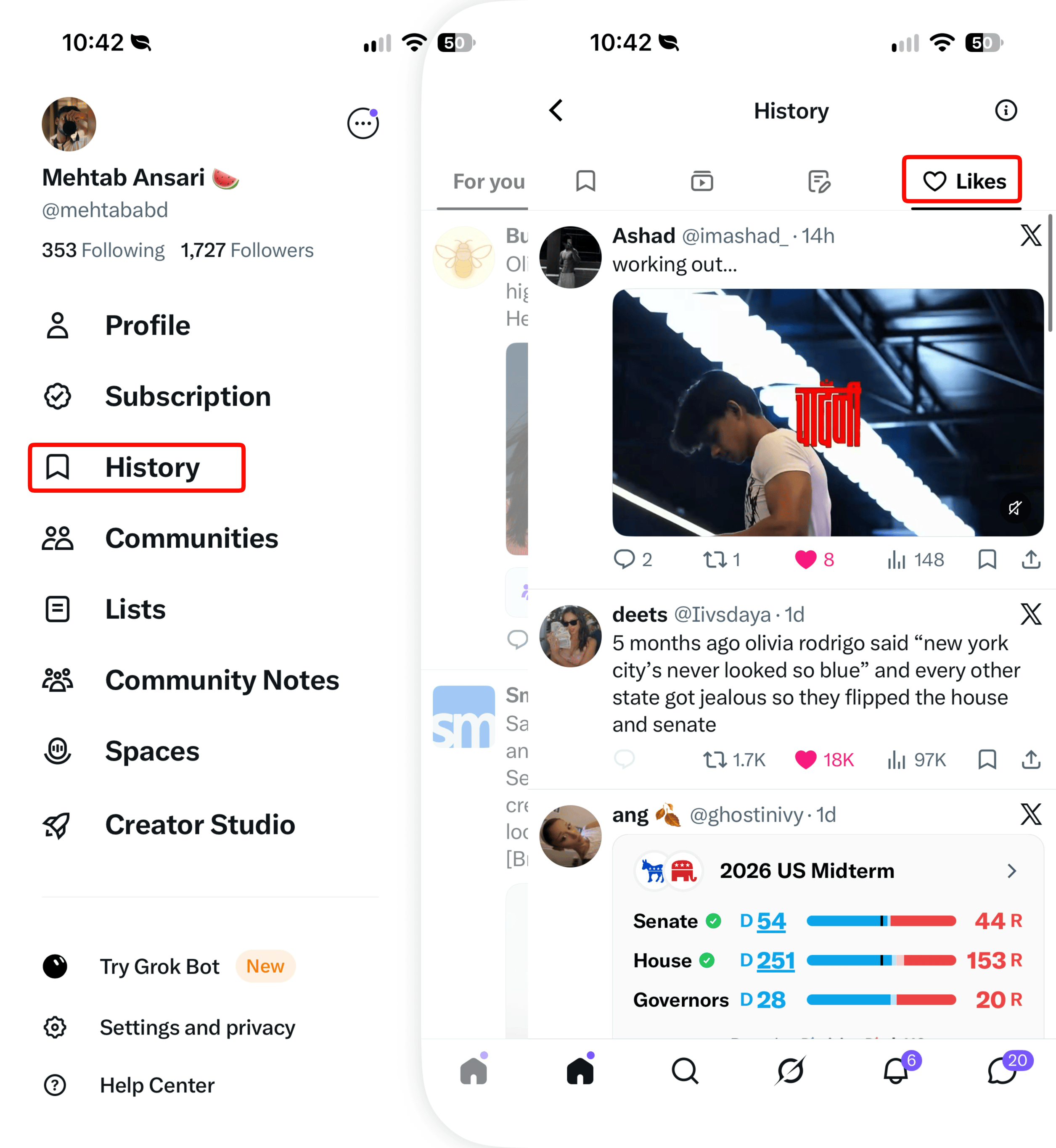
X began rolling out the History section on iOS in May 2026. Then-head of product Nikita Bier announced the change on 12 May, around the same time the Likes tab disappeared from the main profile tabs.
How to find liked posts on X for Android
Open the X app and go to your profile. Swipe across the tabs below your bio, which include Posts, Replies, Highlights, and Media, until you find Likes.
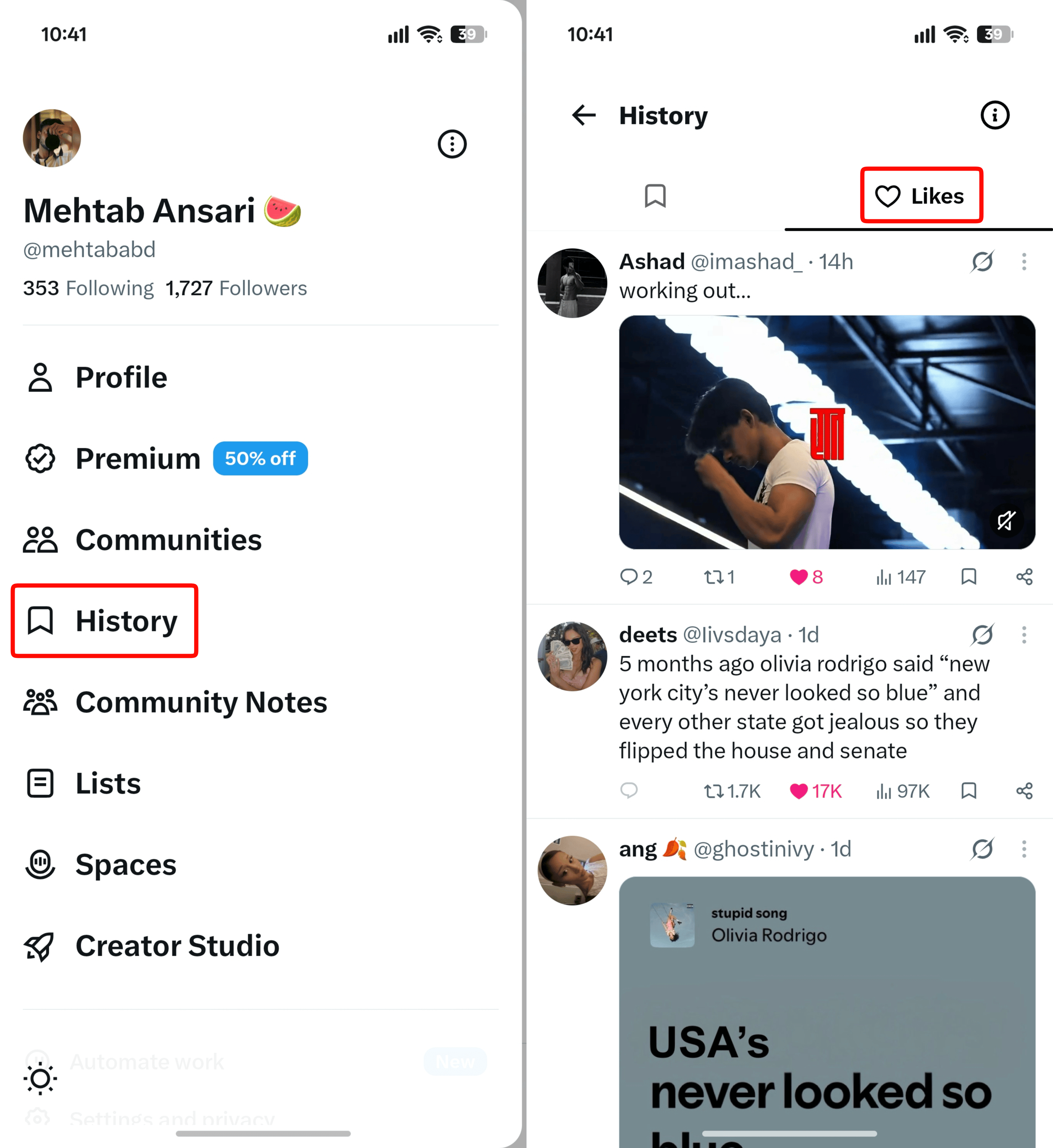
If the tab is missing, tap your profile picture to open the side menu and check for History. Some Android accounts have received the new layout, grouping Bookmarks, Videos, Articles, and Likes under History, while others still have the older profile tab.
How to find liked posts on X on the web
Visit x.com and sign in. Click Profile in the left sidebar, or select your profile picture and choose Profile. Look for the Likes tab below your bio.
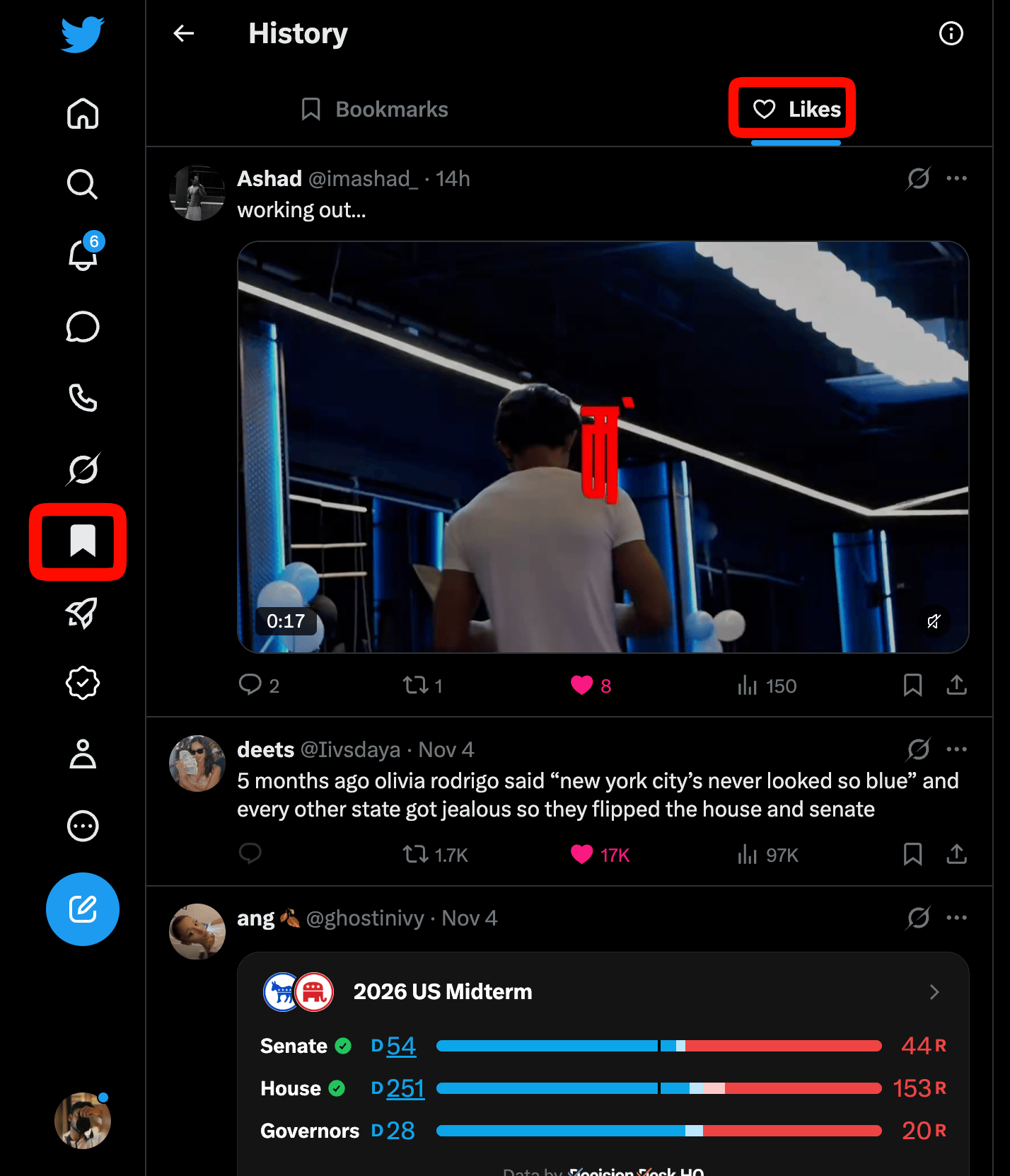
If it is missing, check the side menu for History and open the Likes section. You can also visit x.com/yourusername/likes directly while signed in.
Why are X likes private?
X made likes private across all accounts on 12 June 2024. The Likes tab no longer appears on other users’ profiles, and there is no setting to make your own likes public again.
You can still access your complete liked-post history as long as the original posts remain available to you. Authors can also see when you like their posts through the post’s activity, while individual like counts remain public.
Posts that have been deleted, accounts that have been suspended, and content from protected accounts you can no longer access will not appear in your Likes list.
X also does not have a search function inside Likes or History. Finding an older post means scrolling through the list.

You can follow Smartprix on Twitter, Facebook, Instagram, and Google News. Visit smartprix.com for the latest tech and auto news, reviews, and guides.