


Quick Verdict
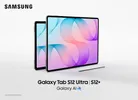
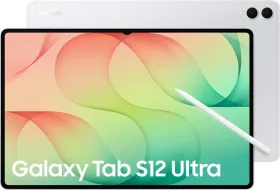
The Galaxy Tab S12 Ultra is built around two things: a massive 14.6-inch AMOLED display and an S Pen that makes handwritten notes and document annotation a pleasure. The screen gives you plenty of room to work, and the included stylus is excellent for long writing sessions.
At 695 grams, though, the 5G model is cumbersome to hold for extended periods. The glossy display also catches plenty of reflections, and the starting price of ₹1,49,999 makes this a serious investment.
Buy it if:
- You take handwritten notes, annotate PDFs, or sketch regularly.
- You want a large AMOLED display for reading, video, and multitasking.
- You need expandable storage and IP68 protection.
Skip it if:
- You spend a lot of time holding your tablet in one hand.
- You work under bright lights and find screen reflections distracting.
- You want a large-screen tablet at a lower price.
Samsung has kept the Ultra’s design largely unchanged from last year. You still get a 14.6-inch Dynamic AMOLED 2X display, a 5.1 mm-thin body, and an 11,600 mAh battery. The main upgrades include the Dimensity 9500, Wi-Fi 7, four-channel spatial audio, and One UI 9 based on Android 17.
With prices starting at ₹1,49,999 in India, the Tab S12 Ultra is firmly in premium tablet territory. I spent nearly four weeks using it for note-taking, reading, multitasking, and entertainment to see how well it holds up in everyday use. Let’s dive into the review.
HOW I TESTED
| Reviewed by: Mehtab Ansari, Assistant Editor, Features & Reviews at Smartprix Test unit: Samsung Galaxy Tab S12 Ultra 5G, 12GB RAM, 256GB storage, Gray, 5G. Samsung supplied the tablet and S Pen. Testing period: Two weeks of daily use at home, in cafes, and during short outdoor sessions. Tests included: Extended note-taking, PDF annotation, multitasking in standard tablet mode and DeX, HDR streaming, outdoor display visibility, light gaming, and synthetic benchmarks. Competitors: iPad Pro M5, OnePlus Pad 4 |
Samsung Price & Availability
Samsung sells the Galaxy Tab S12 Ultra in India in four configurations, all with 12GB RAM.
| Variant | Price |
| Wi-Fi, 256GB | ₹1,49,999 |
| Wi-Fi, 512GB | ₹1,69,999 |
| 5G, 256GB | ₹1,64,999 |
| 5G, 512GB | ₹1,84,999 |
The tablet comes in Gray and Silver, with the S Pen included in the box. Sales began on October 7, 2026, through Samsung’s online store and retail partners.
Pros
- Large, high-contrast AMOLED display
- Excellent S Pen experience with low writing latency
- Slim aluminum body with IP68 protection
- Great performance
- microSD expansion up to 2TB
- Seven OS updates
- Samsung DeX offers a desktop-like experience for productivity
- Good battery life
- S Pen comes included in the box
- Four-speaker system with Dolby Atmos and spatial audio
Cons
- Heavy and awkward to hold for extended periods
- Glossy display reflects overhead lights and windows
- No charger in the box
Samsung Galaxy Tab S12 Ultra Specifications
| Specification | Details |
| Display | 14.6-inch Dynamic AMOLED 2X, 2960 x 1848 pixels, adaptive 120Hz, 239 ppi, HDR10+ |
| Brightness | 1,600 nits peak, 1,000 nits HBM, Vision Booster |
| Processor | MediaTek Dimensity 9500, 3nm |
| CPU | 1x 4.21GHz C1-Ultra, 3x 3.5GHz C1-Premium, 4x 2.7GHz C1-Pro |
| GPU | Arm Mali-G1 Ultra MC12 |
| RAM | 12GB LPDDR5X |
| Storage | 256GB or 512GB UFS 4, expandable up to 2TB via microSD |
| Battery | 11,600 mAh |
| Charging | 45W |
| Rear cameras | 13MP autofocus + 8MP ultrawide, LED flash |
| Front camera | 12MP ultrawide |
| Audio | Four speakers, four-channel spatial audio, Dolby Atmos |
| S Pen | Included, IP68, magnetic attachment, 4,096 pressure levels, no Bluetooth |
| Biometrics | In-display optical fingerprint sensor |
| Connectivity | Wi-Fi 7, Bluetooth 6.0, USB-C 3.2, 5G on cellular models |
| Durability | IP68, Enhanced Armor Aluminum |
| Dimensions | 208.5 x 326.3 x 5.1 mm |
| Weight | 692g (Wi-Fi), 695g (5G) |
| Software | Android 17 with One UI 9, up to seven OS upgrades |
| In the box | Tablet, S Pen, USB-C cable, ejector pin, quick start guide |
Samsung Galaxy Tab S12 Ultra Review: Design and Build
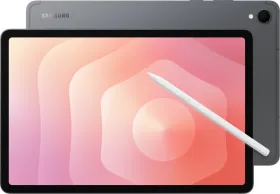
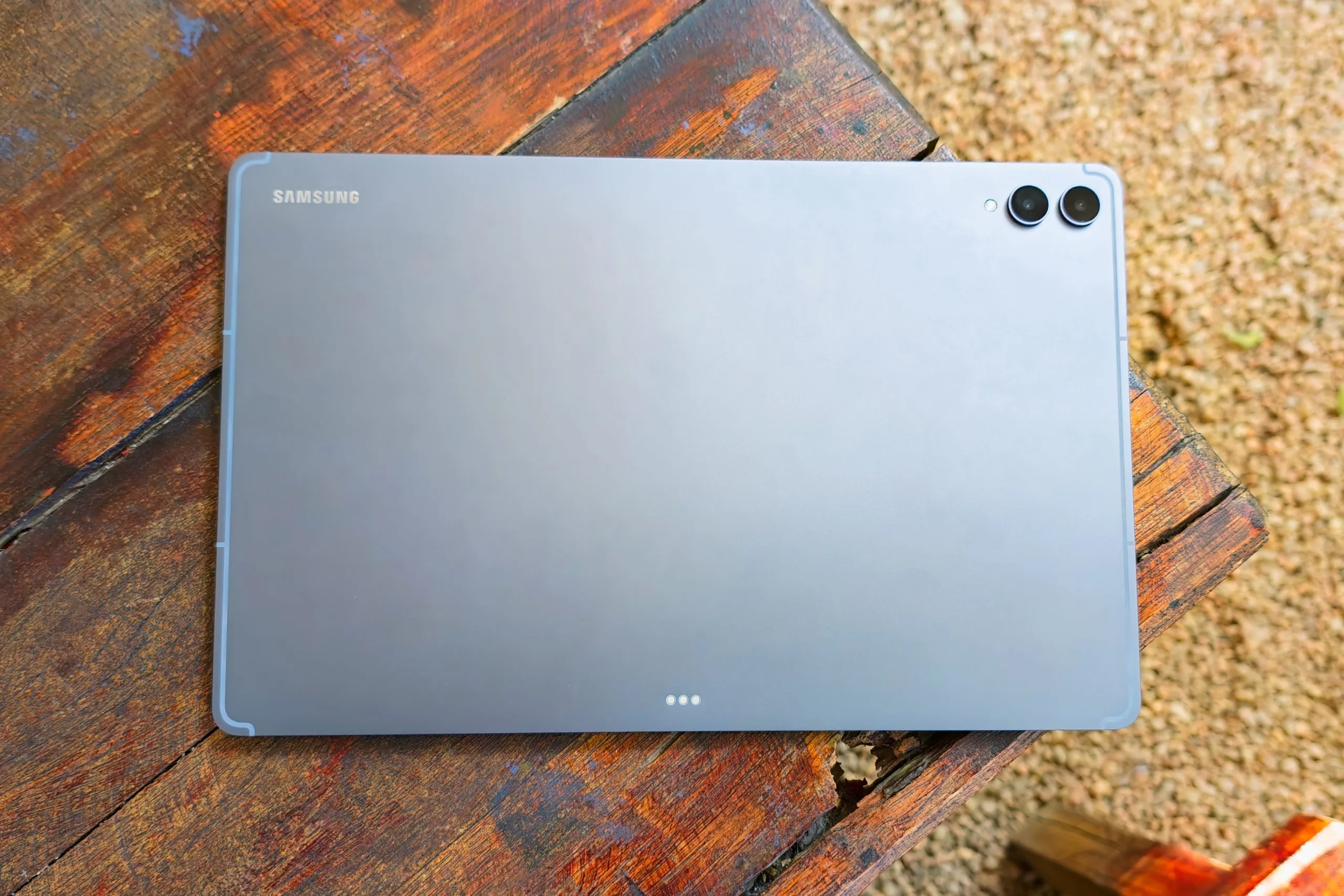
The Galaxy Tab S12 Ultra has an aluminum body with Samsung’s Enhanced Armor Aluminum finish. At 5.1 mm thick, it’s remarkably slim for a tablet this large. My 5G review unit weighs 695 grams, and you notice that weight almost immediately when holding it.

Reading in bed or watching videos while holding the tablet gets tiring quickly. Its size makes it difficult to grip comfortably with one hand, so you’ll probably end up resting it on your lap, a desk, or a stand.
Build quality is solid. The chassis barely flexes, and the tablet feels well put together. The IP68 rating is also a welcome addition, offering protection against dust and water under specified test conditions.

The front camera sits in a small notch along the top edge in landscape orientation. Since I used the tablet this way most of the time, it rarely got in the way. The placement also works well for video calls.
The optical fingerprint sensor sits toward the right side when held in landscape. It takes a little time to get used to its position, and unlocks aren’t particularly fast. It can get quite annoying at times.

Samsung keeps the button layout straightforward. The volume rocker and power button sit along the top edge, while the USB-C port and speaker grilles occupy the sides. You’ll also find pogo-pin contacts for keyboard accessories along the bottom edge.
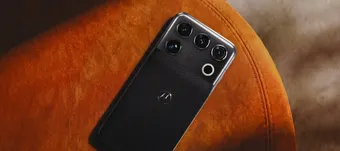
The rear panel has a dual-camera setup in the top-right corner, accompanied by an LED flash and the Samsung logo. Overall, the design is familiar, with the sheer size of the tablet being its most noticeable characteristic.
S Pen
The S Pen attaches magnetically to the top edge, above the SIM tray on the 5G model. It stays in place during normal use and carrying, although I’d still keep an eye on it when moving the tablet around in a bag.

The pen has a hexagonal body, IP68 protection, and no battery. You can pick it up and start writing immediately, with no charging or pairing required.
Samsung has removed Bluetooth support, which means Air Actions and the remote shutter function are gone. Anyone who used those features on an older S Pen will miss them. The core writing experience remains excellent.

In Samsung Notes, the ink follows the pen tip with barely any noticeable delay. The stylus supports 4,096 pressure levels, allowing you to vary line thickness depending on the brush and how firmly you press. Palm rejection also works reliably, so you can rest your hand on the display while writing.
I used the S Pen for article outlines, notes, and PDF annotations. The large display gives you plenty of room to write without constantly zooming in or moving around the page. Shape correction is handy for drawing straight lines, while writing directly on screenshots makes marking up content quick and easy.

The side button lets you switch between the pen and eraser or access a selection menu, depending on the app.
The hexagonal grip stays comfortable during long writing sessions, and the lightweight stylus doesn’t put much strain on your fingers. Combined with the responsive display, it makes the Tab S12 Ultra an excellent tablet for anyone who spends hours writing or annotating documents.
For me, the S Pen and the 14.6-inch screen are the main reasons to consider this tablet.
Samsung Galaxy Tab S12 Ultra Review: Display
The 14.6-inch Dynamic AMOLED 2X display is the main attraction. With a resolution of 2960 x 1848 pixels, a 120Hz refresh rate, and HDR10+ support, it looks sharp and vibrant across everyday tasks.

Samsung rates peak brightness at 1,600 nits, with High Brightness Mode reaching 1,000 nits across the panel. Indoors, brightness is rarely a concern. The screen also remains readable near a bright window, although direct sunlight makes viewing more difficult.
Reflections are the bigger problem. The glossy surface catches overhead lights and windows, especially when the tablet lies flat on a desk. The large display gives reflections plenty of room to become distracting.

A matte screen protector can help, although it could also soften the image slightly. Vision Booster adjusts brightness and contrast in bright environments, but reflections remain visible.
Colors look rich, and blacks are deep, making the panel particularly good for movies and other HDR content. The 16:10 aspect ratio also works well for reading and productivity. I loved using the Tab S12 Ultra as a second screen for my laptop.

The large canvas makes multitasking practical. Two apps side by side have enough room for comfortable reading, and a three-app layout works well too. Text remains sharp at normal viewing distances.
The front-camera notch is visible during full-screen content, although it occupies a relatively small portion of the display. For browsing, taking notes, and switching between apps, I rarely noticed it.
The 120Hz refresh rate keeps scrolling smooth, and the responsive touch layer makes writing with the S Pen feel seamless. If you spend most of your time working on documents or taking notes, the combination works particularly well.
Samsung Galaxy Tab S12 Ultra Review: Speakers and Haptics
Samsung has fitted four speakers around the tablet’s edges, with Dolby Atmos and four-channel spatial audio support.

The speakers get loud enough for watching videos in a quiet room or a cafe. Dialogue stays clear at moderate volume, while bass has enough presence for casual listening.
You won’t get the depth of a dedicated speaker system, although movies and music sound enjoyable for a tablet. Spatial audio adds a wider presentation in supported content.
There are no haptics on the Tab S12 Ultra.
Samsung Galaxy Tab S12 Ultra Review: Software
The Galaxy Tab S12 Ultra runs Android 17 with One UI 9. Samsung’s multitasking tools make good use of the large display, letting you run multiple apps side by side and resize windows to suit your workflow.
DeX switches the tablet to a desktop-style interface with a taskbar and resizable windows. It works well for browser-based tasks, document editing, spreadsheets, and light coding. You can also connect a Bluetooth keyboard and mouse to make the setup more practical for extended work sessions.

App compatibility still varies. Most major productivity and media apps scale well, while some Android apps have awkward layouts or limited functionality on a large display.
Samsung Notes remains one of the strongest reasons to use the S Pen. Handwriting recognition converts handwritten notes into text, PDF annotation lets you mark up documents directly, and Note Assist can summarize longer notes. Preloaded options such as Notability, Goodnotes trials, and Notion give you additional ways to organize your work.
Galaxy AI features, including Writing Assist and Transcript Assist, are also available on the Tab S12 Ultra. Samsung promises up to seven major Android OS upgrades. One UI also packs in plenty of customization options and multitasking controls, which are easier to manage on a display this large.
Third-party app optimization, though, is something to keep in mind. Many Android apps still aren’t designed well for large screens, and I ran into issues with YouTube glitching and failing to scale properly. If you rely heavily on tablet apps and want a more consistent experience, the iPad Pro could be worth considering instead.
Samsung Galaxy Tab S12 Ultra Review: Performance
The MediaTek Dimensity 9500 handled my daily workload smoothly. Switching between apps, browsing with multiple windows open, editing documents, and streaming HDR video all ran without any issues.

The 12GB of RAM also gave me enough room to keep several apps running while moving between notes, browser tabs, and messaging. I didn’t notice meaningful thermal throttling during regular use. The aluminum body warms up under sustained loads, although it never became uncomfortable during my testing.
Light gaming runs well, and demanding titles remain playable with suitable graphics settings. The tablet’s size makes extended gaming sessions less convenient to hold, so a stand or controller can help.
Synthetic benchmarks place the Dimensity 9500 among the more powerful mobile chipsets available. In everyday use, the benefits show up in smooth scrolling, responsive pen input, and quick window resizing.
The performance is well suited to the tablet’s intended use. It has enough power for demanding multitasking, productivity, and entertainment.
| Benchmark | Galaxy Tab S12 Ultra (Dimensity 9500) |
| AnTuTu Score | 3517647 |
| Storage (Score, Sequential Read Speed, Write Speed) | Score: 90869; Sequential Read: 4216 MB/s; Sequential Write: 2709 MB/s |
| Geekbench 6 CPU (Single-Core, Multi-Core) | Single-Core: 2780; Multi-Core: 9299 |
| Geekbench 6 GPU (OpenCL, Vulkan) | OpenCL: 16095; Vulkan: 18624 |
| 3DMark Wildlife Extreme (Score, Avg FPS) | Score: 6317; Avg FPS: 37.83 |
| 3DMark Wildlife Extreme Stress Test (Best Loop, Lowest Loop, Stability) | Best Loop: 6871; Lowest Loop: 5670; Stability: 82.5% |


Samsung Galaxy Tab S12 Ultra Review: Cameras
The Galaxy Tab S12 Ultra has a 13MP autofocus main camera, an 8MP ultrawide camera, and an LED flash on the back. The front houses a 12MP ultrawide camera for video calls.

The rear cameras work well enough for scanning documents. Autofocus locks quickly, and the large display makes it easy to frame pages, notes, and whiteboards. Image quality is adequate for saving documents to Samsung Notes.
The front camera is more useful in everyday situations. Its wide field of view works well for video calls, especially when the tablet sits on a desk or stand. Image quality is average, with softer details and more noise in low light, although it’s fine for meetings.

The rear cameras can record 4K video at 30fps. You can use them for casual clips, but I would stick to a phone for more serious photography or video work.
Samsung Galaxy Tab S12 Ultra Review: Battery Life and Charging
The Galaxy Tab S12 Ultra retains the previous model’s 11,600 mAh battery. During my testing, mixed use involving notes, browsing, documents, and video usually lasted a full workday, with some charge left for the evening. If you’re wondering about screen-on time, I could get around 10 hours of SoT over 2 days of usage.

The tablet supports 45W Super Fast Charging 2.0. With a compatible adapter, a full charge takes roughly 90 to 95 minutes. Samsung doesn’t include a charging adapter in the box, so you’ll need to supply your own.
For everyday desk use, the battery should comfortably last through a typical workday. Heavy gaming at high brightness will drain it faster, so keep a charger or powerbank nearby.
Review Verdict: Should You Buy the Samsung Galaxy Tab S12 Ultra?
The Galaxy Tab S12 Ultra makes the most sense for people who want a large screen for handwritten notes, document annotation, and multitasking. Its 14.6-inch AMOLED display gives you plenty of room to work, and the S Pen remains one of the best styluses available for Android tablets.
The size comes with practical drawbacks. At 695 grams, the 5G model gets tiring to hold for extended periods, and the glossy display reflects overhead lights and windows. The cameras are basic, and the missing charger is an inconvenience at this price.
Performance is excellent, battery life is great for a full workday, and Samsung’s software gives you plenty of tools for productivity. The S Pen and large display are still the biggest reasons to choose the Ultra.
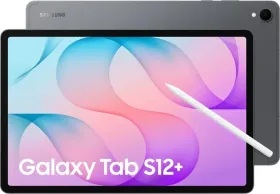
If you regularly take handwritten notes, watch movies, mark up PDFs, or run several apps side by side, the Galaxy Tab S12 Ultra is an excellent choice. The smaller Tab S12+ may suit you better if you want something easier to handle, while budget-conscious buyers have plenty of other large-screen tablets to consider like the OnePlus Pad 4.

Smartprix ⭐ Rating: 8.2/10
- Design and Build: 8.5/10
- Display: 9/10
- Speakers: 8/10
- Software: 8.3/10
- Biometrics: 7.5/10
- Performance: 8.5/10
- Cameras: 7/10
- Battery Life & Charging: 9/10
First reviewed in November 2026.