



Quick Answer
- The Galaxy Tab S12 Series is the best Android alternative to the iPad Pro in 2026
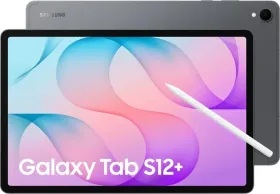
- Comes with an S Pen in the box, three-way Multi-Window, Google AI Pro, and a Dynamic AMOLED 2X display in a 5.1mm body
- Starts ₹10,000 cheaper than the 11-inch iPad Pro, with an even lower total cost of ownership
- If you’re locked into Apple’s ecosystem or need specific iPadOS apps, the iPad Pro is still the better pick.
The premium tablet market in 2026 is hevely contested, but the recently announced Galaxy Tab S12 Series seems to dominating the competition once again.
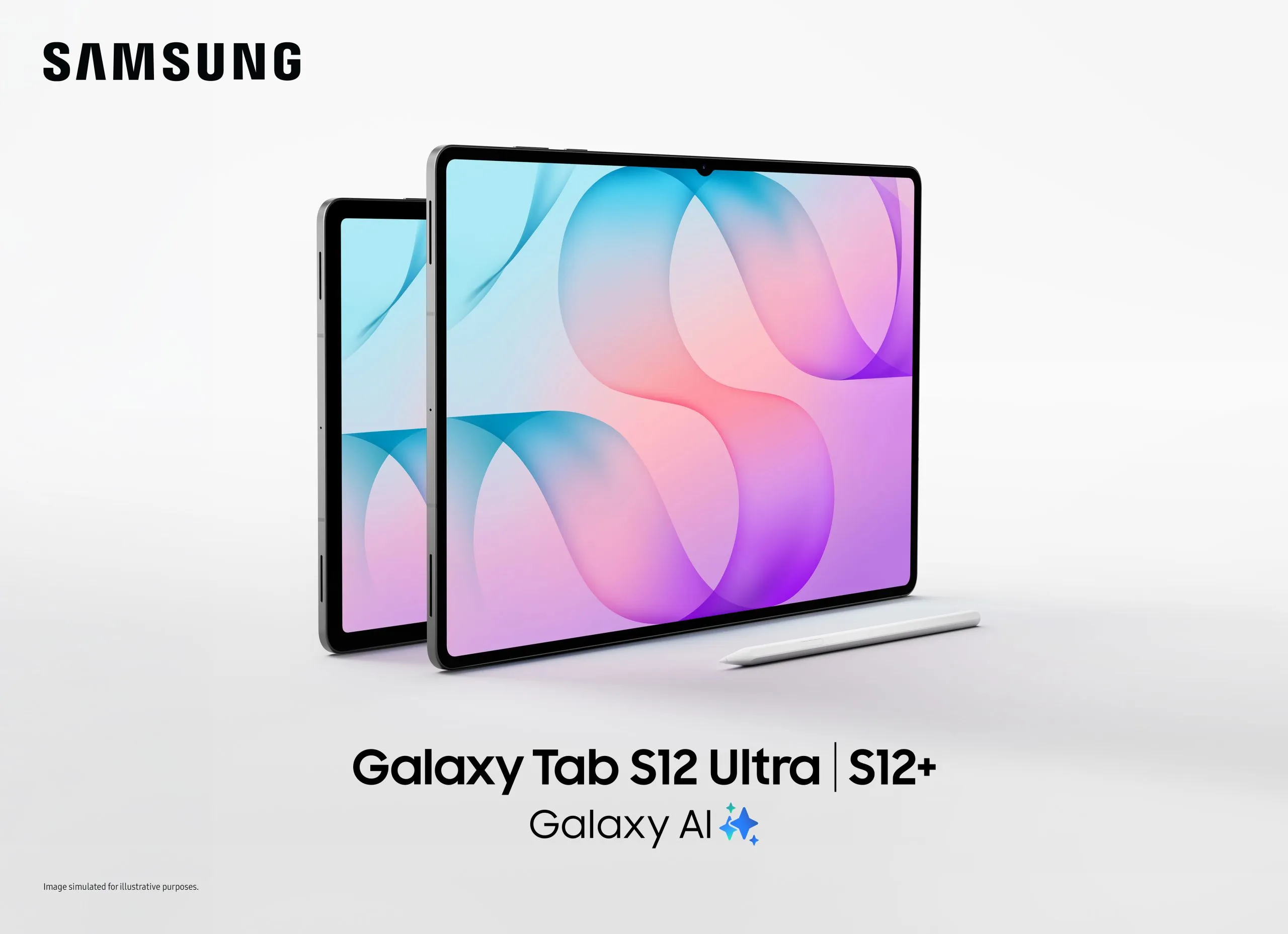
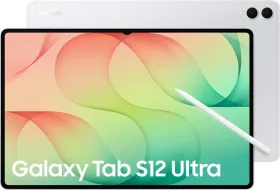
The Samsung Galaxy Tab S12 Series is built for productivity. You get an S Pen in the box, can run three apps at once on screen, and receive six months of Google AI Pro. The full setup costs thousands less than the iPad Pro. It runs Android 17 with One UI 9, has an IP68 rating for water and dust resistance, and fits a 14.6-inch Dynamic AMOLED 2X display into a 5.1mm thin body. Here’s a direct comparison of the Samsung Galaxy Tab S12 Series and Apple iPad Pro. I’ll break down AI, multitasking, stylus features, creativity tools, battery life, ecosystem, and total cost. This should help you decide which premium tablet fits your needs in India in 2026.
India Tablet Pricing Updates (2026)
Premium tablet prices in India have shifted meaningfully through 2026. Samsung’s aggressive bundling (in-box S Pen, bank cashback, no-cost EMI, and trade-in buyback) has pushed the effective price gap between Android and iPadOS flagships wider than the headline MRPs suggest. Apple, meanwhile, has held pricing steady on the M5-powered iPad Pro lineup while keeping the Apple Pencil Pro and Magic Keyboard as separate purchases — a structure that adds ₹40,000–₹45,000 to a “complete” setup. Before comparing any two tablets on price alone, it’s worth checking:
- Current bank and card cashback offers (these change monthly)
- Whether a keyboard/stylus bundle is included or separate
- Buyback/exchange programs (e.g., Samsung’s Galaxy Forever), which affect long-term cost.
Samsung Galaxy Tab S12 Series vs Apple iPad Pro Comparison (Specs by Specs)
| Feature | Galaxy Tab S12 Ultra | Galaxy Tab S12+ | iPad Pro 13-inch | iPad Pro 11-inch |
| Display | 14.6″ Dynamic AMOLED 2X, 120Hz | 12.6″ Dynamic AMOLED 2X, 120Hz | 13″ Ultra Retina XDR | 11″ Ultra Retina XDR |
| Processor | Dimensity 9500, 3nm | Dimensity 9500, 3nm | Apple M5 | Apple M5 |
| OS | Android 17, One UI 9 | Android 17, One UI 9 | iPadOS | iPadOS |
| Stylus | S Pen (in-box) | S Pen (in-box) | Apple Pencil Pro (₹11,900 extra) | Apple Pencil Pro (₹11,900 extra) |
| AI Platform | Galaxy AI + Google AI Pro | Galaxy AI + Google AI Pro | Apple Intelligence | Apple Intelligence |
| Battery | 23 hrs, 45W | 21 hrs, 45W | All-day (unspecified) | All-day (unspecified) |
| IP Rating | IP68 | IP68 | Not rated | Not rated |
| Starting Price (India) | ₹1,49,999 | ₹1,29,999 | ₹1,99,900 | ₹1,39,900 |
| Keyboard (extra) | ₹27,999 | ₹26,499 | ₹33,900 | ₹29,900 |
| Total setup cost | ₹1,77,998 | ₹1,56,498 | ₹2,45,700 | ₹1,81,700 |
What Are You Actually Comparing?
The Samsung Galaxy Tab S12 Series vs Apple iPad Pro debate is no longer one-sided. For years, the iPad was the default premium tablet. In 2026, the contest is wide open. If you use Android, or you’re a student or creator, the Galaxy Tab S12 Series now makes a stronger case than ever.
The Galaxy Tab S12 Ultra matches up with the iPad Pro 13, and the Galaxy Tab S12 Plus lines up with the iPad Pro 11 by screen size and price. Both Samsung models run Android 17 with One UI 9, include an S Pen, and use the Dimensity 9500 chip. Samsung focuses on flexibility and AI from the start. Apple focuses on ecosystem depth and mature apps.
AI: Google AI Pro vs Apple Intelligence
AI is the biggest difference between the Galaxy Tab S12 Series and the iPad Pro.
Galaxy AI vs Apple Intelligence on tablets plays out differently than on phones. The Galaxy Tab S12 Series ships with a six-month trial of Google AI Pro, giving access to Gemini’s most capable models from day one. Through Gemini Notebook, users can bring together PDFs, lecture recordings, websites and images into one AI-powered workspace — then generate summaries, quizzes, flashcards and audio overviews. Note Assist summarises handwritten Samsung Notes in real time. The Galaxy AI Key on the Pro Keyboard gives instant access to Bixby, Gemini, or Perplexity.

AI productivity on the Galaxy Tab is built in. It’s not just a chatbot added on, but AI that works directly in your notes, research, and browsing.
Apple Intelligence on iPad Pro uses the M5’s 16-core Neural Engine for on-device AI. It rewrites text, summarizes notes, generates images, and powers AI tools in creative apps. If you already use Apple’s ecosystem, it works seamlessly. But if you want AI note-taking that handles multiple file types and sources, Samsung’s Gemini Notebook has the edge.
Multitasking: Galaxy Tab S12 Multi-Window vs iPad Multitasking
The Galaxy Tab S12 vs iPad multitasking comparison is where Samsung’s large-screen philosophy pays off most clearly.
Three-way Multi-Window lets you run Samsung Notes, a lecture video, and an AI assistant simultaneously — all visible, all active. Watch a lecture, write notes with the S Pen, and ask Gemini to clarify a concept without pausing anything. No switching. No losing your place.
iPadOS has improved significantly, supporting resizable multi-window layouts and split-screen up to thirds. Background Tasks allow exports and downloads to continue while you work. It is genuinely capable — but Galaxy Tab S12 vs iPad for laptop replacement scenarios favor the three-panel Android workflow, especially on the 14.6-inch Ultra canvas.
For Galaxy Tab S12 vs iPad for Microsoft Office and professional productivity, both fully support Word, Excel, and PowerPoint. Samsung’s edge is keeping three documents in view simultaneously.
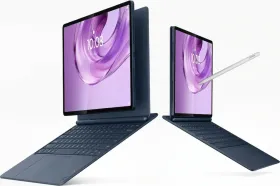
Samsung DeX adds a desktop-style interface, with resizable windows and a taskbar, making the Galaxy Tab S12 feel more like an Android tablet laptop replacement when paired with a keyboard and mouse. iPadOS offers capable windowing, but keeps a more tablet-first workflow. DeX may suit users who want desktop-style multitasking; iPadOS may feel more familiar if you already use Apple devices. Confirm DeX support for your specific Galaxy Tab S12 model before buying.
S Pen vs Apple Pencil: The Ownership Difference
The S Pen included vs. Apple Pencil sold separately changes everything in a price-sensitive market like India.
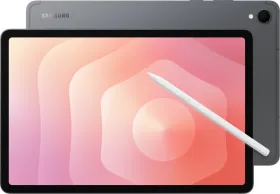
The S Pen ships in the box with both the Galaxy Tab S12 Ultra and Galaxy Tab S12+. It supports precise note-taking, PDF annotation, and sketching, and it works with Adobe Photoshop’s tablet-optimized interface at no extra cost.
Apple Pencil Pro costs ₹11,900 extra. It adds squeeze, barrel roll, and haptic feedback, which help with professional illustration. But you have to buy it separately.
For Galaxy Tab S12 vs iPad for note-taking, Galaxy Tab S12 vs iPad for PDF annotation, and Galaxy Tab S12 vs iPad for handwritten notes, the S Pen is ready out of the box.
Galaxy Tab S12 vs iPad Total Ownership Value: The Real Price Story
Galaxy Tab S12 vs iPad price India: Look closely at the table below, and you will see the full picture is different.
| Complete Setup (tablet + stylus + keyboard) | Cost |
| Galaxy Tab S12+ Wi-Fi 256GB | ₹1,56,498 |
| Galaxy Tab S12 Ultra Wi-Fi 256GB | ₹1,77,998 |
| iPad Pro 11-inch 256GB | ₹1,81,700 |
| iPad Pro 13-inch 256GB | ₹2,45,700 |
The complete Galaxy Tab S12 Plus setup costs ₹25,000 less than the iPad Pro 11. The Galaxy Tab S12 Ultra setup is over ₹67,000 cheaper than the iPad Pro 13. That’s a big difference when you’re deciding which tablet to buy in India in 2026.
Launch Offers and Cashback (2026)
As of 2026, Samsung’s India launch offers include:
- Up to ₹5,000 in bank cashback
- Up to ₹15,000 off eligible Tab-and-Galaxy-smartphone purchases
- 30% off accessories
- No-cost EMI for up to 24 months
- Galaxy Forever program: 40% assured buyback after 11–13 months (subject to terms)
These promotions change frequently — check current retailer prices, accessory bundles, and offer eligibility before comparing total cost.
Creativity: Galaxy Tab S12 vs iPad for Drawing, Photo and Video Editing
Galaxy Tab S12 vs iPad for creators is now a close contest. For the first time, Adobe Photoshop comes pre-loaded on the Galaxy Tab S12 Series, with a tablet-optimized interface and full S Pen support. You also get Generative Fill, AI Assistant, and Image to Video powered by Adobe Firefly.

The app lineup also includes:
- LumaFusion (66% off)
- Clip Studio Paint (6-month trial)
- Notability (6-month trial)
- GoodNotes (1 year free)
- Notion
- ArcSite
Worth approximately $600 in combined value.
iPad Pro counters with a mature creative ecosystem: Final Cut Pro, Logic Pro, Procreate Dreams, Affinity Designer 2, Shapr3D. The M5 chip handles multiple streams of 4K ProRes video without breaking a sweat.
If you rely on Procreate or Final Cut Pro, the iPad is still your best choice. If you want Photoshop, a large AMOLED display, and an S Pen ready out of the box, the Galaxy Tab S12 is the better pick for photo editing and illustration.
Performance, Battery and Durability
For everyday tasks such as browsing, streaming, and note-taking, both the Galaxy Tab S12 and iPad Pro should feel responsive. Their chips and operating systems differ, so headline specifications alone don’t establish which performs better in real-world use.
The Dimensity 9500 is rated to deliver a 61% faster NPU, 19% faster CPU, and 17% better GPU than its predecessor. Samsung also uses a 3D Vapor Chamber to help manage heat during demanding tasks. These features may benefit sustained creative work or multitasking, but performance can vary by app and workload; without matched testing, they don’t prove the Galaxy Tab S12 outperforms the iPad Pro.

Samsung rates the Galaxy Tab S12 Ultra for up to 23 hours of use and the S12+ for up to 21 hours; both support 45W charging, with a claimed full charge in 95 minutes. Apple describes iPad Pro battery life as “all-day” but does not provide a directly comparable hours figure. These claims don’t establish which tablet lasts longer in everyday use: actual battery life varies with brightness, settings, apps, and workload. Browsing, video playback, and gaming can produce different results, so a fair comparison requires matched tests under the same conditions.
Both tablets are thin: 5.1mm for the Ultra and 5.3mm for the S12+. The Galaxy Tab S12 Series has an IP68 rating for water and dust resistance. The iPad Pro does not offer this protection.
Both Galaxy models now have 4-channel spatial audio, which is double the channels of the previous generation. You get richer sound for lectures, streaming, or editing.
The Galaxy Tab S12 Series supports up to seven OS upgrades and security updates, making it a compelling choice if long-term Android support matters to you. The Apple iPad Pro may be a better fit if future-ready means continued access to iPad-optimised apps and close integration with Apple devices. Which feels more future-ready depends on whether you value Samsung’s stated update commitment or Apple’s app and ecosystem advantages.
Before buying an Android tablet, check the update policy for the exact model and region. Confirm how many OS upgrades and security updates it will receive, and when support is expected to end. Verify Samsung’s stated seven-upgrade commitment for your model rather than relying on a general series claim. Also check that the apps you need are available and supported on the tablet. Updates matter, but app compatibility can shape how useful the device remains over time.
Galaxy Ecosystem vs Apple Ecosystem: Which Matters More?
Choosing between Android flexibility and iPadOS depends on the devices you already use.
Galaxy Tab S12 works smoothly with Galaxy smartphones using Multi-Control and Link to Windows. You can drag files between your phone and tablet, or use one keyboard and mouse for both. If you already use a Galaxy phone, the tablet fits right into your setup.
Apple’s ecosystem integration — Handoff, AirDrop, Sidecar, iPhone mirroring — remains the gold standard if your everyday world is iPhone, Mac, and AirPods. The App Store offers over a million iPad-optimised apps, including professional tools with no Android equivalents.
If you use a Galaxy phone, get the Galaxy Tab. If you use an iPhone and Mac, the iPad Pro is the better fit.
Which Should You Buy? Best for Whom
For students, the Galaxy Tab S12 wins. You get the S Pen in the box, Gemini Notebook, Note Assist, three-way Multi-Window, and Google AI Pro. It’s the best AI tablet for students in India in 2026.
For creators, it’s a close call. Choose Galaxy for Photoshop, the S Pen, and an AMOLED display. Choose iPad for Final Cut Pro, Procreate, and Logic Pro.
For professional work, choose the Galaxy Tab S12 if you want Android flexibility, three-panel multitasking, and AI-assisted research; choose the Apple iPad Pro if your workflow depends on pro apps unavailable on Android. Both should handle everyday tasks well, but performance and battery life vary by app, settings, and workload, so compare matched tests for demanding use. Your existing devices matter, too: an Android tablet fits naturally with Galaxy phones, while the iPad Pro integrates more closely with iPhone and Mac.
If you use Android, the Galaxy Tab S12 Series is the clear choice.
If you’re in the Apple ecosystem, the iPad Pro gives you real integration advantages.
Samsung Galaxy Tab S12 Series vs Apple iPad: The Verdict
The Samsung Galaxy Tab S12 Series is the strongest premium Android alternative to the iPad yet. The Galaxy Tab S12 Ultra gives you a 14.6-inch AMOLED display, S Pen included, IP68 protection, Google AI Pro, and Android 17, all for over ₹67,000 less than a full iPad Pro 13 setup. The Galaxy Tab S12 Plus beats the iPad Pro 11 by ₹25,000 when fully equipped.
Pick the Samsung Galaxy Tab S12 Series if you want flexible multitasking, AI-assisted research, handwritten notes, a large AMOLED display, and the freedom of Android.
Go with the iPad Pro if you need Apple’s ecosystem, iPad-only apps, or already use Apple’s creative tools.
If you’ve always picked the iPad just because it’s premium, 2026 is the time to ask a better question: What do I actually need my tablet to do every day?
Frequently Asked Questions
Is the Samsung Galaxy Tab S12 Series a good alternative to iPad Pro?
Yes. It is the best Android alternative to iPad Pro in 2026 — with an included S Pen, three-way Multi-Window, Google AI Pro, Dynamic AMOLED 2X display, IP68 durability, and a lower total setup cost in India.
Which is better for students, Galaxy Tab S12 or iPad Pro?
Galaxy Tab S12 vs iPad for students favors Samsung — Gemini Notebook, Note Assist, three-way Multi-Window, and a six-month Google AI Pro trial create a complete AI study system with the S Pen already in the box.
Is the S Pen included with Galaxy Tab S12?
Yes. The S Pen is included in the box with both the Galaxy Tab S12 Ultra and Galaxy Tab S12+, at no extra cost.
Does iPad Pro come with Apple Pencil Pro?
No. Apple Pencil Pro is an additional purchase in India for ₹11,900.
Which is cheaper in India, Galaxy Tab S12 or iPad Pro?
The Galaxy Tab S12+ starts at ₹1,29,999 vs ₹1,39,900 for the 11-inch iPad Pro. When you compare the full setup (tablet + stylus + keyboard), the Galaxy Tab S12 vs iPad total ownership value shows Samsung saving buyers ₹25,000–₹67,000, depending on the model pairing.
Which has better AI, Galaxy Tab S12 or iPad Pro?
Google AI Pro vs Apple Intelligence on tablet: Galaxy Tab S12 offers Gemini Notebook, Note Assist, and six months of Google AI Pro for multi-source research. Apple Intelligence is better integrated into the Apple ecosystem. For standalone AI productivity on Galaxy Tab, Samsung leads in 2026.
Which is better for drawing, Galaxy Tab S12 or iPad Pro?
Both are capable. Galaxy Tab S12 vs iPad for drawing favors Samsung if you want Photoshop, Clip Studio Paint, and a free S Pen on a 14.6-inch AMOLED canvas. Choose iPad if your workflow depends on Procreate or Affinity Designer.
Can Galaxy Tab S12 replace a laptop?
For research, note-taking, Microsoft Office, AI-assisted work, and creative projects, yes — especially with the Pro Keyboard Cover. Full desktop application needs may still require a laptop.
Which Galaxy Tab S12 model should I choose?
Galaxy Tab S12 Plus vs iPad Pro 11 is the value matchup — ₹1,29,999 vs ₹1,39,900. Galaxy Tab S12 Ultra vs iPad Pro 13 is the screen-size matchup — 14.6 inches vs 13 inches, and over ₹49,000 cheaper at the tablet level alone.
Is Galaxy Tab S12 Series future-ready?
Yes. Android 17, One UI 9, up to seven OS upgrades, Wi-Fi 7 (Ultra), Bluetooth 6.0, and the latest Galaxy AI make it Samsung’s most future-ready Galaxy Tab to date.
Disclaimer: This is a brand story, so views and opinions expressed here are of the sponsor and not of the editorial team.












wow its so thin