The Indian tablet market has quietly been finding its footing again. After years of silence, tablets are back in focus, especially in that tricky sub-₹30,000 segment.
The demand is specific: Students want digital notebooks, professionals want a “laptop-lite” for emails, and the rest of us just want a screen to binge-watch Netflix without killing our phone’s battery.
That is exactly the space the OnePlus Pad Go 2 is trying to own. On paper, it looks like a classic OnePlus play: a massive 12.1-inch 120Hz display, loud speakers, and a premium chassis. It promises a lot. The question isn’t what the Pad Go 2 promises, however—it’s whether it actually delivers when you push it.
I spent two weeks with the Pad Go 2 to find out.
OnePlus Pad Go 2 Price & Availability
The OnePlus Pad Go 2 is available in three configurations.
- OnePlus Pad Go 2 (8GB + 128GB, Wi-Fi): Rs. 26,999
- OnePlus Pad Go 2 (8GB + 256GB, Wi-Fi): Rs. 29,999
- OnePlus Pad Go 2 (8GB + 256GB, 5G): Rs. 32,999
While there’s a Rs. 2,000 bank discount in place, OnePlus is also offering a limited-time Rs. 1,000 discount on the tablet, reducing each variant’s effective price by Rs. 3,000.
Pros
- Large, sharp 120Hz display
- Good color reproduction
- Dolby Vision support
- Loud, immersive quad speakers
- Excellent battery life
- Fast SUPERVOOC charging
- Smooth OxygenOS 16 experience
- Strong multitasking features
- Useful stylus functionality
- Slim, premium-looking design
- Optional 5G connectivity
Cons
- Mid-range chipset performance
- Noticeable lag under multitasking
- Average gaming capabilities
- Basic camera quality
- No official IP rating
- Smudge-prone back panel
- The folio case could be more sturdy
OnePlus Pad Go 2 Review: Unboxing

The OnePlus Pad Go 2 comes in this white-and-red box, with a reassuring heft. Inside the box, you get the tablet, a 45W SUPERVOOC power adapter, a Type-C to Type-A charging cable, a quick start guide, and a SIM ejector tool with the 5G variant.
However, you don’t get a case or a screen protector in the box. The tablet does support a stylus, called the Pad Go 2 Stylo, but it isn’t included in the box either. So, while the company takes care of all the basics in the box, you’ll have to spend some money on a protective case.
OnePlus Pad Go 2 Review: Design & Build

The OnePlus Pad Go 2 has a sleek, minimalist appeal. We’ve received the Shadow Black variant, but it is also available in a gorgeous Lavender Drift finish. In hand, the device feels solid and premium to the touch (though it is a big device, and it might get tricky to hold in one hand).
Regarding the device’s dimensions, it measures 266.01 x 192.77 x 6.83 mm, typical of a tablet with a 12-inch screen. The slim profile is commendable as well, as it doesn’t make the tablet feel too thick, even with the protective case on.

It has a matte-textured polycarbonate back panel with a circular camera bump on the top right, the company’s mascot in the center, and the CE certification mark at the bottom. Despite its matte-finish back panel, it attracts many more fingerprint marks and smudges than one would expect. The side frame is made of metal with a brushed matte finish (flat edges and rounded corners).

Holding the device in portrait orientation, facing you, you’ll find the power button at the top-right corner, with the volume rockers located beside it on the left frame. Besides having two speaker grills, the top frame has a SIM card slot (yes, the Pad Go 2 comes in an optional 5G variant), while the bottom frame has the primary microphone and the USB-C port.
On the front, you get symmetrical bezels around the central screen, which feel too thin in specific scenarios (as the lower portion of my right thumb, toward the palm) keeps touching and registering an input, but gives the Pad Go 2 a contemporary look (my younger sister somehow mistook it with her iPad!).

In the same orientation, the front camera is located on the right edge of the screen. In other words, it is in the perfect position to attend meetings or join your group’s video call when the device is standing on a tabletop, in its case (in landscape orientation).
There’s no IP rating on the Pad Go 2 so don’t park the tablet on the kitchen table near the sync, or don’t carry it outside in the rain.

I’d also like to discuss the build quality of the accessories available to buyers. First, the Folio Case (Rs. 2,299) features a contoured back and a soft-touch front flap. However, it feels too thin on the edges. Further, it tends to collapse (from the standing position) unless you really press one end of the flap toward the base, both on soft and hard surfaces.
Also, there’s a plastic housing for the stylus on the side that provides a pretty secure grip, but often feels too tight. Speaking of the stylus, it is of decent quality, but the button toward the tip is too flimsy to my liking.
OnePlus Pad Go 2 Review: Display & Speakers

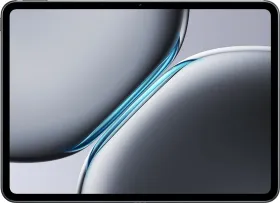
One of the standout aspects of the OnePlus Pad Go 2 is its 12.1-inch LCD screen. Yes, it’s an LCD, but the color reproduction and vibrancy are good. By default, the display is set to vivid colors, but I prefer the natural setting more, as it strikes the perfect balance between cool and warm tones. With a resolution of 2800 x 1980 pixels, the screen appears fairly sharp and crisp (284 ppi); you can’t pixel-peep even when squinting, which is a good thing.
Another plus point is support for up to 120Hz refresh rate, which makes scrolling the home screen, opening the quick settings menu, and browsing the settings section a smoother, more seamless experience (barring a few jitters here and there).

For those wondering, the refresh rate is locked at 30, 60, 90, and 120Hz. You can view and change the setting in Settings > Display & Brightness > Screen Refresh Rate, wherein you’ll find the following options: “Auto Select,” “Standard,” and “High.” What’s good is that there’s an “App-specific Refresh Rate” option as well.
The Pad Go 2’s display has a typical peak brightness of 600 nits, which is more than enough for indoor use, even on a bright, sunny day in December in northern India. I really enjoyed watching Man vs. Baby, a new Rowan Atkinson series on Netflix, cozied up in my bed after hours, and it was a delightful experience (the speakers also contributed to it, which we’ll talk about in a bit).

When outdoors, the screen pushes to 900 nits (HBM mode), which takes a toll on the battery but really improves readability. However, even in the HBM mode, the tablet’s screen isn’t quite as visible as I’d like under direct sunlight. The viewing angles aren’t great, though it’s a problem with the underlying display technology, not the device itself. On the plus side, the screen supports Dolby Vision content, which looks quite good while watching compatible web shows.
The screen also supports the Pad Go Stylo 2, a plastic-body, non-magnetic stylus that supports 4096 pressure levels and connects to the device via Bluetooth v5.4. Writing on the screen of the Pad Go 2 isn’t as natural as writing on paper, but it’s certainly more fun (thanks to the pencil-sound feature) and more intuitive, thanks to all the well-thought-out tools the Stylo 2 offers.

For instance, you can tap the power button once to switch tools (pen to eraser and back), press and hold the button to take a partial screenshot, and touch the screen when it’s off to start taking a note without unlocking the device. You can also scribble in the text fields in the settings menu or even in WhatsApp.
While writing in the Notes app, you can also use the button to switch between the current tool and the eraser. Keep in mind that the button doesn’t work when the tip of the stylus is in contact with the screen. What’s really good is that OnePlus has provided features like Live Refine (Beta, works for Simplified Chinese and English), which recognizes your handwriting and refines it in real time (though it can only convert the handwritten text into one of the six font options).

You can also write calculations and get handwritten answers to them. The moment you enter an “=” symbol, the app performs the calculation and displays the result next to it, a feature often found in flagship (or more expensive) tablets.
You also get four brush styles (ball-point pen, fountain pen, pencil, highlighter), a lasso tool, and an eraser, along with options to capture screenshots, enter shapes, insert text boxes, and change the width or color of the input method. Moreover, the device delivers an excellent note-taking experience.
While the Stylo 2 isn’t the most pressure-sensitive stylus I’ve used on a tablet, it does change the thickness of the stroke based on the pressure you apply to the screen (though don’t go overboard). Last but not least, the Stylo 2 lasts up to 20 hours on a single charge (charges via USB-C), and 10 minutes of charging offers up to 12 hours of use.

What else? The screen features a 7:5 ReadFit aspect ratio, providing additional space in landscape mode. Further, the screen is certified under TUV Rheinland Smart Care 4.0, which tests for reduced eye strain, fatigue, and sleep issues caused by digital screens.
Complementing the screen is the quad-speaker setup, which is loud enough to deliver an immersive experience (with noticeable stereo separation) while watching OTT series or movies, without requiring external speakers or earphones. I even used the device to play background songs while working. The sound feels full and thumpy, though it gets slightly muddy at 100% volume.
OnePlus Pad Go 2 Review: Performance

Under its matte exterior, the OnePlus Pad Go 2 features the MediaTek Dimensity 7300 Ultra octa-core chipset, which features four 2.50GHz performance cores and four 2.00GHz balanced cores. The chipset is paired with 8GB of LPDDR5X RAM (and up to 8GB of virtual RAM enabled by default) and up to 256GB of UFS 3.1 storage.
Performance, I’d say, isn’t among the Pad Go 2’s strongest suits; please allow me a moment to explain. So, all your run-of-the-mill, digital chores like swiping across the home screen pages, opening apps, scrolling through your email inbox, downloading and sharing files with people, watching content on apps like Netflix or YouTube, or switching between apps, work fine most of the time.

However, it is when you start multitasking with resource-intensive apps in split-screen view, or playing BGMI in the background while watching Netflix in picture-in-picture mode, that the limitations of the mid-range chipset become apparent. The tablet pulls through in most cases, but under heavy use, the lack of a more powerful chipset starts to show, particularly in the form of lags and jitters.
RAM management is decent, but I’ve noticed that the device tends to kill the fifth or the sixth app too often, though not always. Yes, you can still edit photos or videos on the device if you want, but don’t expect it to be very quick or efficient. On Geekbench v6, the device scored 994 and 2,961 points in the single- and multi-core CPU tests. In the Vulkan and OpenCL GPU tests, the device scores 2,440 and 2,430 points, respectively.


Gaming performance on the device is quite average in my opinion. In Battlegrounds Mobile India (BGMI), Extreme is the highest frame rate available at the Super Smooth and Smooth graphics settings (the lowest settings). On the positive side, you can really enjoy lightweight titles on the big screen.
OnePlus Pad Go 2 Review: Software

Out of the box, the device runs on OxygenOS 16, which is based on Android 16. I also received a notification about a newer build hours before publishing this review, i.e., OPD2505_16.0.2.402, which included improvements to the AI-based features and the Photos app and integrated the December 2025 security patch.
Over the years, OnePlus has put in commendable effort and time into its Android-based user interface, and that shows in OxygenOS 16 (along with a bit of inspiration from Apple’s latest operating system). To begin with, the system animations look quite smooth, and the quick settings menu looks very similar to the iOS Control Center I am used to.

There are plenty of lock-screen and home-screen customization options. For instance, you can adjust the clock size (and depth effect) on the lock screen and add a group of widgets. On the home screen, you get plenty of wallpapers to choose from (thanks to Flux Themes), along with options for system colors and icon management (size, rounded corners, app name) and themes (including Flux, Radiance, Shadow, etc.).
You can also choose whether you want the quick settings panel to appear in classic mode (quick settings + notifications) or split mode (quick settings from the top right and notifications from the top left or center). In Settings > Notifications & Quick Settings, you can change what the Status Bar at the top of the screen shows, check Live Alerts settings, and enable Notification History in the More Settings menu.

You’ll also find a couple of useful settings, including those related to the Task Bar, Split View, Smart Sidebar, and Floating Window, in Settings > Accessibility & Convenience. However, the main highlight of the UI is Open Canvas, the multitasking system that lets you open up to two apps in a split-screen view and another app in a floating window.
Further, there are plenty of finger-based gestures built around the split-screen mode, and useful ones no less. For instance, swiping down with two fingers enables the Split-View. You can also swipe up and hold on to an app, then drag it toward the top-left corner to activate Split-View. Dragging and holding an app out of the taskbar and the sidebar also does the same.

So, if you’re the type of user who keeps juggling between Gmail, YouTube, WhatsApp, and the Notes app, the OnePlus Pad Go 2 takes good care of you. In supported apps, you can swipe inward with four fingers to convert them into a floating window that uses less screen space. However, a couple of system apps don’t support split-screen mode or floating windows.
The tablet also supports Screen Mirroring with OnePlus smartphones, along with other ecosystem features such as Clipboard Synchronization and App Relay. The company also claims to provide easy connectivity with Apple devices (including iPhones, iPads, and Macs) with the O+ Connect app.

Regarding AI-based features, the OnePlus Pad Go 2 includes AI Writer, AI Translate, and AI VoiceScribe. The AI Writer feature helps in content generation, such as work-related summaries, meeting memos, and social media posts. You can also adjust for tones with the polish function and proofread a piece of text that you’ve written. Then there’s the AI Recorder, which offers voice-to-text transcription for meetings or lectures.
For photography and editing enthusiasts, the device includes an AI Editor with features such as Object Eraser, AI Unblur, AI Detail Boost, and AI Reflection Eraser. Finally, you get the AI Translate and AI Speaker features, which help you translate between supported languages and read on-screen content without taking your eyes off the screen.


As with other OnePlus devices, the Pad Go 2 also offers Google’s Gemini AI Assistant and Circle to Search. The devices have a couple of pre-installed apps, such as WPS Office and LinkedIn, which some users might find helpful.
The gesture to access the taskbar (a careful swipe up from the bottom of the screen) often leads me to the recent apps tray; the key is to swipe up slowly and stop about one or two centimeters from the bottom edge of the screen.


Furthermore, I noticed that some don’t work well with the split-screen view (Settings and Netflix, for now). The UI expands the unsupported app section whenever I tap it, and while I’m working in the other app, it seems to zoom it out of proportion (I’m talking about landscape mode).
Although all the AI-based features seem to work fine, the UI showed a “Service error” message a couple of times.
OnePlus Pad Go 2 Review: Cameras
The OnePlus Pad Go 2 features a single 8MP rear camera and an 8MP front-facing camera. Like other tablets, the cameras on the Pad Go 2 are suitable only for basic use, such as scanning documents, taking notes, capturing whiteboard images, recording videos (rear camera only), and attending online classes or meetings (front camera only). Unlike the OnePlus Pad 3, the Pad Go 2 doesn’t have a rear-facing flash module.
The Camera app includes settings to switch between aspect ratios, set timers, turn HDR on or off, toggle Motion Photo, apply filters, enable beautification mode, and select modes for capturing photos, videos, selfies, panoramic pictures, time-lapse, or document scanning. The tablet’s maximum video resolution is 1080p at 30 fps, available from both the rear and front cameras.


While capturing pictures or selfies, HDR processing takes a few seconds to kick in, and more often than not, colors are slightly washed out compared to what you’d like. But as I said earlier, the cameras serve their basic purpose, and that’s what the Pad Go 2 aims to do, at least with the cameras it has.


OnePlus Pad Go 2 Review: Battery Life & Charging

OnePlus Pad Go 2 features a 10,050 mAh battery that supports 33W SUPERVOOC wired charging (the included charger offers up to 45W). OnePlus claims that the device lasts up to 15 hours of video playback (likely streamed) between charges.
With mixed usage, the device provided me just over four hours of screen-on time while consuming only 28% of the battery (in the balanced mode). Hence, the device should provide approximately 12 to 14 hours of screen-on time on a full charge, which is excellent. However, with cellular usage, the screen-on time should drop by roughly 5-10%, depending on overall usage.
With the charger provided in the box, the device took around 55 minutes to charge from 26% to 100%. In Settings > Battery, you also get three different battery modes or performance profiles: Balanced, Power Saving, and High Performance. Further, there’s a dedicated menu that provides plenty of power-saving settings, and a Battery Health menu that includes toggles for Smart Charging and Custom Charging Limit.
Review Verdict: Should You Buy the OnePlus Pad Go 2?
The OnePlus Pad Go 2 is a solid, easy-to-like tablet that respects your wallet. It isn’t a power user’s dream, the chipset ensures that. But it gets the fundamentals right: the screen is sharp, the speakers are loud, and the battery refuses to die. The software features like Open Canvas and the AI Math notes are genuinely useful, even if they are occasionally buggy.
If you are a student or a media junkie, this is a fantastic buy. Just skip the official Folio case it’s the only part of the package that feels cheap.

Smartprix ⭐ Rating: 8/10
- Design and Build: 8/10
- Display: 8/10
- Speakers: 9.00/10
- Software: 8/10
- Performance: 7.50/10
- Cameras: 7.50/10
- Battery Life & Charging: 9.00/10
First reviewed in December 2025.