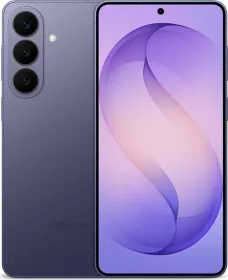
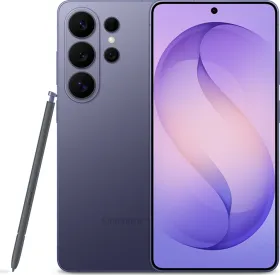
Samsung has launched the Galaxy S26 series, and one feature instantly stands out on the Ultra model. The new Privacy Display. It sits at the center of the phone’s pitch and Samsung clearly treats it as a major step for smartphone screens. And if you are wondering, the regular Galaxy S26 and the S26+ do not get this feature. It is exclusive to the Galaxy S26 Ultra.
During our hands-on time with the device, the feature felt surprisingly practical. The idea is simple. People around you should not be able to read your screen from the side. The execution involves quite a bit of engineering. Let’s take a look.
A Display Built for Privacy

The real story sits underneath the glass. The company redesigned the pixel structure and the optical layers so the screen controls how light exits the display.
In normal viewing, the light travels straight toward the person holding the phone. Colors remain accurate but brightness halves. When someone tries to look from the side, the screen blocks most of the visible light. The result looks almost black from an angle.

In our hands-on look, the effect worked in most real world situations. A person sitting next to you on a train or at a cafe would struggle to read anything on the screen. Someone leaning directly over the display could still catch parts of it, which is expected. The feature focuses on everyday privacy instead of complete invisibility.
How the S26 Ultra Privacy Display Works
Samsung explains the system through optics and pixel control. The display uses two pixel behaviors that manage how light spreads out.
Some pixels emit light normally in wider directions. Others restrict the angle of emission. The phone then adjusts voltage across layers inside the display. That process changes how light bends when it tries to leave the panel.

When the Privacy Display activates, the refractive properties shift. Light that attempts to travel toward wide angles gets redirected inside the display instead of leaving it. Anyone looking from the side sees very little light, which appears almost black.
From the front, the image still looks clear because the light heading straight out passes through normally.

The entire process happens inside the display stack. No extra privacy filter sits on top. Samsung’s implementation is way better because external privacy screen protectors usually reduce brightness, damage colors, and ruin viewing angles.
Samsung Has Two Privacy Modes

Samsung includes two levels of protection. Standard and Maximum.
The standard mode keeps the screen readable for the user while limiting side visibility. Maximum protection narrows the viewing angle even further. The screen becomes extremely difficult to read from the sides.
Both options appear in quick settings and in display settings. Switching between them takes a second.
Smart Triggers and App Controls
Samsung also built several software triggers around the hardware. Users can choose specific apps where Privacy Display activates automatically. Banking apps, messaging apps, and photo galleries are obvious examples. The phone can also enable the feature when entering a PIN, password, or pattern in system menus, the lock screen, or Secure Folder.

Another option called partial screen privacy focuses on notifications. When a notification pops up, the content becomes hidden from side angles while the rest of the screen remains visible. This keeps the phone usable without exposing messages to people nearby.

During our hands-on time, this selective privacy felt like one of the more thoughtful additions.
Hardware Meets Software
Samsung tells us they’ve spent about five years developing this system. The company built the pixel structure first, then layered software controls on top.
The phone understands when privacy should activate. The display hardware then changes how light exits the screen in real time. That coordination allows certain parts of the display to stay visible while others turn private. The result feels less like a simple filter and more like a dynamic display behavior.
Early Impressions

After a short hands-on with the Galaxy S26 Ultra, the privacy effect does look convincing at first glance. The display stays clear and colorful from the front, while side angles fade quite quickly once the feature turns on. People sitting nearby mostly see a dim screen, though someone leaning directly over the phone can still catch parts of the content. The behavior feels tuned for common everyday situations.
There are a few caveats from our early look. Anti-reflectivity appears weaker compared to the Galaxy S25 Ultra, which becomes noticeable under strong lighting. Viewing angles also seem slightly narrower even when the privacy feature is turned off.
With Privacy Display active, brightness drops noticeably and the screen can feel much dimmer. Resolution also reduces because parts of the pixel grid shut off to create the effect. Color can shift in certain situations as well. Maximum Protection combined with dark mode introduces a faint blue tint across the panel.
A longer test will give a clearer picture of how much these tradeoffs affect regular viewing. Stay tuned for our Galaxy S26 Ultra review for more information.

You can follow Smartprix on Twitter, Facebook, Instagram, and Google News. Visit smartprix.com for the latest tech and auto news, reviews, and guides.