
WhatsApp’s Message Yourself feature will lessen the use of Notes app

Biggest development after communities feature

Main Image
  • Like
  • Comment
  • Share

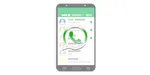
It will not be an understatement to say that WhatsApp keeps a check on what its audience wants. The communities feature that was introduced recently was proof of the same. In a recent development, WhatsApp has officially announced the Message Yourself feature for the Android and iOS version of the application. This feature by WhatsApp will allow users to make notes and in reminding them about important things.

On top of that, the new WhatsApp feature will also remove the requirement of having a separate application for making notes. In the initial stage, the Message Yourself feature will be a part of the beta version of WhatsApp. After thorough testing, the feature will be rolled out for the stable version of the application.

What is WhatsApp’s Message Yourself feature, and how it works?

WhatsApp’s Message Yourself feature will enable users to send and save essential links, messages, reminders, general ideas, and more. Furthermore, the users will also be able to send a voice note to themselves if they need to get into setting reminders. This feature will work as a boon for people who have tightly packed schedules and use WhatsApp frequently.

The chat thread that will be created while messaging yourself will only be visible to the creator. This clearly means that no contacts will be able to see the messages sent in this thread. Until the feature is rolled out for the stable version, you can stick to this hack which multiple users are following.

Just make a group and delete any other user on that group. Now, you can use that group as a Notes keeper without any issues. There has been no information regarding the exact launch date of the feature. Expectations are that it will be rolled out in a couple of months which is worth the wait.


Nishit Raghuwanshi RudraNishit Raghuwanshi Rudra
A career journalist who spent three plus years playing around with smartphones, associated apps and more. As a hobby, Rudra enjoys researching mobile games. When he's not busy in the world of gadgets, he is busy with a paper and pen writing poems or engaging with his growing digital audience on the Hindi rap circuit.

Related Articles

ImageSamsung Galaxy S27 Ultra Roundup: New Camera Housing, 2nm Snapdragon Chip, Bigger Battery & Everything Else We Know

Samsung’s Ultra phones have long represented the peak of Android smartphones. Of course, you can find one with a bigger battery or a higher-resolution telephoto camera, but when you want a complete package as good as the Galaxy S26 Ultra, people often struggle.  I’ve said this multiple times, but the Galaxy S26 Ultra is one …

ImageWhatsApp Disappearing Messages: How does it work

WhatsApp has published the details about the upcoming “Disappearing Message” feature on its FAQ page. Basically, you’ll be able to send messages on both Individual and group chats that will auto-delete after 7 days. It will be available across Android, iOS, KaiOS, desktop, and web. It is already accessible through the 2.20.197.4 beta version. Let’s …

ImageWhatsApp for desktop could soon get a ‘Quick Replies’ feature

WhatsApp has always thrived in improving the user experience since its launch. Recently, we saw some of the best features like multi-device support, new emojis, message reactions, etc. Now, WhatsApp is soon going to introduce the ‘quick replies’ feature for the desktop application. As per a report published by WABetaInfo, the quick replies feature will …

ImageWhatsApp Could Soon Let Users Send View-Once Text Messages

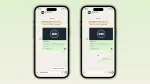
WhatsApp appears to be working on another privacy feature for its users, and this time it focuses entirely on text messages. The app already supports view-once photos, videos, and voice notes. Now, it looks like users may soon be able to send text messages that vanish after a single read. How It Could Work Based …

ImageOne UI 9.5 Beta Adds Native App Lock Without Secure Folder Copies

Samsung is finally adding a native App Lock feature to Galaxy phones with the One UI 9.5 beta. The feature lets users lock individual apps directly on their device without creating separate app copies inside Secure Folder. Users can protect apps using the same PIN, pattern, password, or biometric authentication already configured on their phone. …

Discuss

Be the first to leave a comment.

Related Products