Adobe Updates Creative Cloud Apps With AI Culling, Offline Remote Tool, And New Video Effects

Main Image
  • Like
  • Comment
  • Share
TL; DR
  • Adobe has updated Lightroom, Photoshop, Premiere Pro, and After Effects with new AI tools.
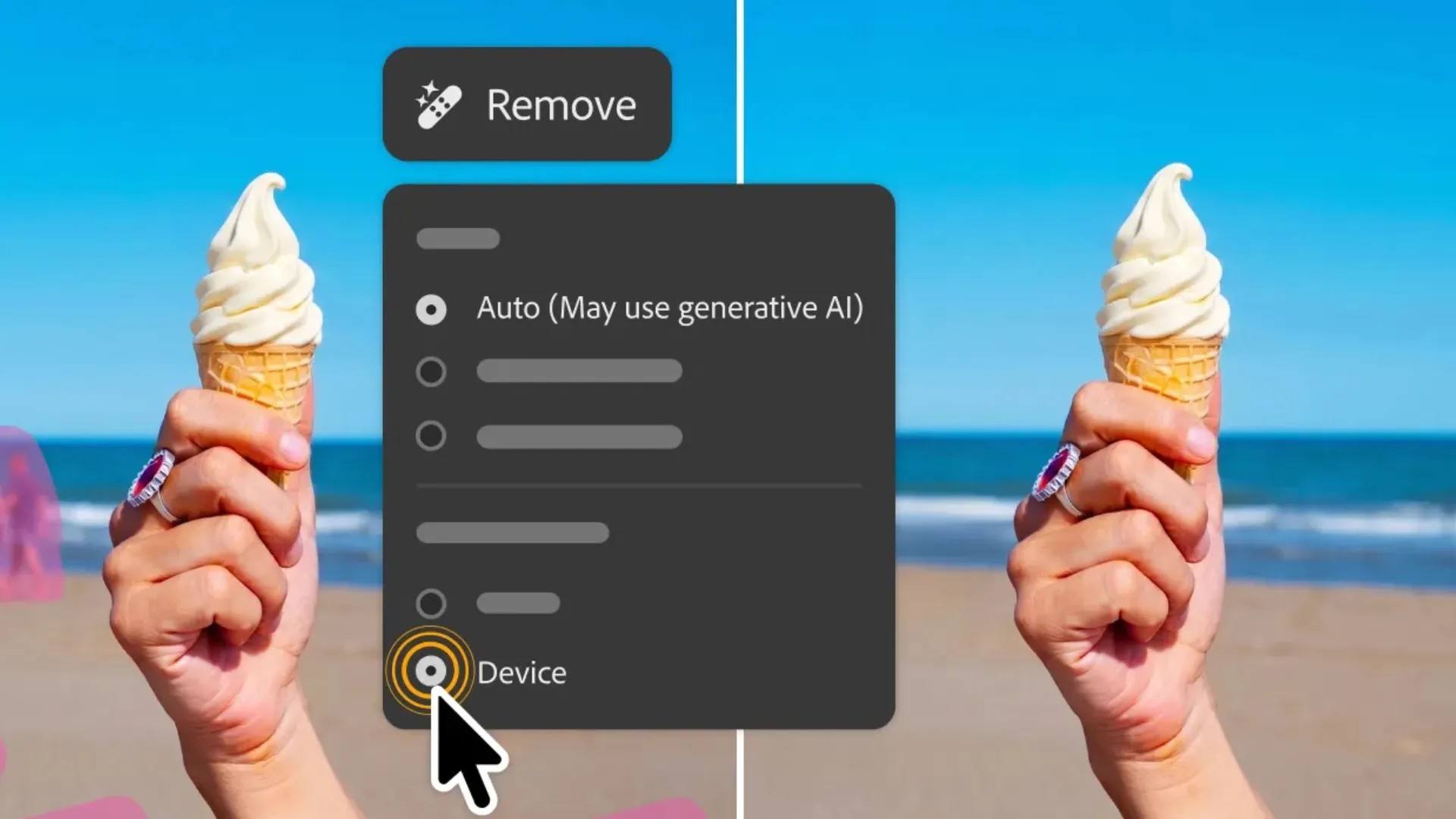
  • Photoshop’s Remove Tool now works offline without needing an active internet connection.
  • Lightroom’s Assisted Culling is out of beta with face detection and image stacking.

Adobe has pushed a bunch of updates across its Creative Cloud apps, including Lightroom, Photoshop, Premiere Pro, and After Effects. The updates are rolling out to Creative Cloud subscribers (₹1,675.60 per month for individuals) from this week. The most meaningful change here, in my opinion, is Photoshop’s Remote Tool; you can now use it offline.

Also Read: Redmi Turbo 5 with Dimensity 8500 Ultra Launched in India Starting at ₹37,999

What’s New In Photoshop And Lightroom?

In Photoshop, the Remove Tool can now run entirely on-device. It previously required a cloud connection, making it difficult for people to use it on the go or in areas with poor network connection. 

Assisted Culling

Lightroom gets Assisted Culling (out of beta). The feature can isolate individual faces and analyze eye sharpness. It can also recognize whether the subject’s eyes are open or closed, making it significantly faster for editors to pick the best frame in dozens of pictures. 

Combined with the new Stacking feature, which groups similar images together and suggests the best available option, Lightroom is now an even better tool for event photographers. The software also adds Photo to Video, a feature that generates motion from still images using both Adobe Firefly and Google Veo.

Also Read: The Best Smartphones to Buy Under 20K If Battery Life Is Non-Negotiable

The AI Sharpen tool now works directly in the app. In a big relief to professional photographers and videographers, Sony a7R VI RAW files are also now supported across Lightroom, Lightroom Classic, and Adobe Camera Raw. 

Gradient FX in Premiere Pro

What About Premiere Pro And After Effects?

One of the most popular video editing software, Premiere Pro gets a Global Audio Mute feature that silences audio across the entire app, in one click. It also gets Marker Search, which retrieves markers by color or name across all open projects, reducing the time that goes into manual search. 

New timeline effects, including Channel Blur, Gradient, and Noise FX, handle compositing and animated texture. Last but not least, there’s Single Word Captioning that lets editors make word-level changes without disturbing the surrounding caption blocks. 

After Effects, on the other hand, replaces the older Roto Brush with Object Matte, which is an AI-powered rotoscoping system that provides four selection tools. It also gets Displacement Maps for surface depth and cinematic Depth of Field across models, meshes, text, and shape layers. 

Object Matte in Premiere Pro

Also Read: Dreame Launches L50s Pro Ultra And L50 Ultra CE Robot Vacuums In India: Check Key Features Here

You can follow Smartprix on Twitter, Facebook, Instagram, and Google News. Visit smartprix.com for the latest tech and auto news, reviews, and guides.

Shikhar MehrotraShikhar Mehrotra
Shikhar Mehrotra is a seasoned technology writer and reviewer with over five years of experience covering consumer tech across India and global markets. At Smartprix, he has authored more than 1,700 articles, including news stories, features, comparisons, and product reviews spanning automobiles, smartphones, chipsets, wearables, laptops, home appliances, and operating systems. Shikhar has reviewed flagship devices such as the iPhone 16, Galaxy S25+, and Sennheiser HD 505 Open-Ear headphones. He also contributes regularly to Smartprix’s growing automotive section.

With a deep understanding of both iOS and Android ecosystems, Shikhar specializes in daily tech news, how-to explainers, product comparisons, and in-depth reviews. His DSLR photography in product reviews is recognized as among the best on the team.

Before joining Smartprix, Shikhar wrote for leading publications including Forbes Advisor India, Republic World, and ScreenRant. He holds a Bachelor of Arts in Journalism and Mass Communication from Amity University, Lucknow.

Related Articles

Imagevivo V80 Review: So Close to Being a Great Phone

The V-series is vivo’s camera line under the X-series. The V80 keeps that job and adds OriginOS 7, a bigger battery, and a 144 Hz panel. It is one of the first phones, and the first V-series phone in India, with OriginOS 7 out of the box. I used the V80 for about two weeks …

ImageApple Releases iOS 27: Everything New on iPhone, Supported Models and AI Features

Apple has released iOS 27, bringing one of the company’s largest iPhone software updates in years. The update expands the Liquid Glass design introduced with iOS 26 while adding a major overhaul of Siri, more AI tools, new photography features and performance improvements for older iPhones. Here’s how to install iOS 27 and what’s new. …

ImageAdobe Kicks Off 2026 With New AI-Powered Features for Premiere Pro

Adobe is leaning harder than ever into AI, and this time, it’s doing it in ways that actually make video editors’ lives easier. With a new wave of tools rolling out for Premiere Pro and After Effects, Adobe is focusing less on flashy gimmicks and more on the everyday problems editors face. Also Read: Samsung …

ImageOPPO Releases ColorOS 16 September Update With More Photo Library Customization

OPPO has started rolling out a new ColorOS 16 September update focused on photo management and customization. The update adds several small but useful changes to the Photos app, giving users more control over how their pictures are organised and viewed. The update includes tools for changing photo timestamps, hiding customised albums, managing favourites in …

ImageOPPO Rolls Out ColorOS 16 April 2026 Update with New Photos App Features

OPPO India has started pushing the April 2026 ColorOS 16 monthly update to eligible smartphones. This month’s release focuses on new Photos app tools, adding one football-themed feature and one media playback improvement for supported devices. The main addition is a new UEFA Champions League watermark inside the Photos app. Users can now apply the …

Discuss

Be the first to leave a comment.