Quick Verdict
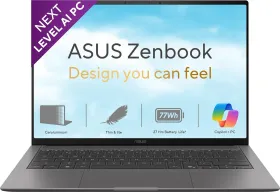
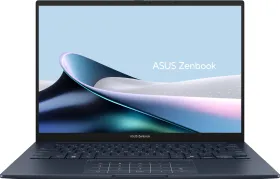
The Zenbook S14 is among the most complete Windows ultrabooks available in India right now. It’s 3K OLED, Ceraluminum chassis, and Intel Core Ultra 9 386H form a package that makes a serious case against the competitors, both from Windows manufacturers or Apple MacBooks, particularly for professionals who want premium portability without leaving the Windows ecosystem.
The 12-to-16-hour real-world battery life, a Thunderbolt 4 port suite, MIL-STD-810H durability in a 1.2kg frame, and a Copilot+ PC feature set running entirely on the 50 TOPS NPU, collectively make this one of the few Windows machines that feels genuinely future-ready rather than merely capable on paper.
Buy it if:
- Display quality on a Windows ultrabook is your top priority
- Thunderbolt 4 and full connectivity without dongles matter to your workflow
- All-day battery life on Windows is non-negotiable
- You want Copilot+ AI features running locally on-device
- Frequent travel is part of your life, as you get MIL-STD-810H durability
Skip it if:
- You work regularly with SD cards
- Gaming or GPU-intensive creative work is part of your daily use
- ₹2,49,990 stretches the budget, the ₹1,79,990 Core Ultra 7 variant is worth considering first
- The MacBook Air M5’s lower price, macOS ecosystem, and superior battery life better fit your workflow
I’ve been observing the Indian laptop and ultrabook market for over five years now, and every time a machine gets announced at an ambitious price, someone inevitably asks, “But why not get a MacBook?” Well, Asus has been chipping away at that dynamic for a few years now, with its Zenbook S series, and the Zenbook S14 (UX5406) represents its most serious and more successful attempt yet.
This is the company’s first 14-inch ultrabook to get Intel’s Panther Lake processor, paired with hardware and software integrations that are genuinely unique and useful and deserve credit. Priced from ₹1,79,990, the Zenbook S14 stretches to ₹2,49,990 for the configuration reviewed here, entering a premium segment. But does the Windows 11 ultrabook offer enough for the price? Let’s find out.

HOW I TESTED
| Reviewed By: Shikhar Mehrotra (Consumer Tech, Auto, and AI Expert with 6+ years of experience) Test Unit: Asus provided the review unit of the Zenbook S14 with no involvement of the brand in the editorial process. Duration and Environment: This review is based on around four weeks of daily use of the Zenbook S14 OLED in Northern India (Intel Core Ultra 9 386H, 32GB of RAM, 1TB of storage) Tests: Testing included productivity workloads, gaming benchmarks, battery run-down at adaptive and maximum brightness, and display assessment. Ambient temperature testing conducted at 36–42°C during summer conditions. Competitors: Samsung Galaxy Book6 Pro 14-inch (2026), HP OmniBook Ultra 14 (2026), Asus ZenBook S16 (AMD Ryzen AI 9 465), Apple MacBook Air 15 M5 (Apple M5 10-Core) |
Asus Zenbook S14: Price & Availability
The Zenbook S14 is available in three variants.
- Zenbook S14 (Intel Core Ultra 7 355, 16GB of RAM): ₹1,79,990
- Zenbook S14 (Intel Core Ultra 9 386H, 16GB of RAM): ₹1,99,990
- Zenbook S14 (Intel Core Ultra 9 386H, 32GB of RAM): ₹2,49,990
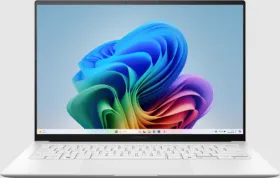
Depending on the storage variant, you can get the laptop in either Scandinavian White and Antrim Gray.
What we liked
- Premium feel without extra weight
Extremely portable for daily carry
Built tough for everyday travel
Gorgeous display for work and entertainment
Easily visible in bright environments
Smooth visuals with instant responsiveness
Accurate, cinematic color reproduction
OLED protection adds long-term confidence
Effortless multitasking and AI performance
Fast AI features without cloud dependence
Excellent port selection, fewer dongles
Ready for high-end external displays
Faster, more reliable wireless connectivity
Two-day battery life with mixed usage
What we didn't
- Glossy panel; significant reflections
- No SD card slot
- No physical fingerprint sensor
- Touchpad click lacks tactile feedback
- No discrete GPU option
- Xe3 GPU trails AMD Radeon
- 32GB RAM non-upgradeable
- Audio lacks bass and fullness
- Performance fan at 44dB audible
- Bulky barrel-plug adapter bundled
Asus Zenbook S14 Specs
| Specification | Details |
| Processor | Intel Core Ultra 9 386H (Panther Lake, Series 3) |
| Architecture | 16 cores: 4P (Cougar Cove) + 8E (Darkmont) + 4 LP-E (Darkmont) |
| NPU | 50 TOPS (5th-generation) |
| GPU | Intel Xe3 integrated graphics |
| RAM | 32GB LPDDR5X-8533 (onboard, non-upgradeable) |
| Storage | 1TB PCIe 4.0 x4 NVMe M.2 SSD |
| Display | 14-inch OLED, 3K (2880×1800), 16:10, 120Hz, 0.2ms, 1100 nits HDR peak, 500 nits SDR peak, 100% DCI-P3, 1,000,000:1, VESA DisplayHDR True Black 1000, Dolby Vision, Pantone Validated, 1.07 billion colours, 90% STB, Glossy |
| Operating System | Windows 11 Home |
| Webcam | Asus AiSense Camera: FHD (1080p), 3DNR, IR, ambient light + colour sensor |
| Biometrics | Windows Hello (IR facial recognition) |
| Audio | 4 built-in speakers (2 tweeters + 2 woofers), Harman Kardon certified, Dolby Atmos; 2 built-in microphones; Two-Way AI Noise Cancellation |
| Keyboard | Backlit, 19.5mm pitch, 1.1mm key travel, 0.1mm dish-shaped keycap indentation |
| Touchpad | 127×79mm Asus ErgoSense, hydrophobic + PVD anti-fingerprint coating, 0.23mm click depth |
| Ports | 2× Thunderbolt 4 (40Gbps, PD + DisplayPort + data); 1× USB 3.2 Gen 2 Type-A (10Gbps); 1× HDMI 2.1 TMDS; 1× 3.5mm combo audio jack |
| Wireless | Wi-Fi 7 (802.11be), tri-band; Bluetooth 6.0 |
| Battery | 77Wh lithium-polymer |
| Adapter | 68W USB Type-C (included) |
| Chassis | Ceraluminum (ceramization process), CNC unibody |
| Durability | MIL-STD-810H certified |
| Dimensions | 31.03 × 21.47 × 1.19–1.29 cm |
| Weight | 1.20 kg |
| Colours | Antrim Gray / Scandinavian White |
| India Price | ₹1,79,990 (Core Ultra 7) / ₹1,99,990 (Core Ultra 9) / ₹2,49,990 (Core Ultra 9 + 1TB) |
Asus Zenbook S14 (UX5406) Review: Unboxing, Design & Build
The unboxing is quite theatrical, I’d say. In the box, you get the Asus laptop, a 68W adapter (three-pin to USB-C), a sleek sleeve with a magnetic lid, and some paperwork. While some laptops in the segment ship with a simpler power adapter, Asus is still using the barrel-plug-type laptop charger with a USB-C connector, which consists of a relatively thick power cord, a relatively bulky AC adapter in the middle, and a USB-C connector at the end.


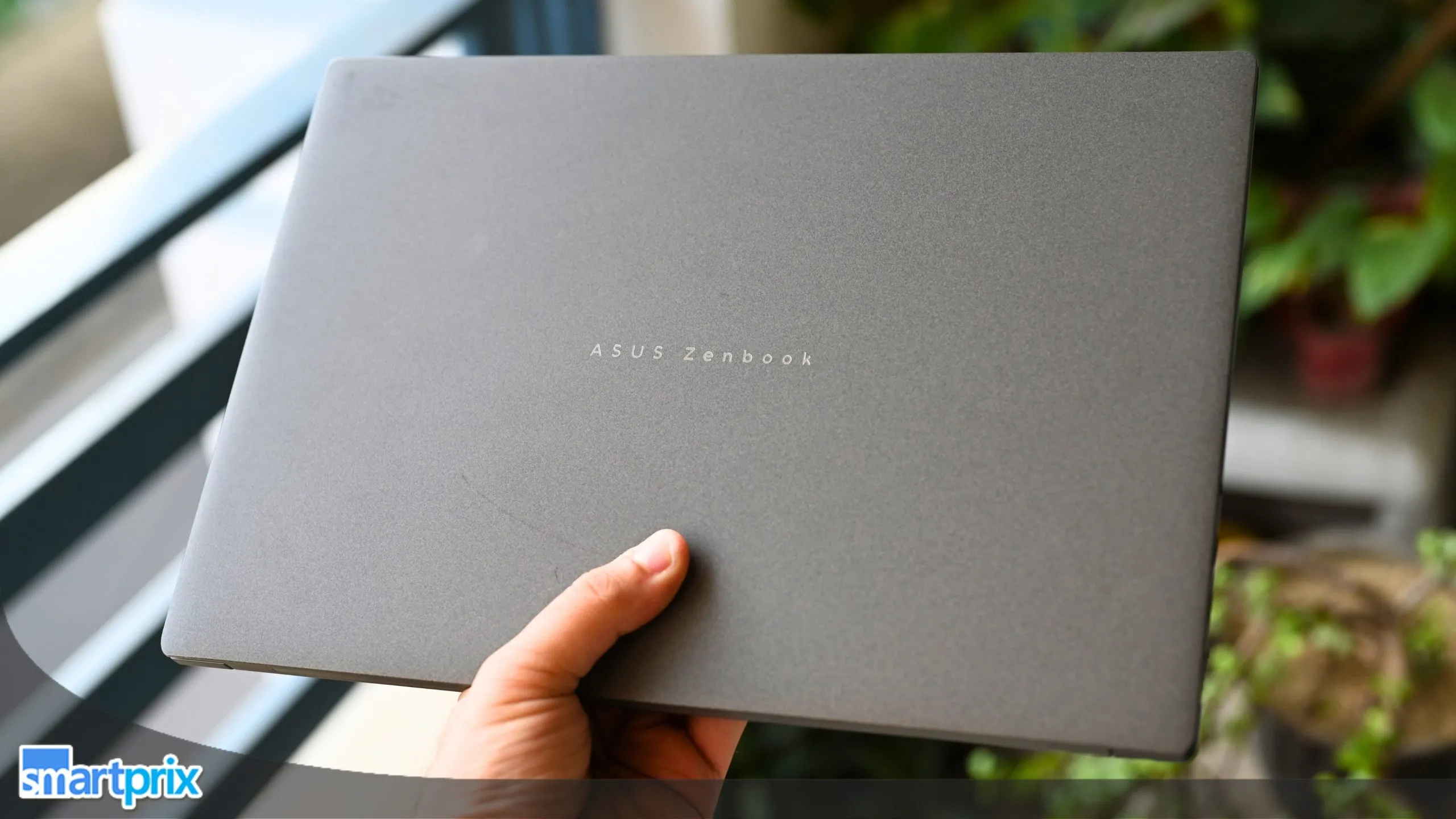
Upon taking the Zenbook S14 out of its box, the first thing that struck me wasn’t its thinness; it was the texture. That Ceraluminum lid, with its grainy yet soft-to-touch appearance, immediately signals a distinct design language. Not aluminium, not plastic: it occupies a middle ground between a refined ceramic surface and a high-end, luxury watch case, and that tactile differentiation lays the groundwork for everything that follows.

Asus has invested quite a lot in the ceramization process that converts aluminum entirely into high-tech ceramic. The result is a chassis that measures 1.19–1.29cm thin, but quite well-prepared for the daily wear and tear. At 1.20kg across dimensions of 31.03 × 21.47cm, it is slightly lighter than the MacBook Air M4 (1.24kg) despite carrying a larger 14-inch panel.
I received the Antrim Gray color for this review, and let me tell you, it has received quite a lot of compliments at cafes and co-working places. And yes, it also resists fingerprints effortlessly. I’d say that the texture on the top, combined with the gray color, gives the laptop a quiet gravitas in person, and in my opinion, the white color doesn’t replicate it. Paired with the white keyboard backlight, it creates a striking tonal contrast, which is particularly evident in dim environments.

MIL-STD-810H certification backs up the premium durability positioning. Per Asus, the laptop has been tested to survive against shock, vibration, altitudes up to 15,000 feet, and extreme temperatures ranging from −25°C to +71°C during storage or transit (not when the laptop is operational).
The hinge opens with one hand, except after the 90° angle, where you might notice the bottom half being lifted. The opening angle falls short of lying completely flat; the inclination appears to sit somewhere between 135 and 145 degrees, which, in my opinion, is apt for desk and lap use, and even showcasing something to a group of four to five people standing around you, but certainly not someone sitting on the opposite side of a desk.

The keyboard offers a 19.5mm key pitch and 1.1mm of key travel, which is impressive in a laptop of this size and shape, but in my personal experience, I found the tactile feel a bit on the softer side. The deep travel is complemented by a 0.1mm dish-shaped keycap indentation.
Then there’s the 127 × 79 mm ErgoSense touchpad, which features a hydrophobic, PVD-coated surface rated for over 10,000 swipes without degradation.

It’s a mechanical touchpad with a 0.23mm click depth engineered to minimize accidental triggers, but even so, it doesn’t feel quite as premium and subtle as the haptic touchpads you’d find on other laptops at this price (or the MacBook Air at a relatively lower price).
Asus Zenbook S14 (UX5406) Review: Display & Speakers
The Zenbook S14’s display is, without a doubt, among the best reasons to buy this laptop. In fact, I’d go ahead and say that it’s one of the strongest arguments for buying a Windows ultrabook over a MacBook Air or Pro in 2026.

It carries a 14-inch OLED panel, and its impact is immediately noticeable, especially when I use it next to my MacBook Air. The 3K resolution at 2880×1800 and 243 PPI makes text razor-sharp. Colors land with a vividness that IPS or LCD panels simply cannot replicate, and the OLED’s native contrast, rated at 1,000,000:1, means blacks are genuinely black and not dark gray.

Whether you’re watching YouTube videos, streaming content on HDR-compatible OTT platforms, or even viewing the pictures, graphics, or simply the side color in presentations, everything looks better on an OLED screen, and that’s where the Zenbook S14 really shines. If you’re upgrading from an LCD or IPS panel, the difference is impeccable.
With the standard SDR brightness rated at 500 nits, the laptop already feels brighter than my 400 nits MacBook Air, both indoors and outdoors. While usage under direct sunlight would lead the machine to heat up quite fast, if you decide to do so for a little while, the OLED screen will be much more legible than regular IPS panels.

Switch to HDR content, and the panel can go up to 1,100 nits (though that’s local peak brightness, only applicable to the brightest part of the screen). The laptop also comes with several certifications to back up its display, including VESA DisplayHDR True Black 1000, Dolby Vision, and Pantone Validation.
Via the MyASUS app, you can switch between four color profiles: Native, sRGB, DCI-P3, and Display P3. In practice, Native gives you the full vivid OLED experience for everyday use, sRGB is reliable for web content creation, and DCI-P3 handles cinema-grade color work. These color profiles make the Zenbook’s screen even more versatile.

The 120Hz refresh rate makes the screen feel fluid, and the 0.2ms response time is around fifty times faster than a typical LCD. Now, the laptop did stutter a couple of times, even while scrolling webpages, but nothing that breaks the entire experience. The one substantial caveat is the glossy finish. Reflections in brightly lit Indian offices, near windows, or outdoors are a real distraction, and the display doesn’t come with any treatment or workaround for it.
What was a big differentiator for me personally was the touchscreen. I can’t stress this enough, but for all those times when I wanted to quickly hit the close button, open a file, swipe between slides or photos, or simply felt lazy, touching the screen and getting things done is much more efficient than dragging the touchpad.

On the audio front, the laptop features a four-speaker system, with two tweeters and two woofers, Harman Kardon-tuned and Dolby Atmos certification. It performs quite well, generating clear vocals, with noticeable mid-range and a wider soundstage (particularly at moderate volume levels).
However, I did notice the bass thinning out at higher volume levels. I’d say that the speakers are good enough for video calls, YouTube videos, or background music. However, they’re still not as loud or sound as full as MacBooks.
Asus Zenbook S14 (UX5406) Review: Performance
Under its Ceraluminum hood, the Zenbook S15 features the Intel Core Ultra 9 386H built on Panther Lake, Intel’s third-generation Core Ultra architecture, and it genuinely marks a meaningful step forward.

The chip sports 16 cores across three performance tiers: four performance cores for heavy lifting, eight efficiency cores for keeping the background tasks alive, and four low-power efficiency cores that handle light workloads while being the most battery-efficient of the lot.
Day-To-Day Performance

Alongside these sits a fifth-generation NPU rated at 50 TOPS, which formally qualifies the S14 as a Copilot+ PC. In other words, all AI features like Live Captions, Studio Effects, and Recall run locally on the chip, not in the cloud.
Versus the Lunar Lake architecture, Intel’s own data points to up to 10% better single-threaded performance and up to 40% faster multi-threaded performance at similar and comparable power envelopes.
Day-to-day performance, I’d say, is quite snappy, with apps launching instantly, multitasking gestures working well, and scrolling through system menus and webpages feeling smooth. I tried running as many as 12 apps at once, including Google Chrome, Settings, a benchmark setup, another benchmark, and a couple of other system apps, and the 32GB of onboard memory and the CPU handle everything quite well.

Synthetic Benchmarks
| Geekbench 6 CPU | Single-Core: 2,501, Multi-Core: 14,167 |
| Geekbench 6 GPU | OpenCL: 22,382, Vulkan: 24,824 |
| Geekbench 6 AI | Single Precision: 4,707, Half Precision: 1,781, Quantized: 8,528 |
| CrystalMarkRetro | All: 8442, CPU: 10,077, Disk Sequential Read: 25,046, Disk Sequential Write: 18676 |
| CrystalDiskMark | Read Speed: 7,043.20 MB/s, Write Speed: 5,822.63 MB/s |
| PCMark 10 | Overall Score: 8,446, Essentials: 10,071, Productivity: 19,282, Digital Content Creation: 8,422 |
The comparison that most Indian buyers might actually want to make is footing the S14 against the S16, Intel vs. AMD within Asus’s own family. Why? Because the Zenbook S16 carries AMD’s Ryzen AI 9 465 with Radeon 880M graphics. While the new S14 leads with single-core performance (verified via Geekbench scores), the S16 retakes ground on GPU rasterization and raw OpenCL/Vulkan throughput.

For productivity and creative workloads, the S14 is the stronger machine. While for GPU-intensive tasks, the S16’s Radeon advantage is quite real, I’d say. Even so, the performance figures of the S14 are quite impressive. Sustaining 28W inside a 1.1cm chassis is a commendable engineering feat achieved by Asus.
It has been done with dual fans (usually quiet), a 0.7mm ultra-slim vapour chamber, bi-layer graphite sheets, and the 2,715 CNC-machined vents on the C-panel. While the machine runs cool during typical workloads, I did notice the keyboard, along with the bottom layer, getting warm while charging or running the benchmark tests for this review.

The fan system offers four modes, again, via the MyASUS app: Whisper (~25dB at 12-17W), Standard (~32dB at 17-22W), and Performance (~44dB and 24–28W). During my time with the device, it was mostly set at Standard, and I didn’t notice any loud fan sounds whatsoever.
While the general day-to-day performance is quite excellent, the Intel Xe3 iGPU has a definitive ceiling. Serious 3D rendering, large video exports, or gaming above low-to-medium settings will hit that wall. The 32GB of onboard RAM cannot be upgraded post-purchase. And Performance mode at 44dB is noticeable enough that you’ll want headphones in quiet environments.
Asus Zenbook S14 (UX5406) Review: Software
Out of the box, the Zenbook S14 runs on Windows 11 Home, which offers more than enough features for both regular and professional users, combined with the MyASUS app. Power users who depend on native BitLocker encryption or Remote Desktop will need to budget for a Pro upgrade; that’s a consideration worth flagging at ₹2,49,990.

The more compelling story here is the Copilot+ PC certification, thanks to the chip’s 50 TOPS NPU. Every feature in this suite runs locally, including Live Captions, which transcribes audio from any source in real time, Windows Studio Effects v2, which handles the webcam effects for background blur, auto-framing, and Eye Contact Enhanced, which corrects your on-screen gaze so you appear to be looking at the camera even when reading notes.

Then there’s Portrait Light for better facial lighting in low-light conditions, along with three Creative Filters, Illustrated, Animated, and Watercolor, that look niche but polished. Recall, the searchable screen timeline is present but requires deliberate opt-in, and its privacy implications remain an active conversation. I couldn’t use the feature on the device, as it didn’t work despite enabling the feature and signing in via Windows Hello.
A dedicated Copilot key on the keyboard provides instant access to the AI assistant so that you don’t have to switch to the assistant manually. However, Microsoft is also working to give Copilot a dedicated sidebar treatment in one of its upcoming updates.

Another highlight of this section is the MyASUS app, which is undoubtedly one of the most comprehensive suites of system customization features ever. On the dashboard, it gives a brief overview of all the system settings, including battery, CPU load, memory, and “Hard disk space” (should be disk space or SSD space, though).
The Device Settings option in the sidebar offers you a plethora of helpful options.
- Battery Care Mode: When enabled, the feature limits battery charging to 80% of the full capacity, helping improve the overall lifespan.
- Fan Profile: As explained earlier, it helps you switch between three available fan speed settings, depending on the performance and cooling requirements.
- Sleep Assistant: The feature switches to hibernation upon detecting excessive battery drain.
- Memory Allocated to Integrated GPU: The system allocates a part of the memory to the integrated GPU for better performance under intense load. You can either increase or decrease the amount of allocated memory.
- AI Noise-Canceling Microphone: Offers you recording modes (360° Recording Mode, Authentic Recording), uses AI to remove background noise for meetings or to identify multiple speakers and make sure their voices are transmitted without any disturbance.

- Sound Modes: Dedicated sound modes for the speakers: Dynamic, Game, Movie, Music, and Voice. You also can customize the sound output and save it as a preset in the three custom slots.
- Asus OLED Care: Launches a special screen saver that refreshes the pixels after the screen has been sitting idle for 30 minutes.
- OLED Flicker-Free Dimming: Yet another feature that facilitates a better viewing experience.
- Splendid: This particular feature lets you customize the color profile of the screen with two available options (Normal and Vivid), a manual slider, eye care slider, and e-reading slider. You can also choose from four color gamuts depending on your work: Native, sRGB, DCI-P3, and Display P3.
- True2Life: Optimizes frames in videos to increase sharpness and clarity.

ScreenXpert 3.0 adds a floating Control Center to the desktop, with an App Navigator for multi-window management, Camera and Microphone shortcuts, and an App Switcher that snaps windows to specified positions across connected displays. Asus StoryCube handles photo and video organization using AI to auto-categorise media by content type, location, and face recognition, and can generate highlight videos automatically (similar to how such features work on smartphones).
Asus Zenbook S14 (UX5406) Review: Ports, Webcam & Biometrics

The port selection on the Zenbook S14 covers a variety of use cases. Along the left frame, you get two Thunderbolt 4 ports (up to 40 Gbps, supporting Power Delivery, DisplayPort output, and data transfer), a full-sized HDMI 2.1 port, and a 3.5mm combo audio jack. The right side features a single USB 3.2 Gen 2 Type-A at 10 Gbps.
As to what these ports can do, the two Thunderbolt 4 ports can charge the machine simultaneously, connect up to two external monitors without a hub, and transfer data, implying that most professional users won’t require a USB hub or dongle. Further, the presence of the HDMI 2.1 port is a clear advantage over the MacBook Air models.

The only notable gap is the absence of an SD card slot, which particularly affects photographers and video creators. Wireless is firmly future-facing: Wi-Fi 7 (802.11be) across all three bands delivers a theoretical 5.8 Gbps, approximately 4.8 times faster than the regular Wi-Fi 6. However, that might not be particularly useful for a large number of Indian buyers (yet).
While Wi-Fi SmartConnect auto-selects the strongest available signal across networks, Bluetooth v6.0 rounds out the wireless connectivity suite. The 1080p Asus AiSense Camera performs reliably for video calls. It comes with 3DNR processing, reducing low-light noise without smearing facial details, and HDR balancing for varied lighting conditions.

On biometrics, there is no physical fingerprint sensor; Windows Hello relies entirely on the IR camera. Although I did encounter occasional false rejections in certain lighting conditions, the face unlock works quickly and accurately in most conditions.
Asus Zenbook S14 (UX5406) Review: Battery Life
If you think that Windows laptops don’t usually have a reputation for outlasting a typical workday without a charger, the Asus Zenbook S14 proves you wrong, big time. It features a 77Wh lithium-polymer battery that is claimed to last up to 27 hours, but under controlled scenarios.

With mixed usage, that contains running benchmarks, checking my emails, drafting documents, conducting research using AI tools, drafting articles, and consuming media (YouTube and Netflix), the device consistently returned around 12 to 16 hours of active usage time (at the second or third brightness level), which is a strong result for an Intel-powered ultraportable.

It might even go beyond that number if you’re using it for lighter workflows. The S14’s endurance is the result of a combination of Panther Lake’s power efficiency, the thermal system that keeps the chip from running hot during light workloads, and the company’s conservative power tuning across fan modes.
The MyAsus app also contains a feature called Battery Care Mode, which limits charging at 80% to preserve the battery lifespan in the long run. The laptop comes with a 68W adapter in the box, which charges the laptop up to 60% in around 50 minutes, while a complete charge takes north of 70 to 80 minutes.

The laptop also supports USB-C Easy Charge, which lets you charge it with a wide range of USB-C power adapters.
Review Verdict: Should You Buy the Asus Zenbook S14?
Smartprix Rating (⭐): 8.4/10

The Zenbook S14 is a genuinely exceptional ultrabook, and Asus deserves credit for producing a Windows machine that makes you question the competition rather than accepting it. The 3K OLED display is reference-grade, the Ceraluminum chassis is a legitimate material innovation, the 12–16 hours of real-world battery life is excellent for Windows, and the Thunderbolt 4 port suite is more complete than what most rivals offer at any price.
However, it isn’t free of compromises. The glossy panel is a meaningful frustration in bright Indian environments. The four-speaker audio system, Harman Kardon certification notwithstanding, struggles against the physical constraints of a 1.1cm chassis. The absence of an SD card slot and a physical fingerprint sensor feels like omissions that shouldn’t exist at ₹2,49,990. And the bundled barrel-plug adapter is a design anachronism on a machine this premium.
Those looking for a more affordable model can look at the Zenbook S14’s entry-level variants, or the MacBook Air M5, which might offer a similar productivity and portability-focussed experience with excellent performance and endurance. For Windows users who prioritise screen quality and connectivity above all else, this is the machine to buy.
First reviewed in May 2026.