How to make and answer phone calls from your Windows PC or Laptop

Main Image
  • Like
  • Comment
  • Share

The continuity feature of Apple’s Mac and iOS has been one of the most coveted features for Windows users. It lets users seamlessly continue editing documents or photos while switching between Apple devices.

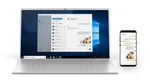
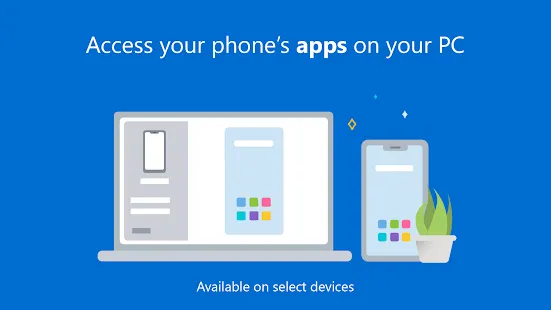
Now with Window’s Your Phone app, Microsoft has managed to bridge the ecosystem barrier between Windows and Android to let users manage and mirror their phone on PC wirelessly.

With Your Phone Aoo, users can check notifications, revert back to messages and even answer calls, or call someone straight from their Windows 10 machine. To enjoy these features all you need is ‘Your Phone App’ on your Android v7 or above the phone with windows 10 PC with Bluetooth support.

ALSO READ: Best Microsoft Your Phone Features, Tips, and Tricks

Before we get to ‘how to make phone calls from windows machine’, let’s first help you get Your Phone app and link it to your windows laptop or desktop PC. To do so follow these steps:

  1. Go to start menu on your Windows 10 machine, and type in ‘Your Phone’ and hit enter.
  2. Once the app opens it will ask you for a mobile number. Enter your active number on the Android device. Microsoft with send a link to Android version on Your phone companion app.
  3. Click on the link to download Microsoft’s Your Phone Companion app on your Android device, it comes pre-installed on Samsung phones.
  4. Once the installation process is complete, open the companion app and sign-in with your Microsoft account information.
  5. Now, the Companion app will ask prompt you for permission to access contacts, manage phone calls, access files on the phone and send and view SMS messages. Provide the necessary permission.
  6. Once you give all the permissions, your Android phone is connected with your PC.

Now, let’s learn how to make calls or receive calls of your Android phone on Windows PC or Laptop:

Once you are done with the setup of Your Companion app, you can do almost everything on your from PC. To make calls you have to follow these steps:

  1. In your Your Phone app on Windows, tap on Calls option present on the left panel.
  2. Now, recent calls logs and dialer box will open in the adjacent slides.
  3. just punch in the number or select from contact to make a call on PC via your Android phone.
  4. In case you have an incoming call, a small box will pop up that will let answer call or reject a call.

Deepak RajawatDeepak Rajawat
Deepak Rajawat is a technology journalist and editor with over 12 years of experience in both print and digital media. Before transitioning to online journalism, he contributed to renowned publications including Hindustan Times and The Statesman.

At Smartprix, Deepak reviews smartphones, laptops, TVs, and soundbars, with a focus on answering the real-world questions that matter most to consumers. Over the past decade, he has reviewed more than 1,000 devices, combining hands-on expertise with a user-first approach.

A graduate in Journalism and Mass Communication from Calcutta University, Deepak also follows emerging technologies closely—including Virtual Reality (VR), Augmented Reality (AR), and Mixed Reality (MR). Earlier in his career, he covered sports with the same passion he now brings to tech.

He is based in Noida and joined Smartprix in September 2015.

Related Articles

ImageDreame’s Two New Robot Vacuums Mop Corners, Lift Off Carpets, And Start At ₹27,999

Dreame Technology has launched two new robot vacuum cleaners in India: the L50 Plus and L50, both featuring 25,000Pa suction and dual rotary mop pads, at a price point where this level of performance was previously unavailable. If you have been waiting for a capable robot vacuum but don’t want to spend ₹60,000 or more, …

ImageHow To Mirror Android Phone to PC using Your Phone App On Windows 10

The upcoming Windows 10 update will include an interesting feature, App Mirroring,that will allow users to mirror and use Android apps on their PCs. This marks an important change and will help connect Windows OS with the mobile ecosystem – something the Windows Phone was supposed to accomplish. The Your Phone app was already …

ImageBest Microsoft Your Phone Features, Tips, and Tricks

If you want to control your phone from the PC, you should use Microsoft’s aptly named ‘Your Phone’ app. Granted, there are a few other options out there. But, the titular app is natively baked into Windows 10 and even comes integrated with newer Samsung Galaxy phones. The app is frequently getting updated with new …

ImageQualcomm’s Snapdragon C Aims To Bring Windows laptops down to ₹30,000 to fight the MacBook Neo

Qualcomm has launched the Snapdragon C Platform, a new entry-level processor for Windows laptops. The company is positioning it as a direct answer to Apple’s MacBook Neo. Snapdragon C aims for laptops starting at $300 (approx ₹30,000 to ₹40,000 in India), which is about half the price of the MacBook Neo’s $599 (₹69,900 in India) …

ImageThese Are The Best Amazon Prime Day Deals On Laptops I’d Recommend To Friends And Family

Every Prime Day, my phone starts ringing with the same question: which laptop should I buy? I’ve been covering consumer tech for over six years, and I’ll admit the honest answer is always more nuanced than a quick text allows, especially since memory and chip prices have risen exponentially over the last year, pushing laptop …

Discuss

Be the first to leave a comment.