


Battlegrounds Mobile India (BGMI) needs no introduction today. It’s an Indian version of the immensely popular game PUBG Mobile. Most of us are already familiar with the gameplay and mechanics of this game. It’s an intense, action-packed multiplayer battle, allowing players to team up with friends or play solo. The competitive and cooperative nature of the game keeps players engaged and coming back for more. However, most of us struggle with figuring out BGMI Sensitivity Settings which allow you to optimize your controls to help the intense virtual battle.
In this comprehensive guide on optimizing sensitivity settings for Battlegrounds Mobile India (BGMI), we will share the best BGMI sensitivity settings that ensure you have a fair chance of achieving a “Winner Winner Chicken Dinner.”
What is BGMI Sensitivity Setting?

The popular first-person shooting game Battlegrounds Mobile India (BGMI) allows players to adjust the sensitivity of various in-game movements and controls. With the help of these sensitivity settings, you can optimize the controls and camera settings, aiming accuracy and overall gameplay experience for individual players. These settings are essential for players to move freely and aim accurately during gameplay. There are five sensitivity settings available:
- Camera Sensitivity (free look): Controls how fast the camera moves when looking around without aiming down sights.
- Camera Sensitivity: Dictates how quickly the camera moves when aiming down sights.
- ADS (Aim Down Sight) Sensitivity: Determines how fast the crosshair moves when aiming down sights.
- Gyroscope Sensitivity: Adjusts the gyroscope’s sensitivity, which allows the player to control aim and camera movement by physically moving the device.
- ADS Gyroscope Sensitivity: Sets the gyroscope’s sensitivity when aiming down sights, influencing the camera movement while using ADS and gyroscope together.
ALSO READ: Reset Instagram Password: How to Change Instagram Password
How to Change BGMI Sensitivity Settings?
Changing sensitivity settings in Battlegrounds Mobile India is a simple process. Follow these steps to customize your sensitivity settings:
- Launch BGMI and enter the game lobby.

Look for the arrow icon in the bottom right corner and tap on it.

3. In the Settings menu, click on the Sensitivity tab.

4. Here, you’ll find various sensitivity options, including Camera Sensitivity, Camera Sensitivity (Free Look), ADS Sensitivity, Gyroscope Sensitivity, and ADS Gyroscope Sensitivity.

5. Adjust the sensitivity sliders according to your preference. Dragging the sliders to the right increases sensitivity, while moving them to the left decreases it.
6. Once you’ve made your desired adjustments, click on the Apply button to save the changes.
Remember that finding the perfect sensitivity settings might take some trial and error. Take your time to get accustomed to the new settings and fine-tune them as needed for better performance in BGMI.
ALSO CHECK: Latest Washing Machines Price List
Best BGMI Sensitivity Settings for selection:
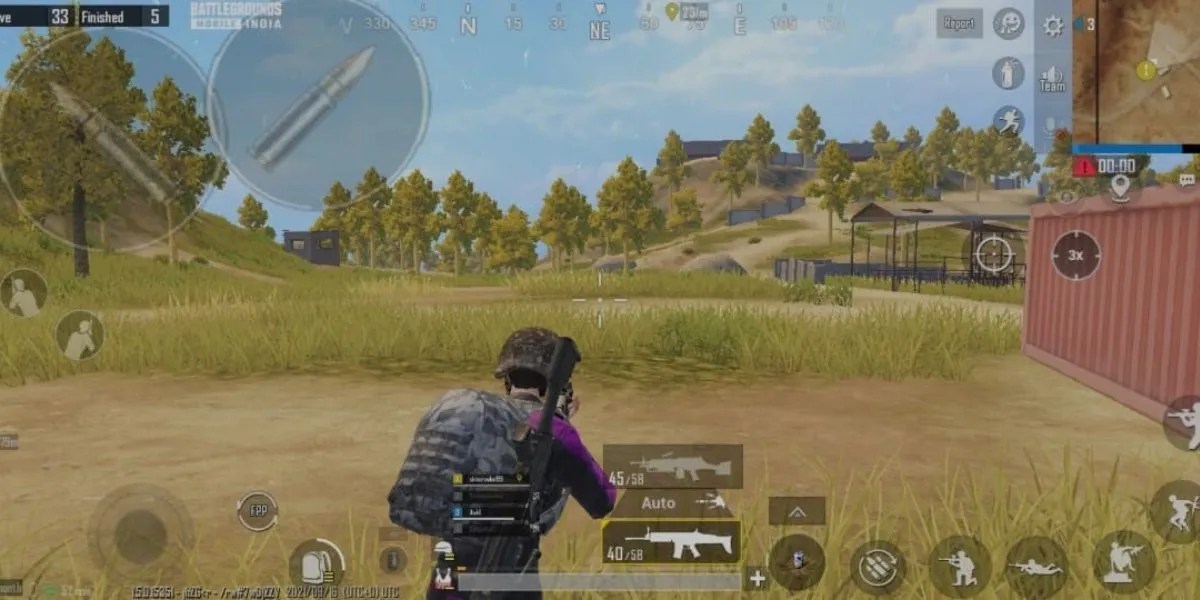
Make the following adjustments in your BGMI settings to knock out more challengers without spraying your shots.
Optimizing Camera Sensitivity in BGMI:
Camera Sensitivity settings are vital in fine-tuning your responsiveness and aiming precision. Below are recommended sensitivity ranges for different scopes and perspectives to help enhance your gameplay:
- TPP No Scope: 115% – 120%
- FPP No Scope: 100% – 112%
- Red Dot, Holographic, Aim Assist: 50% – 60%
- 2X Scope: 33% – 38%
- 3X Scope, Win94: 25% – 30%
- 4X Scope, VSS: 15% – 19%
- 6X Scope: 10% – 15%
Adjust these values based on your preference and playstyle to achieve optimal camera control and accuracy in BGMI.
ALSO CHECK: AC Price List in India
Adjust ADS Sensitivity in BGMI:
Adjusting ADS sensitivity can significantly impact your aiming precision. Below are recommended ADS settings:
- Enable or Disable: You can turn ADS settings on or off. When disabled, it mirrors the camera sensitivity setting, which is a recommended starting point.
- Response Time: Lower values yield a faster response time, while higher values result in a slower response time.

Recommended ADS Sensitivity Ranges:
- TPP No Scope: 115% – 120%
- FPP No Scope: 100% – 112%
- Red Dot, Holographic, Aim Assist: 55% – 60%
- 2X Scope: 33% – 38%
- 3X Scope, Win94: 25% – 30%
- 4X Scope, VSS: 15% – 19%
- 6X Scope: 10% – 15%
Fine-tune these values to suit your aiming preferences and achieve better accuracy during your Battlegrounds Mobile India gameplay.
ALSO CHECK: List of best cars under Rs 7 lacs
Enhancing Camera Sensitivity (Free Look) in BGMI:
To optimize your free-look camera sensitivity, consider these recommended sensitivity settings:
- TPP (Character, Vehicle): 118% – 125%
- FPP (Character): 80% – 85%
- Camera (Parachuting): 120% – 124%
With these calibrated values, you can freely and smoothly explore the map, control your character, and adjust your parachute drop to gain a competitive edge in Battlegrounds Mobile India.
Optimal Gyroscope Settings for Always On Mode:
For those skilled in gyroscope usage, these professional sensitivity settings can elevate your gameplay in BGMI:
- TPP No Scope: 245% – 255%
- FPP No Scope: 230% – 240%
- Red Dot, Holographic, Aim Assist: 245% – 250%
- 2X Scope: 210% – 215%
- 3X Scope, Win94: 175% – 180%
- 4X Scope, VSS: 150% – 155%
- 6X Scope: 85% – 90%
- 8X Scope: 60% – 65%
By applying these precise sensitivity settings, you can master the gyroscope control in BGMI and achieve remarkable precision and responsiveness across various scopes for an immersive gaming experience.

ADS Gyroscope Sensitivity (Always On):
Fine-tuning your ADS Gyroscope Sensitivity to these settings will enhance your precision and control while aiming down sights.
- Red Dot, Holographic, Aim Assist: 245% – 250%
- 2X Scope: 210% – 215%
- 3X Scope, Win94: 175% – 180%
- 4X Scope, VSS: 150% – 155%
- 6X Scope: 85% – 90%
- 8X Scope: 60% – 65%
ALSO SEE: List of best Cars under Rs 15Lakhs
Gyroscope Settings (Scope On Mode):

Optimal Gyroscope Settings for Scope On Mode:
- Red Dot, Holographic, Aim Assist: 245% – 250%
- 2X Scope: 210% – 215%
- 3X Scope, Win94: 175% – 180%
- 4X Scope, VSS: 150% – 155%
- 6X Scope: 85% – 90%
- 8X Scope: 60% – 65%
Applying these Gyroscope Settings in Scope On Mode allows you to achieve precise and smooth movement control while using different scopes in Battlegrounds Mobile India.
ADS Gyroscope Sensitivity (Scope On Mode):
- Red Dot, Holographic, Aim Assist: 245% – 250%
- 2X Scope: 210% – 215%
- 3X Scope, Win94: 175% – 180%
- 4X Scope, VSS: 150% – 155%
- 6X Scope: 85% – 90%
- 8X Scope: 60% – 65%

Precise ADS Gyroscope Sensitivity for Scope On Mode:
- Red Dot, Holographic, Aim Assist: 245% – 250%
- 2X Scope: 210% – 215%
- 3X Scope, Win94: 175% – 180%
- 4X Scope, VSS: 150% – 155%
- 6X Scope: 85% – 90%
- 8X Scope: 60% – 65%
These finely-tuned ADS Gyroscope Sensitivity settings for Scope On Mode in Battlegrounds Mobile India ensure smooth and accurate aiming when using various scopes.
ALSO CHECK: Computer Monitors Price List
Resetting BGMI Sensitivity Settings to Default:

If you wish to revert to the default sensitivity settings in Battlegrounds Mobile India, follow these simple steps:
- Launch the BGMI game on your Android or iOS device.
- Access the Settings menu and select the “Sensitivity” option from the list.
- You’ll find three options within the Sensitivity settings: Low, Medium, and High. The default sensitivity setting is typically set to Medium.
- To reset the sensitivity settings to default, just tap on the “Medium” option, and the game will automatically restore the default sensitivity values.
By following these steps, you can easily return to the original sensitivity settings in BGMI and enjoy the default configuration for a smooth and familiar gameplay experience.
Best BGMI Sensitivity Settings for Your GamePlay

Finding the best sensitivity settings in BGMI is a highly personalized process that varies from player to player. Experimenting with different sensitivity values and fine-tuning them according to your gameplay style and preferences is essential. Remember that what works well for one player may not be ideal for another.
Take the time to practice and adjust the sensitivity settings until you find the perfect balance to aim accurately, move smoothly, and enhance your overall gaming performance. Regularly reassess your settings as you progress and adapt to different in-game scenarios. With patience and practice, you can achieve optimal sensitivity settings that complement your skills and help you dominate the battlegrounds in Battlegrounds Mobile India.
You can follow Smartprix on Twitter, Facebook, Instagram, and Google News. Visit smartprix.com for the most recent news, reviews, and tech guides.








Oppo reno 10 pro zero recoil sensitivity setting mai help me