TL; DR
- PixelBoard is a modified Gboard build that brings Rambler voice typing and basic AI writing tools to non-Pixel Android phones without root.
- It installs alongside the regular Gboard app under a separate package name, with its source code available on GitHub.
- Some advanced AI features remain Pixel-exclusive, and installing the modified keyboard requires sideloading an APK.
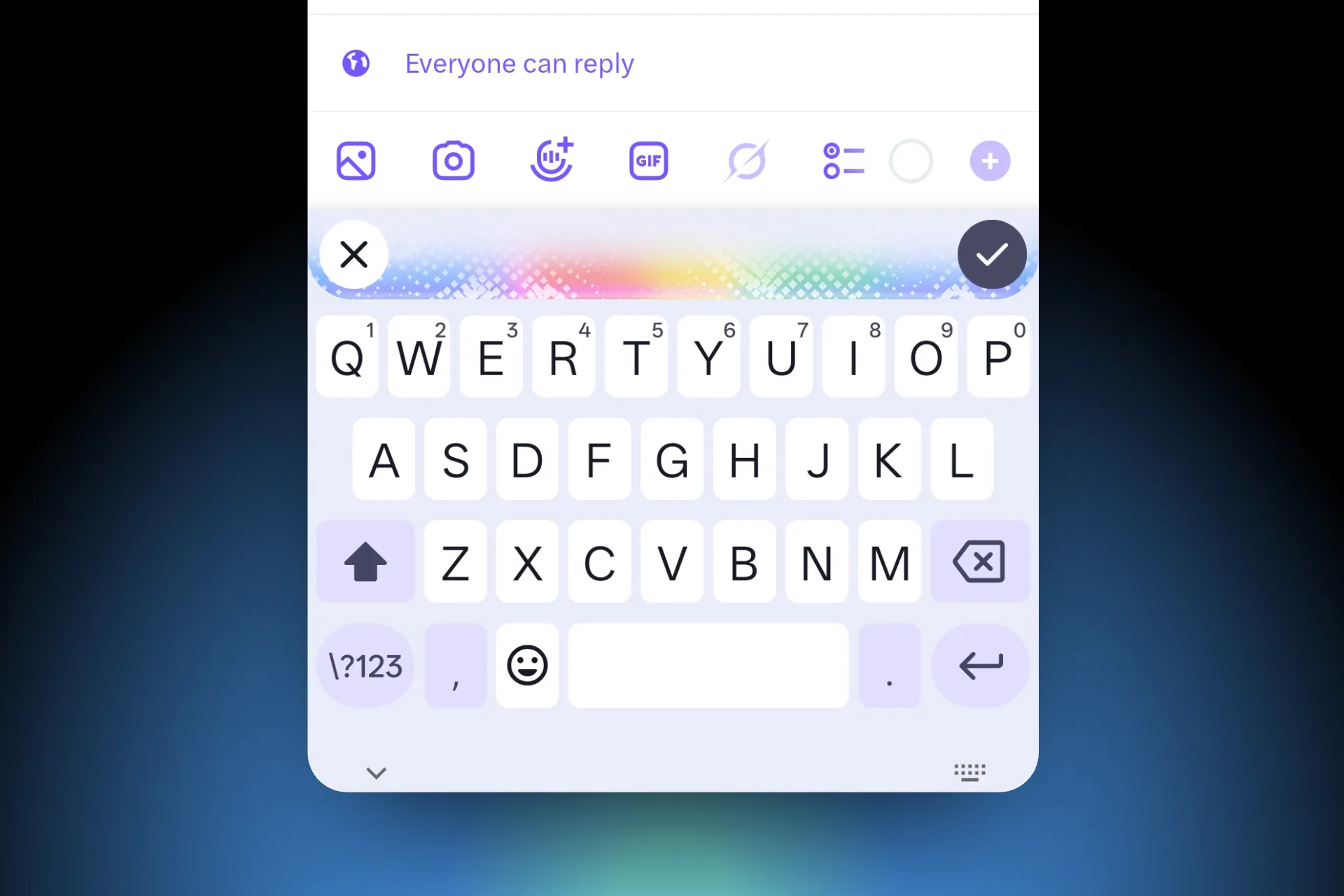
Google’s Rambler voice typing feature on the Pixel 11 series can now run on other Android phones, thanks to a modified version of Gboard called PixelBoard. Developed by Akshay Kadam, the project brings Google’s Gemini-powered voice input and several AI writing tools to non-Pixel devices without requiring root access.
Rambler cleans up speech as you dictate, removing filler words and fixing grammar and punctuation. It can also turn rough speech into cleaner text or lists. The processed text appears after you finish speaking, rather than showing a live word-by-word preview. Google has been gatekeeping the feature as exclusive to the Pixel 11 series.
How PixelBoard Works
Kadam based PixelBoard on an existing Gboard patch project. It uses the package name com.akshaykadam.pixelboard, so you can install it alongside the regular Gboard app without replacing your existing keyboard.
The ready-to-install APK is based on Gboard 18.4.1 and weighs around 127MB. The project also lets users patch a stock Gboard APK themselves using the included Morphe Manager bundle.

Rambler voice typing and basic AI writing tools work on supported non-Pixel phones. These include options to proofread, rephrase, shorten, and expand text.
However, Writing Tools V2 and the on-device AICore and Astrea inference options remain restricted to Pixel hardware, according to the project’s repository notes.
How to Install PixelBoard on Android

- Visit the PixelBoard GitHub releases page and download the latest stable APK.
- If prompted, allow your browser or file manager to install apps from unknown sources.
- Open the downloaded APK and install it.
- Go to Settings > System > Languages & input > On-screen keyboard and enable PixelBoard.
- Set it as your default keyboard if you want to use it regularly.
- Open a text field, switch to PixelBoard , and tap the microphone to try Rambler voice typing.
You can keep the regular Gboard installed and switch between the two keyboards whenever needed. Advanced users can also download a stock Gboard APK from a trusted source and apply the PixelBoard patch bundle through Morphe Manager. The repository also documents an ADB installation method.
PixelBoard is an unofficial modification, so install it at your own risk. Avoid using a modified keyboard for banking, work profiles, or sensitive information if you are unsure about its security. The source code is publicly available on GitHub for anyone who wants to inspect the changes.

You can follow Smartprix on Twitter, Facebook, Instagram, and Google News. Visit smartprix.com for the latest tech and auto news, reviews, and guides.