Phones, in general, brought people together even when they might be hundreds of miles apart. Calling is the finest example. Texting is another way to communicate that lets you respond at your own pace unless holding a conversation on a call, right? Anyone who has been through the 2000s and 2010s phase would know SMSes and how they were a great channel to communicate with your family, friends, and others. However, we are almost in 2024 and things have changed a lot.
Nowadays, you can choose from an array of texting platforms including SMS, and instant messaging apps like WhatsApp, and iMessage on iPhones and beyond. It begs the question, how is RCS from SMS? Well, if you are looking for a definitive answer, you have come to the right place. Read along to know exactly what both these terms – SMS and RCS, actually mean and how they work out.
What is SMS?
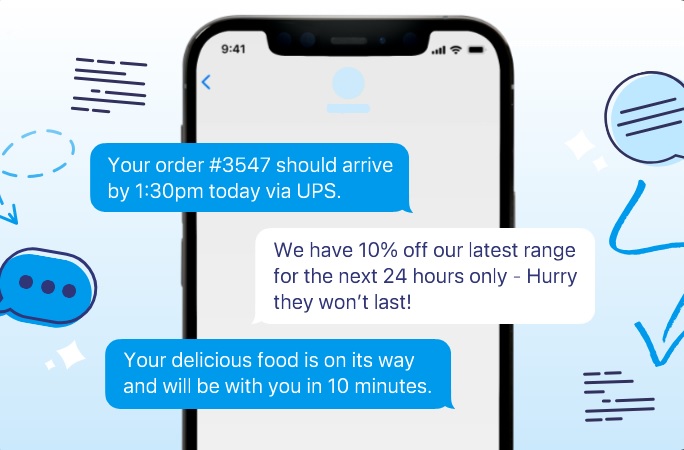
SMS stands for Short Message Service and I know, you already know this. SMS is a protocol used to send and receive text messages over cellular networks. It doesn’t require any data plan and rather works on even weak networks, however, your carrier may levy charges per sent SMS. Nowadays, all the telecom carriers offer up to 100 SMSs per day free of charge although transactional SMSes to banks or to start/stop certain services may still be chargeable. On the other hand, receiving SMS is free of cost.
Before social media apps such as Facebook, and Instagram and instant messaging apps like WhatsApp rose to dominance, SMS and MMS were the to-go choices to communicate apart from calling.
What is RCS?
RCS stands for Rich Communication Services and it is a modern communication protocol compared to the outdated SMS. RCS differs from SMS on many fronts, the first of which is the character limit. RCS lets you send anything from short to lengthy text messages as you will. It even supports all types of media from GIFs, and videos, to images and beyond.
RCS supports read receipts. It encrypts your messages making it difficult for intruders to intercept and access the content. Unlike SMS, RCS uses data (mobile data or Wi-Fi) to send content that enables larger message sizes and media support.
However, the availability of RCS is questionable. It is available across some smartphones such as iPhones although Android has started to support it as well. On the other hand, SMS is ubiquitous meaning it is available on smartphones and feature phones without any distinction. Finally, there’s a part of fulfilling requirements where SMS doesn’t require any but RCS requires support from both smartphone make and carrier failing which, the messages will use SMS as a protocol.
Comparing SMS vs RCS: Head-on
| RCS | SMS | |
| Availability | Must be supported by both smartphone and carrier | All the smartphones and features phones |
| Network Requirements | Internet connection (either Wi-Fi or cellular) | Requires cellular network (no internet) |
| Encryption | Can be encrypted | No |
| Media Attachments | Messages can have location, GIFs, videos, photos and other media | Doesn’t supports any media |
| Size | There’s no limit as such | Each SMS has a character limit of 160 beyond which, you are charged for another SMS (or as per the plan) |
| Delivery and read receipts | Both | Only delivery receipt |
| Charges | Free | Charged as per telecom plan |
| Features | Typing indicator, group chats, message reactions | None |
| Business-centric features | Yes – QR codes, custom reply actions, etc | None |
What’s Are The Benefits of RCS over SMS
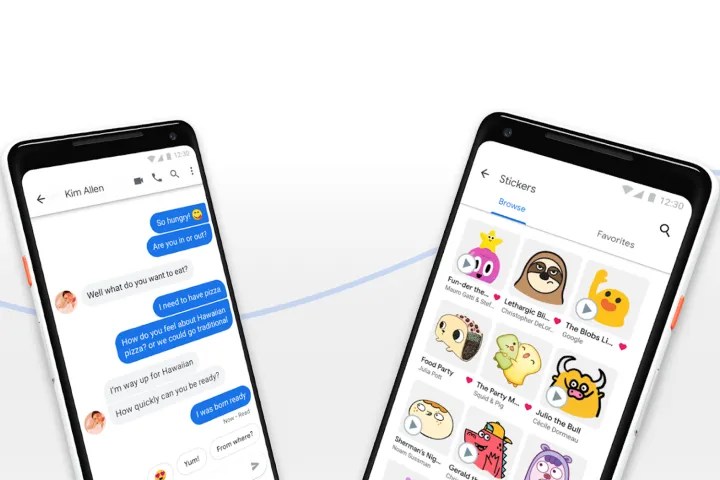
Unless you start using RCS, you might be looking for incentives to make the sweet. Of course, instant messaging apps are great but RCS works well too. It offers a myriad of features plus, you don’t need to sign up much like any IM app. Moreover, you can attach multimedia with your texts giving it a unique touch. It can be a great asset for marketing that gives companies chops for their marketing campaigns.
Besides, RCS is free to use as it runs over data. The messages are encrypted meaning it keeps the sent and received messages secured from prying eyes.
Who Can Use RCS?
As aforementioned, RCS requires support from both the smartphone and the carrier you are using. Most major carriers such as Google Fi, AT&T, and T-Mobile in the US; Airtel, Jio, NTT Docomo, and Vodafone globally, support RCS. You need an RCS client on an Android device to support RCS such as Nothing Chats on Nothing Phone 2 albeit it has been pulled from Google Play Store at the time of writing this. iPhones don’t support RCS when it comes to iPhone and Android communication as it prefers its proprietary iMessage for iPhone-to-iPhone communication.
However, Apple has confirmed that it will roll out software updates to support RCS across all devices by late 2024 using the RCS Universal Profile. It will allow RCS to co-exist on iPhones along with iMessage and SMS. There’s also an ongoing tassel between the blue bubble (iPhone-to-iPhone) and green bubble (iPhone-to-Andrioid) which is likely to remain put signifying whether you are using an iPhone or an Android device.
You can follow Smartprix on Twitter, Facebook, Instagram, and Google News. Visit smartprix.com for the most recent news, reviews, and tech guides.