TL; DR
- Some Motorola phones, including premium models like the Razr 60 Ultra, are redirecting Amazon app launches through Chrome and affiliate-tracked URLs before opening the actual Amazon app.
- The issue appears linked to Motorola’s pre-installed Smart Feed app after version 2.03.0070, which inserts an Amazon affiliate code tied to fashion influencer Kira Abboud.
- The easiest fix right now is disabling the Smart Feed app from Settings, which immediately stops the redirects without affecting normal phone usage.
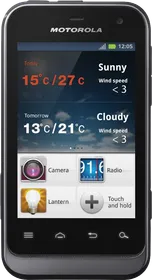
Motorola smartphones have allegedly started quietly redirecting Amazon app launches through affiliate-tracked URLs without asking users first. The issue was initially spotted by a Reddit user using a Motorola Razr 60 Ultra, who noticed that tapping the Amazon app icon from the app drawer briefly opened Chrome before finally loading the Amazon app itself.
The behavior was later independently verified by multiple users and publications, including 9to5Google, which reproduced the exact same redirect flow on a Motorola Razr Fold.
Here’s what happens exactly. When users tap the Amazon app directly from the app drawer, the phone first routes the request through a third-party website called kira-abboud.com. During this process, an Amazon affiliate tracking code called “sramz-kff-008-20” gets injected before the user lands inside the real Amazon app.
The redirect only happens when launching Amazon from the app drawer. Opening Amazon through a home screen shortcut, recent apps menu, or widgets does not trigger the affiliate redirect.
ALSO READ: Samsung Galaxy S27 Pro Could Beat S27 Ultra In One Key Aspect
Investigations traced the issue back to Motorola’s pre-installed Smart Feed app. Reports suggest the behavior started appearing after the Smart Feed app updated to version 2.03.0070. Older versions such as 2.03.0056 reportedly do not perform these redirects.
It seems affected Motorola phones are also making background requests to devicenative.com, a company focused on on-device advertising and personalized monetization systems. Archived versions of Device Native’s website reportedly referenced a partnership with Motorola, though those references have since disappeared from public pages.
The issue has raised concerns because the redirects happen at the system-app level and modify user behavior silently in the background before opening a shopping app. The phone still ends up inside the normal Amazon application afterward, so many users would likely never notice the redirect occurring at all.
Motorola has not issued any official response or clarification so far.
ALSO READ: Samsung’s Galaxy Watch Ultra 2 Could Finally Get A Cheaper Wi-Fi/Bluetooth Variant
How to Stop the Redirects
Right now, the easiest fix is simply disabling Motorola’s Smart Feed app.
Go to: Settings > Apps > Smart Feed > Disable
Users report that disabling Smart Feed immediately stops the redirects, and there do not appear to be any major side effects on regular phone functionality afterward. You can also use ADB to remove this app from your device permanently.
ALSO READ: vivo X500 Pro Might Ditch the 200MP 1/1.4-inch Periscope for a 64MP 1/2-inch One

You can follow Smartprix on Twitter, Facebook, Instagram, and Google News. Visit smartprix.com for the latest tech and auto news, reviews, and guides.