TL; DR
- YouTube has added a new Shorts Feed limit setting that lets users set Shorts time to zero minutes.
- Doing this removes or heavily restricts Shorts recommendations in the app feed.
- The option is available inside the YouTube mobile app for Android and iPhone.
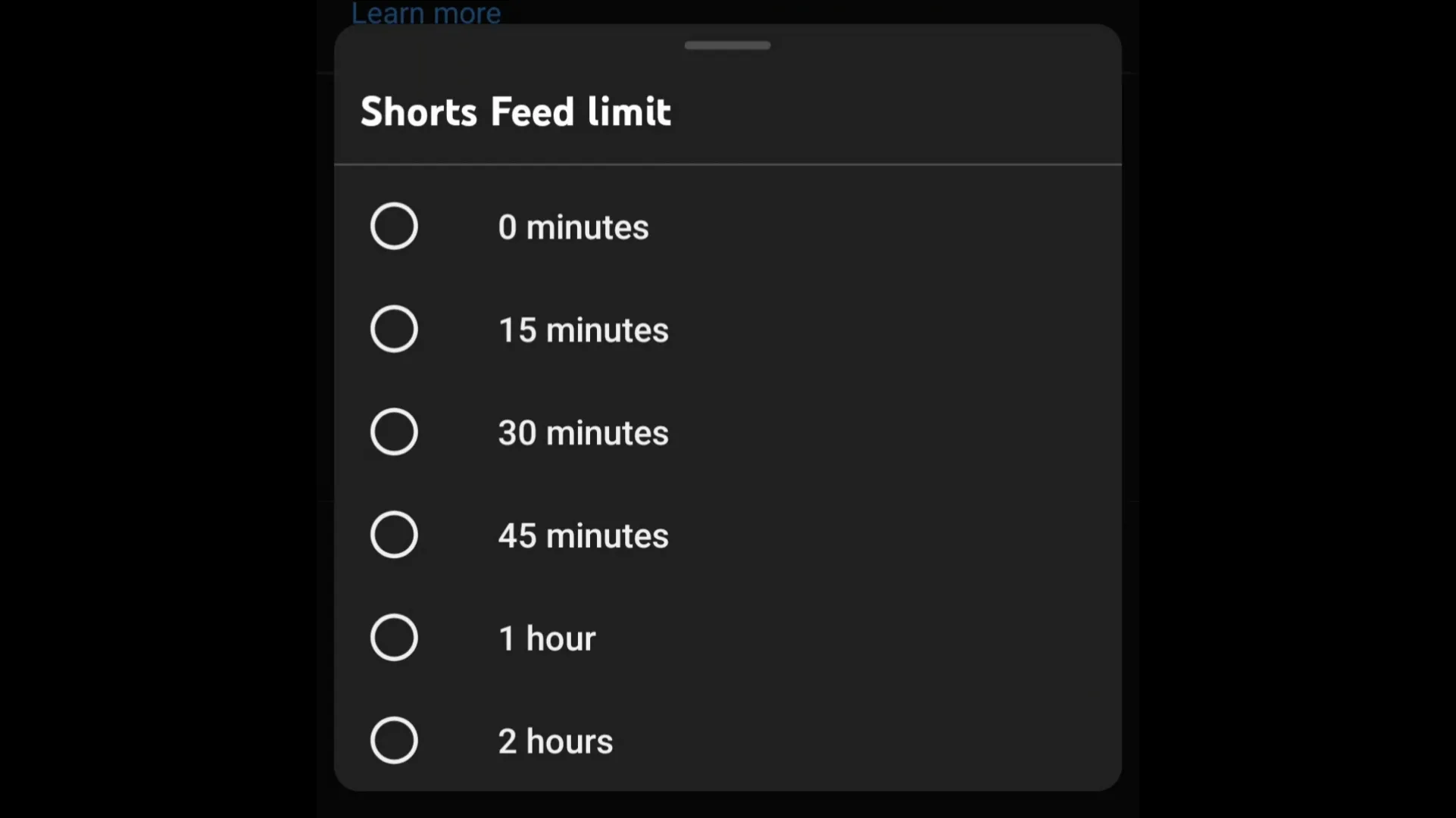
YouTube has added a new setting that gives users a built-in way to stop Shorts from taking over their feed. After years of complaints about Shorts appearing across the homepage and recommendations, users can now set the Shorts Feed limit to zero minutes.
The option is available in the YouTube app under Settings, then General, then Time management. Inside that section, users will see the Shorts Feed limit menu with multiple time choices, including zero minutes.
Once the limit is set to zero, Shorts shelves and Shorts recommendations are hidden or significantly reduced in the main interface. However, they may still appear in search results and the homepage.
How to turn off Shorts
- Open the YouTube app and tap your profile picture.
- Go to Settings.
- Open Time management.
- Tap Shorts Feed limit.
- Choose 0 minutes.

The feature was first introduced through parental control tools, though it is now rolling out more broadly for regular users as well. It currently works on mobile versions of the app, including Android and iOS.
There is still no dedicated one-tap option on desktop that fully removes Shorts from the website interface. On the web, some users still rely on browser extensions for that experience.

You can follow Smartprix on Twitter, Facebook, Instagram, and Google News. Visit smartprix.com for the latest tech and auto news, reviews, and guides.