



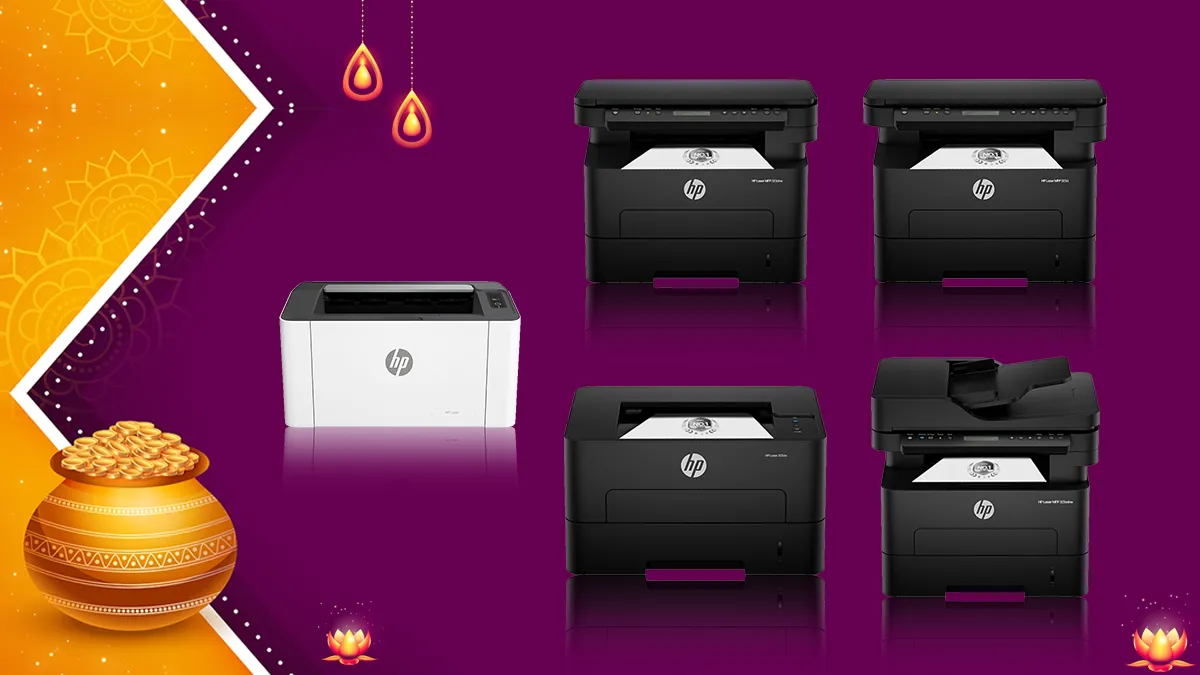
Ask most people what they’d buy on Dhanteras, and you’ll hear gold, utensils, maybe a new phone or a TV. A printer rarely makes the list. But if you run a small business or work from home, it’s the kind of purchase that quietly earns its keep. Invoices, forms, contracts, reports, the endless everyday paperwork: it all passes through that one machine. If your current printer is on its last legs, or you’ve been putting off buying one for the office, the festive sales are a decent time to sort it out.
The Amazon Great Indian Festival is right around the corner, and during the sale, several deals and offers will be available across different categories, including printers. In fact, HP, the brand known for its huge range of printing solutions, will have its printers listed at steep discounts. If you are planning to buy one, here’s a list you can consider.
But the question is: Which one?
The second question is: Which one is right for my needs?
The third question is: How much will it cost?
Well, I have a detailed guide that answers all these questions and then some. This guide won’t just list the printers that can do the job and leave you to take a wild guess, buy one and figure out later whether it fits the bill. Instead, I have listed HP laser printers designed to cater to different needs, and the guide will help you narrow down what you need and make an informed decision.
HP has a fairly wide laser lineup for this. The cheaper models handle basic printing at home and in the office. Some add Wi-Fi so a few people can print from their own devices. The pricier ones are multifunction machines that also scan and copy. You have several options, including ones with automatic duplex and bigger paper trays.
So, let’s take a look at the shortlisted printers and what they offer and how much they cost with discounts.
| Printer Model | Functionality | M.R.P. | Festive Selling Price | Discount | Key USP / Speed | EMI Plan |
| HP Laser 1008a | Single Function (Print) | ₹14,204 | ₹11,789 | 17% | Compact monochrome, 21 ppm | ₹3,930 /month (3 mos) |
| HP Laser 1008w | Single Function (Print) | ₹15,840 | ₹13,299 | 16% | Wireless printing, 21 ppm | ₹4,433 /month (3 mos) |
| HP 303d | Single Function (Print) | ₹20,250 | ₹14,199 | 30% | Auto-duplex, 30 ppm | ₹4,733 /month (3 mos) |
| HP 303dw | Single Function (Print) | ₹22,500 | ₹14,999 | 33% | Wireless auto-duplex, 30 ppm | ₹5,000 /month (3 mos) |
| HP 323d | Print, Scan, Copy | ₹29,250 | ₹18,499 | 37% | All-in-one with LCD, 30 ppm | ₹6,166 /month (3 mos) |
| HP 323dnw | Print, Scan, Copy | ₹31,500 | ₹22,499 | 29% | Wireless all-in-one, 30 ppm | ₹7,500 /month (3 mos) |
| HP 323sdnw | Print, Scan, Copy | ₹35,250 | ₹24,499 | 30% | All-in-one with ADF & Wi-Fi | ₹8,166 /month (3 mos) |
HP Laser 1008a and 1008w: Best for basic home and office printing
These are the simplest printers here. Or, I like to call them – straightforward – options. Both are single-function monochrome lasers that print up to 21 pages a minute, with a 150-sheet input tray and a 100-sheet output tray. The printing capabilities are the same on both, so the only real difference is how they connect.
The HP Laser 1008a is priced at Rs 11,789, down from an MRP of Rs 14,204. That’s a 17% discount. It connects over Hi-Speed USB and nothing else. The HP Laser 1008w costs Rs 13,299 against an MRP of Rs 15,840, so a 16% discount, and it adds Wi-Fi and Wi-Fi Direct capabilities.

Both are rated for a duty cycle of up to 10,000 pages and are meant for one to five users printing under 1,500 pages a month. The toner cartridge in the box is rated for about 1,500 pages.
So it really boils down to one question: do you need wireless? If the printer is going to sit next to a single desktop or laptop, the 1008a saves you some money. If a few people want to print from their laptops or phones, spend the extra on the 1008w.
USP: The 1008a does basic 21ppm monochrome printing over USB. The 1008w does the same, with Wi-Fi and Wi-Fi Direct on top.
Best suited for: The 1008a fits home users, students and single-user desks. The 1008w fits homes, work-from-home setups and small businesses with multiple devices.
HP 303d and 303dw: Best for faster office printing with automatic duplex
The next step up is the 303 series, and you’re in core office territory now. Both models print up to 30 pages a minute, support automatic duplex, and come with a 250-sheet input tray and a 100-sheet output tray. The wired-versus-wireless split shows up again here.
HP 303d is priced at Rs 14,199, down from an MRP of Rs 20,250, a 30% discount. It connects over USB 2.0. The HP 303dw costs Rs 14,999 against an MRP of Rs 22,500, a 33% discount, and adds Wi-Fi to USB 2.0. Basically, they have the same theory of a Wi-Fi and non-Wi-Fi option.

Duplex printing is really the reason to move up from the 1008 series. If your office prints reports, forms or anything with more than a couple of pages, having the printer flip the sheet on its own saves time and paper. The larger tray helps too, since you won’t be refilling it as often as the 150-sheet one on the 1008 models.
Again, if the printer will be plugged into one main computer, the 303d is enough. You get the same speed and duplex without paying for Wi-Fi. If several people in the office need to print from different machines, the 303dw makes more sense, and with the price gap this small, I’d lean that way for shared setups.
USP: The 303d offers 30ppm printing with duplex and a 250-sheet tray. The 303dw has the same features plus Wi-Fi.
Best suited for: The 303d fits small offices and workgroups with a wired setup. The 303dw fits those where multiple users need wireless access.
HP 323d and 323dnw: Best all-in-one printers for small offices
The 323d and 323dnw take the 303 series and add a scanner and copier. Both are multifunction laser printers with automatic duplex, 30ppm speeds, a 250-sheet input tray and a 100-sheet output tray.
The HP 323d is priced at Rs 18,499, down from an MRP of Rs 29,250. That’s a 37% discount, the biggest in this list. It connects over USB 2.0. The HP 323dnw costs Rs 22,499 against an MRP of Rs 31,500, a 29% discount, and adds Wi-Fi alongside USB 2.0.
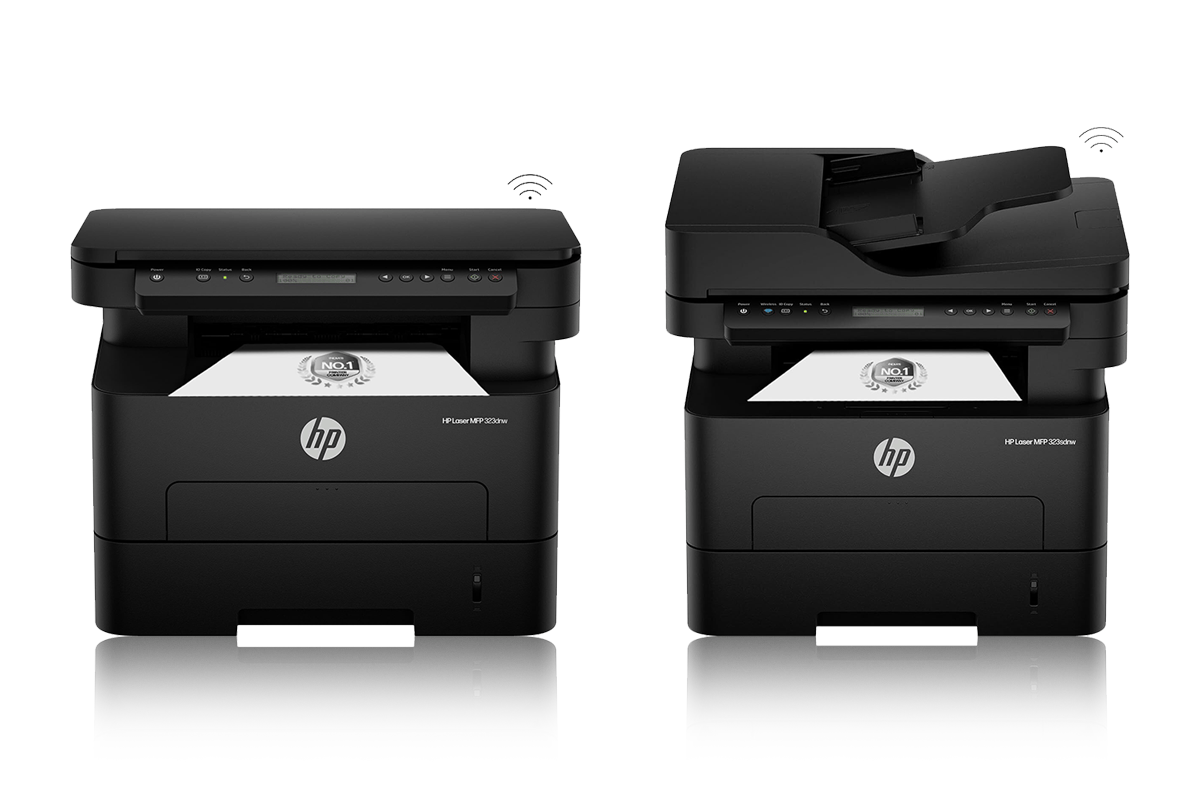
For a small office, having print, scan and copy in one machine means you don’t have to buy and find space for separate devices.
The 323d works if it’s going to stay connected to one computer or a fixed workstation. It does everything the wireless model does for less. The 323dnw is the better call when several people or devices need to reach it, because you don’t have to run a cable to every computer. Basically, the extra Rs 4,000 gets you connectivity, nothing else. The printing engine is the same.
USP: The 323d does print, scan and copy with duplex at 30ppm. The 323dnw adds Wi-Fi to that.
Best suited for: The 323d fits small offices and home offices with a wired setup. The 323dnw fits small businesses and workgroups that want one shared wireless multifunction printer.
HP 323sdnw: Best for that heavy duty office needs
The HP 323sdnw sits at the top of this list and is meant for businesses that scan and copy all day. It’s priced at Rs 24,499, down from an MRP of Rs 35,250, which is a 30% discount.
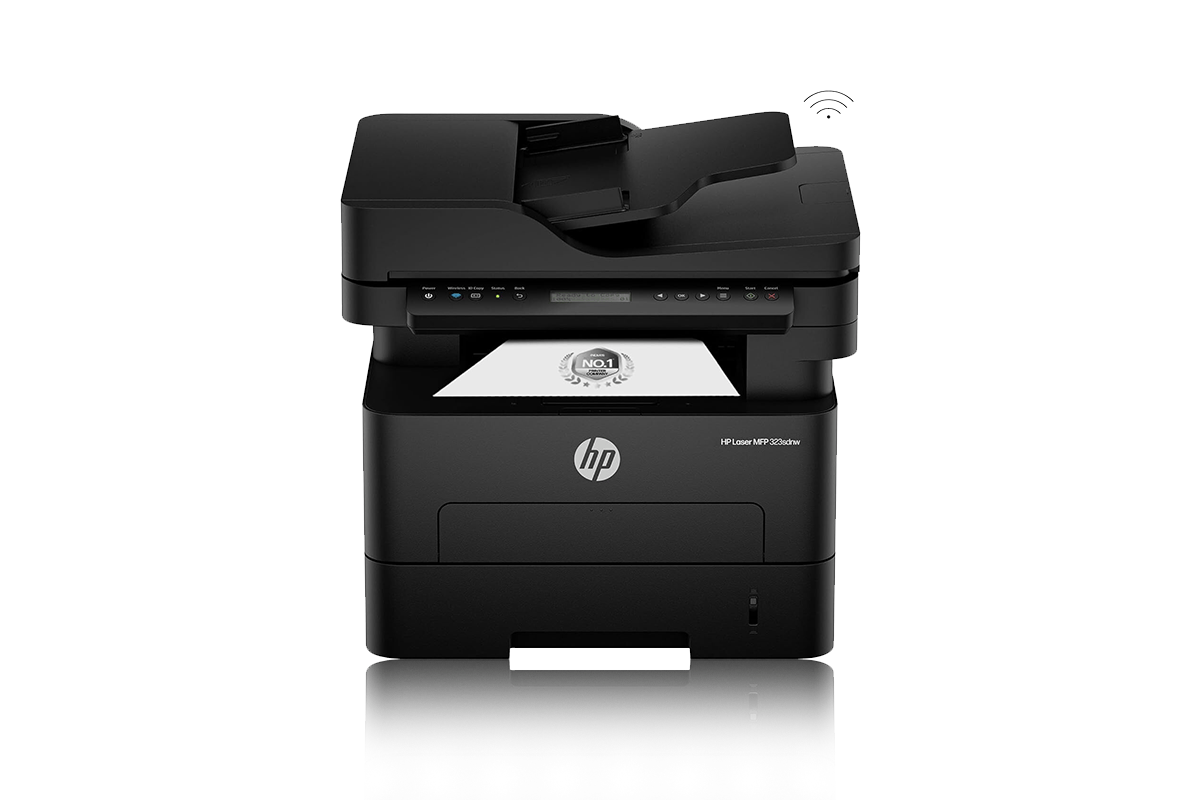
It prints, scans and copies, supports automatic duplex, and has both Wi-Fi and USB 2.0. Print speed is up to 30ppm and the input tray holds 250 sheets.
The main thing separating it from the 323dnw is the automatic document feeder, or ADF. Anyone who has scanned a 20-page contract one sheet at a time on a flatbed knows why that matters. With an ADF, you load the stack and walk away. If your office deals with invoices, forms and contracts regularly, it will save you a lot of hassle.
It’s the most complete printer in this lineup, and at Rs 24,499 it still comes in under Rs 25,000. That makes it relevant if you’re searching for the best laser printers under 25000 in India.
USP: An ADF combined with 30ppm printing, duplex, Wi-Fi, scanning and copying.
Best suited for: Small businesses, offices and anyone who often scans or copies multi-page documents.
Which HP printer should you buy this Dhanteras?
Honestly, it depends on how you’ll use it, not on the brand. And you don’t need the most loaded model just because it’s on sale.
If you only print black-and-white pages from one computer, the HP Laser 1008a does the job. It prints at 21ppm, has a 150-sheet tray and doesn’t throw in features you’ll never touch. Need to print from your phone or a second laptop? Go for the Laser 1008w.
Offices that print a lot should look at the HP 303d. The speed, the 250-sheet tray and duplex make a real difference with bigger workloads. If more than one person needs wireless access, the 303dw is the same printer with Wi-Fi, and the price difference is small.
Want an all-in-one? The HP 323d adds scanning and copying while keeping duplex and 30ppm speeds. If you want that with Wi-Fi, the 323dnw is your pick. And if you scan or copy stacks of paper regularly, the HP 323sdnw with its ADF is the one to buy.
HP printer buying guide for Dhanteras 2026
Before you pay for anything in a festive sale, look at more than the price tag.
1. Check whether you need Wi-Fi
This is the easiest call to make in this lineup. A USB-only printer is fine if it sits next to one computer. If several laptops, desktops or phones need to print, Wi-Fi saves a lot of trouble. Just remember that it adds convenience, not speed.
2. Consider automatic duplex printing
If you often print reports, presentations or long documents, duplex pays off. You don’t have to flip pages by hand, and you use less paper. It’s one of the main reasons the 303d and 303dw suit offices better than the 1008 models.
3. Think about print speed
A 21ppm printer is fine for most homes and individual users. If you’ve got several people printing or big jobs to run, a 30ppm model will feel much better.
4. Check the paper capacity
The 1008 series takes 150 sheets, while the 303 and 323 models take 250. If you print a lot, the bigger tray means fewer interruptions.
5. Decide whether you need scanning and copying
If you scan or copy occasionally, an all-in-one is handy. If you mostly print, a single-function model is simpler and costs less.
6. Know when an ADF matters
It makes a difference when you scan or copy several pages at once. That’s the main reason to pick the 323sdnw over the rest.
Let’s answer those three questions now:
1. Which one?
There’s no single winner. The answer lies in what you actually need. The details above will help you choose and define the needs that you have and then you can choose the one printer that fits the bill.
2. Which one is right for my needs?
This is where you can skip the wild guess. For basic printing from one computer, the Laser 1008a is the easy pick, and the Laser 1008w suits wireless home printing. For offices, the 303d is the practical choice if the printer stays plugged into one machine, and the 303dw is the better fit if several people share it. If you need scanning and copying too, the 323d works for a wired setup and the 323dnw for a shared wireless one. For the heaviest document workloads, the 323sdnw is the most complete package here.
3. How much will it cost?
The Laser 1008a is priced at Rs 11,789 and the 1008w at Rs 13,299. The 303d costs Rs 14,199 and the 303dw Rs 14,999. The 323d is priced at Rs 18,499 and the 323dnw at Rs 22,499. The 323sdnw tops the list at Rs 24,499. So every printer here stays under Rs 25,000, which matters if you’re hunting for the best laser printers under 25000 in India.
To sum it all up. Don’t just go for the most expensive one, though. For basic printing, there’s no point paying for scanning, copying or Wi-Fi. If several people need access, Wi-Fi is worth the extra. And if your office handles a lot of paperwork, duplex, a bigger tray and an ADF will make everyday work easier. With the Amazon Great Indian Festival around the corner and HP printers set to go on sale at steep discounts, pick the model that fits your workflow, and the deal will take care of the rest.
Disclaimer: This is a brand story, so views and opinions expressed here are of the sponsor and not of the editorial team.

















admin giveaway kardo 😊