A lot of monitors look great in spec sheets. High refresh rate, USB-C charging, ergonomic stand, speakers, USB hub, slim bezels. The Lenovo L24D-4C is exactly that kind of monitor. It checks many boxes people want in a modern desk setup, especially if you use a laptop and want a cleaner one-cable connection.
The catch is the display itself. This is a 23.8-inch Full HD panel with 93 PPI, and that sharpness level already feels dated for long office hours, spreadsheets, text-heavy work, and detailed reading. At the right price, it can make sense. At a premium price, it becomes harder to recommend. Let’s get into it.
Lenovo L24D-4C Specs:
- Display: 23.8-inch IPS, 1920 x 1080, 93 PPI
Refresh Rate: 144Hz
Response Time: 1ms MPRT / 4ms GTG
Brightness: 250 nits
Contrast Ratio: 1500:1
Color Gamut: 99% sRGB
Panel Finish: Anti-glare
Adaptive Sync: AMD FreeSync, VESA MediaSync
Ports: 1 x USB-C (DP Alt Mode + 75W PD), 4 x USB-A, 1 x HDMI 1.4, Audio Out
Speakers: 2 x 3W
Stand: Height, Tilt, Swivel, Pivot
VESA Mount: Yes (100 x 100)
Warranty: 3 Years
Weight: 5.1 kg with stand
Price: ₹14,299
Pros
- Minimal, modern design
- 144Hz refresh rate feels smooth
- USB-C with 75W charging is extremely useful
- 4-port USB hub adds convenience
- Fully adjustable stand
- Good color coverage for casual use
- Anti-glare coating helps in bright rooms
- 3-year warranty
Cons
- 1080p on 23.8-inch is not very sharp in 2026
- Not ideal for office productivity and text clarity
- HDMI 1.4 is dated
- Built-in speakers are only usable for casual audio
- No HDR experience worth talking about
Lenovo L24D-4C Review: Design and Build

Lenovo keeps things clean here. The Cloud Grey finish looks professional and should fit well in most desks, offices, and home setups. Bezels are slim, and the monitor avoids any tacky styling. It looks very modern and minimal.

The stand is one of the better parts of this monitor. Height adjustment, tilt, swivel, and pivot are all included. That gives it more flexibility than many cheaper monitors that still ship with fixed stands. If we are talking about ergonomics, Lenovo did well here. Build quality seems fine, even if it does not feel premium.
Lenovo L24D-4C Review: Display Performance

The IPS panel gives decent viewing angles, and 99% sRGB is enough for everyday use, web content, casual photo edits, and general media. The 1500:1 contrast ratio is also better than many standard IPS panels on paper.
The bigger issue is resolution. Full HD on a 23.8-inch display gives you 93 PPI. That means text is serviceable (huge emphasis on serviceable), though not crisp. If you spend hours reading documents, writing, coding, browsing, or working on spreadsheets, this is not for you.
Brightness is another limitation. At 250 nits, indoor use is fine. In brighter rooms near windows, it can look a bit dull. Thankfully, you do get an anti-glare coating, which helps minimize reflections.
The 144Hz refresh rate is the headline feature, and yes, it helps. Cursor movement definitely feels smoother, and games also benefit from the high refresh rate (provided your connected machine can handle it). AMD FreeSync support is a welcome extra for casual gamers.
Still, this is not a serious gaming monitor for enthusiasts. There is no high brightness HDR experience, no advanced motion tuning, and the resolution at 1080p remains a huge pain point. For light gaming after work, it gets the job done.
Lenovo L24D-4C Review: Connectivity and Audio


This is the strongest reason to buy it. USB-C with 75W charging means many laptops like my M4 MacBook Air can connect, charge, and output display through one cable. That makes desk setups cleaner and simpler.
The four USB-A ports are incredibly useful for keyboard, mouse, storage drives, webcam, or accessories. Many budget monitors skip this entirely. If you use a laptop every day, this setup can improve convenience by a mile.
The dual 3W speakers exist for meetings, YouTube, and system sounds. They are not very loud and you’d need to run them at max volume most of the time. Do not expect depth, bass, or room-filling sound. You’d still want external speakers or headphones.
Review Verdict: Should You Buy the Lenovo L24D-4C?
Although the resolution on this monitor feels like a compromise, it’s still tough to find a higher resolution option at this price that also gives you super fast USB-C charging, connectivity, tilt, and swivel support. That is where its value comes from. The question is simple: do you want more features and convenience, or do you want a sharper screen?
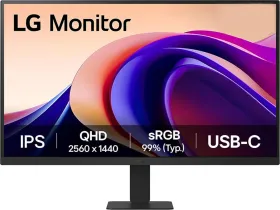
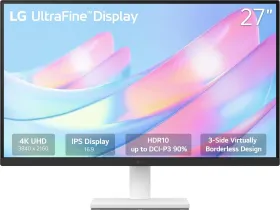
The LG 27U631A is a solid alternative. It gives you 15W fast charging via USB-C with display connectivity at the same time, along with a 1440p panel. It does miss out on full 360-degree swivel, and the charging speed is slower. It is currently available for ₹14,999 on Amazon.
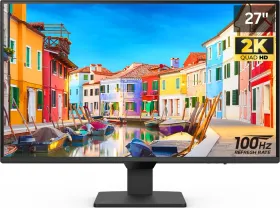
If you can extend your budget by a few thousand, the Lenovo L27H-4A for ₹19,500 is the perfect sweet spot. You get all the features of the L24D-4C, but at a higher 2K resolution and a slightly larger 27-inch screen.
To make it easier, if your focus is office work, reading, productivity, or sharper visuals, a 24-inch or 27-inch 1440p monitor is usually the smarter pick. If your focus is gaming with added utility, this Lenovo becomes a much more interesting option.
First reviewed in April 2026.