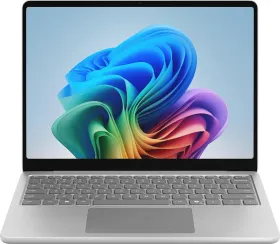
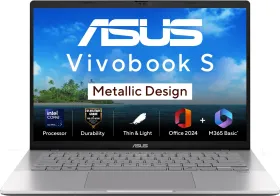
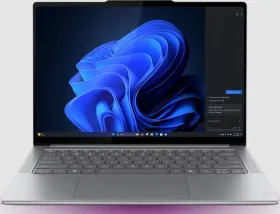
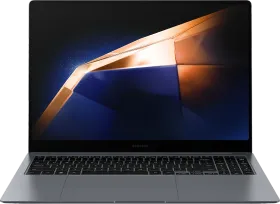
Picture a creative director at a mid-sized agency in 2021. She’s in a client meeting, running off battery like everyone else, and her sleek Windows laptop, the one she bought specifically for its all-day battery life and silent, fanless design, won’t open the VPN client her team uses to access the production server.
It just hangs there. No error. No explanation. Just a spinning icon while the client waits.
Scenes like this played out countless times during the nascent years of Windows on Arm. A developer whose debugger crashed mid-session. A finance analyst whose accounting software refused to install. A video editor who watched Adobe Premiere Pro crawl along through emulation before eventually giving up.
The hardware was promising. The software ecosystem wasn’t ready.
For years, that mismatch shaped the platform’s reputation: interesting technology, but not something you could fully trust for everyday work.
Now, that narrative is shifting. It’s not just about the silicon; it’s about a growing ecosystem of compatible apps that finally makes Windows on Arm feel like a “normal” laptop experience.
The Perception Problem Windows on ARM Had to Solve
The first ARM-based Windows PCs were promising. The Microsoft Surface Pro X, based on a custom chip made with Qualcomm, was super sleek, always connected, and could run all day on a single charge.
But using traditional Windows software on those machines often felt like watching a video stream on a slow internet connection.
Technically, it worked. But something always felt off.
That’s because most Windows software at the time was designed for x86 processors from Intel or AMD. Running those apps on Arm hardware meant relying on an emulation layer, essentially translating instructions in real time so the processor could understand them.
Early versions of that translation system were slow and sometimes unreliable. Developers looked at the platform’s small user base and made a rational decision: wait.
So the cycle reinforced itself. Developers didn’t prioritize the platform because users weren’t buying the devices. Users hesitated because key apps didn’t run properly.
For years, the reputation stuck.
The reality in 2026 is that the “unsupported” list is shrinking fast. Many of the most common deal-breaker apps now run seamlessly on Snapdragon-powered hardware:
- Developers: Tools like Visual Studio, node.js, and IntelliJ IDEA are fully supported. Even the .NET 6+ framework runs natively.
- Business & Data: Critical enterprise tools like Power BI, PostgreSQL, and the Vyapar App are ready for prime time.
- Security & IT: Essential connections like the Ebix Cisco Secure Client now work without a hitch.
- Creativity & Productivity: Beyond the big names like Photoshop, staples like Notepad++ and CAM Engine are fully compatible.
While some specialized software like Rhinoceros 3D, Figma, and Tally currently have partial support, the momentum is clear. The question is no longer “Will it run?” but “How much faster will it be?”

The Turning Point: Native Apps Are Showing Up
What changed wasn’t a single dramatic product launch. Instead, several shifts happened gradually.
Microsoft improved its emulation technology. Hardware performance crossed a threshold where everyday tasks felt fast. And developers slowly began building native ARM versions of their apps.
The result is a statistic that surprises many people when they hear it: according to Microsoft research, PC users today spend over 93% of their time in applications that already run natively on Snapdragon X Series processors.
That means those apps aren’t being translated through emulation. They’re compiled specifically for the Arm architecture and run directly on the chip.
And that difference matters in day-to-day use.

What Native Apps Actually Feel Like
There’s a useful analogy for understanding this.
Running software through emulation is like having a translator on a phone call. The conversation still happens, but there’s always a slight delay and extra work happening behind the scenes.
Native apps are the equivalent of both sides speaking the same language from the start.
When software is built specifically for ARM’s architecture, several things happen:
- apps launch faster
- Systems run cooler
- battery consumption drops and back-up improves
For people who spend entire workdays inside a handful of apps, those small efficiency gains add up.
The list of software that now runs natively on Snapdragon laptops looks a lot like the list of programs many people already use every day.
Productivity tools like Microsoft 365 are native. Browsing with Google Chrome is native. Collaboration apps like Zoom run directly on the platform.
Creative tools are increasingly joining them. Adobe Photoshop and Adobe Lightroom now run natively, as do developer and creator tools like Blender, OBS Studio, and many more (here’s the full list of supported Adobe apps ).
In other words, the question many people once asked: What runs on Windows on Arm? is quickly being replaced by a different one: what doesn’t?
Emulation Isn’t Gone; It’s Just Much Better
Even with the rapid growth of native apps, not everything has been rebuilt for Arm yet. That’s where improvements in Windows’ emulation technology still matter.
Recent versions of Windows have introduced a far more capable translation layer that can run traditional x86 software with significantly better performance than earlier attempts.
For users, the difference is subtle but important. Instead of software simply refusing to install, a common problem in early Windows on Arm devices, most applications now run, even if they haven’t yet been rebuilt natively.
That hybrid approach is one reason the platform now feels much closer to a conventional PC experience.
Why AI PCs Are Accelerating the Transition
The Snapdragon X Series chips aren’t just standard processors. They also include a dedicated neural processing unit designed for AI workloads.
That NPU powers a new category of Windows machines called Copilot+ PCs.
Rather than running AI features entirely on the CPU or GPU, the system can offload those tasks to the NPU. This lets the laptop handle AI features while using far less power.
In practice, that enables features such as:
- real-time background blur and eye contact correction in video calls
- live audio and language translation
- AI-assisted image editing
- intelligent search across your PC
Because those workloads run on dedicated hardware, the laptop can perform them continuously without draining the battery as quickly.
Developers Are Starting to Commit
Software ecosystems don’t transform overnight. They shift when developers decide a platform is worth investing engineering resources into.
And over the past year, the signals from developers around Windows on Snapdragon have been increasingly clear.
Native ARM development for Windows has accelerated significantly as companies begin preparing their software for a new generation of ARM-based PCs.
Major software vendors are expanding native support, while smaller developers are experimenting with AI-accelerated features that rely on the NPU inside Snapdragon chips.
That kind of momentum tends to build on itself. Once enough major applications run natively, the platform becomes far more attractive to both developers and users.
Why This Moment Feels Different

Windows on ARM has had promising moments before. But several conditions that once held it back now appear to be aligning at the same time.
Performance has improved dramatically with the arrival of chips like Snapdragon X Elite and Snapdragon X Plus. Native apps now cover the majority of everyday PC usage. And the rise of AI-powered PCs has created a reason for developers to rethink how software is built for laptops in the first place.
That combination changes the conversation.
Instead of asking whether Windows on ARM is viable, the industry is increasingly asking how quickly the ecosystem might grow.
The Quiet Goal: Making the Chip Invisible
If the platform ultimately succeeds, most users won’t notice the technology behind it. They’ll simply open their laptop in a meeting, launch their apps, join a call, and work for hours without worrying about battery life or compatibility.
Back to that creative director from earlier. In 2025, her VPN client opens instantly. Her design tools launch without hesitation. Her video call runs for hours without a charger.
The meeting happens. The work gets done. And she never thinks about the processor inside her laptop at all.