



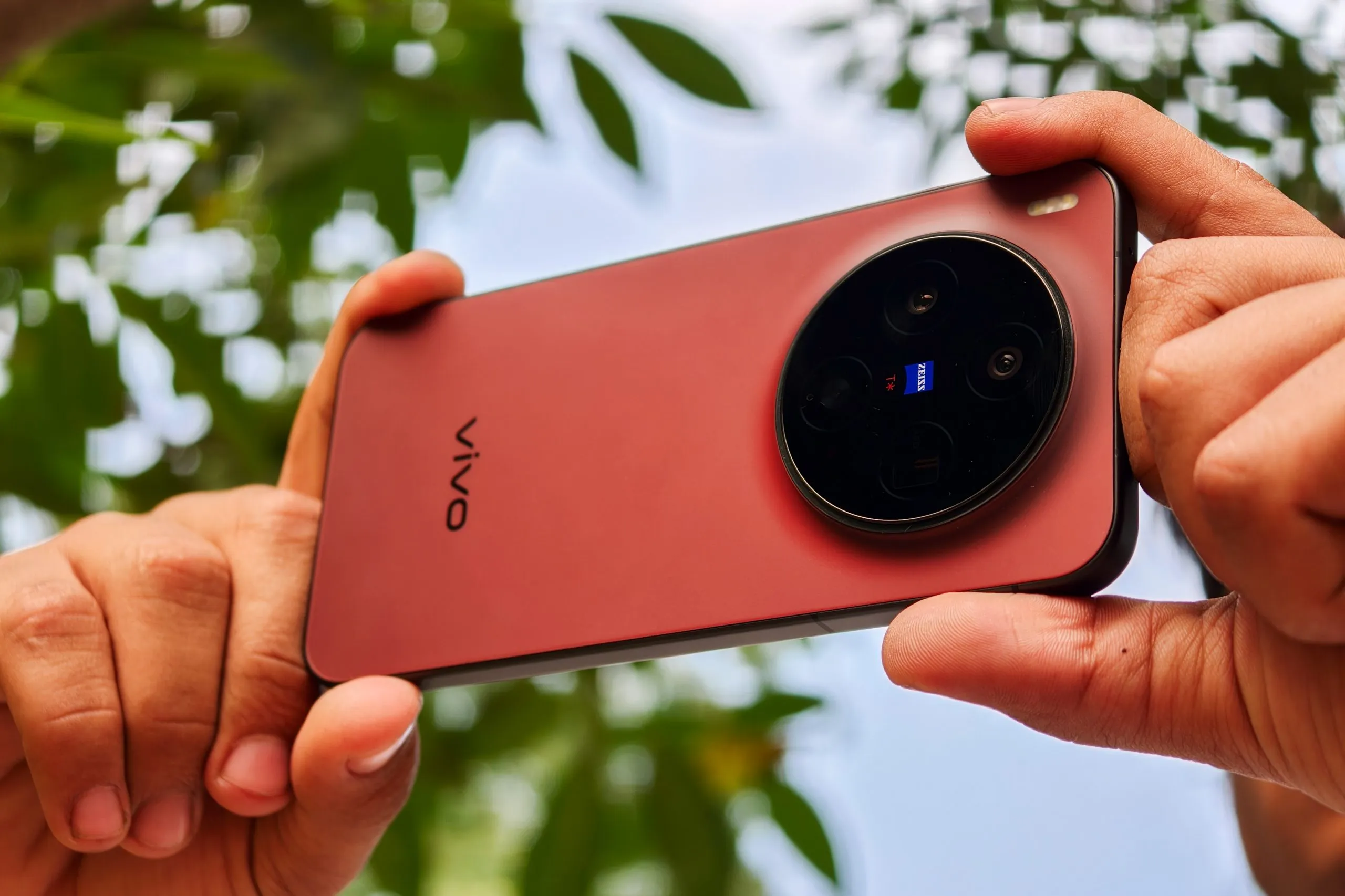
The vivo X300 (review) and X300 Pro (review) already take very good photos by default. What makes them stand out is the amount of control vivo gives you over processing, focal lengths, and rendering. With a few deliberate settings and habits, you can get better, more consistent, and more natural results across photos and videos. The tips below focus on how to use the camera better, so you can get the best out of your vivo X300’s cameras. Let’s dive in.
1. Set Up Composition Tools First
Open camera settings and enable Grid Lines and the Level indicator. This helps with framing, symmetry, and keeping horizons straight. Since the viewfinder does not always match the final exposure perfectly, strong composition before pressing the shutter becomes even more important.

2. Learn How Tapping Zoom Actually Works
Do not rely only on pinch zoom. You can tap on 1X, 2X, or 3X repeatedly to cycle through different focal lengths.
- Tapping 1X switches between wider and standard focal lengths such as 24 mm and 35 mm.
- Tapping 2X cycles through tighter standard perspectives like 50 mm.
- Tapping 3X gives access to telephoto framings like 70 mm, 85 mm, and higher depending on the mode.

This works in Photo and Landscape modes. Cycling focal lengths this way gives more consistent results than sliding the zoom bar, because the camera switches to tuned focal length pipelines instead of continuous digital zoom.
ALSO READ: vivo X300 Camera Review: Don’t Let the Size Fool You
3. Choose the Colour Profile Before Shooting
Always pick your colour profile first.
ZEISS Natural and Textured should be your default choices. They offer better highlight control, balanced colours, and less aggressive sharpening.
Use Vivid only when you want stronger colours. When using Vivid, immediately open the Effects panel, reduce sharpness to around minus fifty, and slightly lower contrast. This adjustment is essential to avoid harsh textures and oversharpened skin.

There are also other color profiles that you can play with, like the new Negative Film and Positive Film filters.
4. Reduce Sharpness
If an image looks too digital, reduce sharpness first. Go to Settings > Effects > Sharpness. This improves skin texture, foliage, fabrics, and fine details more effectively than switching camera modes. After sharpness, adjust contrast slightly if needed. Avoid adjusting it aggressively, especially in portraits and night scenes.

ALSO READ: vivo X300 Review: Is this THE Compact Flagship You’ve Been Waiting For?
5. Adjust AI Processing
The AI enhancement slider has multiple levels. Even the Off setting still applies a noticeable amount of processing.
Use the lowest AI setting for most situations. Increase AI only when shooting distant subjects or extreme zoom shots where reconstruction is unavoidable. Keeping AI restrained gives more natural textures and avoids artificial detail.
Try turning off the HDR or using the RAW Lighting feature to get an even more natural look. HDR toggle is only available in portrait mode and the RAW Lighting does the same, which is turning off HDR.


6. Turn Off Night Sky Enhancement When Not Needed
Night Sky enhancement should be disabled for regular night photography. It aggressively alters colours, stars, and contrast and can make skies look unnatural.
Enable it only when you are intentionally shooting stars or sky-focused scenes. For city nights, street shots, and portraits, keeping it off produces more realistic results.


7. Use RAW Lighting
RAW Lighting reduces HDR, sharpening, and AI processing. Enable RAW Lighting only in good light and at native focal lengths such as 1X, 2X, 3X, or 6X. It works best for flat lighting or scenes where you want a more neutral base.
Avoid using RAW Lighting in low light, indoors, or at high zoom levels, where the default processing produces better detail and exposure.


8. Use Humanistic Mode
Humanistic Mode is designed for cinematic looking images with minimal processing. Activate it by swiping up from the viewfinder and selecting one of the fixed ZEISS focal lengths like 24 mm, 35 mm, 50 mm, 85 mm, or 135 mm.
Be aware that Humanistic Mode disables HDR, night mode, selfies, ultra-wide, and zoom beyond 6X. It works best when you can control composition and lighting and want a consistent, film-like look. It also applies artificial blur.


9. Manage Beauty Processing Carefully
Beauty processing is never fully disabled. To reduce its impact, lower sharpness and contrast manually, avoid mixed lighting, and prefer soft or side lighting for portraits. This helps preserve skin texture and prevents unnatural tones. Turning off HDR in the portrait also helps massively reduce this.


ALSO READ: vivo X300 Pro Review: Is This the Best Camera Phone of 2025?
10. Use Telephoto Lenses for Close-ups, not Ultra-wide
For close-up shots on the X300 Pro and X300, switch to the 3.5X or 3X telephoto and move closer instead of enabling Macro mode. This gives better depth, compression, and texture. I found the macro mode to be producing overexposed images when compared to the regular mode, so keep that in mind. Use macro mode only when you really need that artificial blur.


Final Words

The vivo X300 and X300 Pro are already strong camera phones. These tips simply help you get better output, better consistency, and more control over how your photos and videos look, without fighting the camera or overthinking every shot. If you have any tips of your own, feel free to share them in the comments below.

You can follow Smartprix on Twitter, Facebook, Instagram, and Google News. Visit smartprix.com for the latest tech and auto news, reviews, and guides.














I am confused, when I tried super macro mode it goes to 3x and I took a shot on normal 3x and this super macro mode 3x but i barely noticed any difference, am I missing something here ?
vivo may have fixed with the issues with the macro mode we were facing at the time of writing.