Photo Stacks And Screenshot Categorization: Here’s What’s New With Google Photos

Main Image
  • Like
  • Comment
  • Share

Google Photos has launched two new features to help users organize their gallery. The first feature is called Photo Stacks. It stacks together similar photos to avoid clutter. The second feature identifies screenshots and categorizes them so that you can find them easily. Both features are starting to roll out to Google Photos users on Android and iOS and should be available to all users in some days.

What Is Photo Stocks In Google Photos?
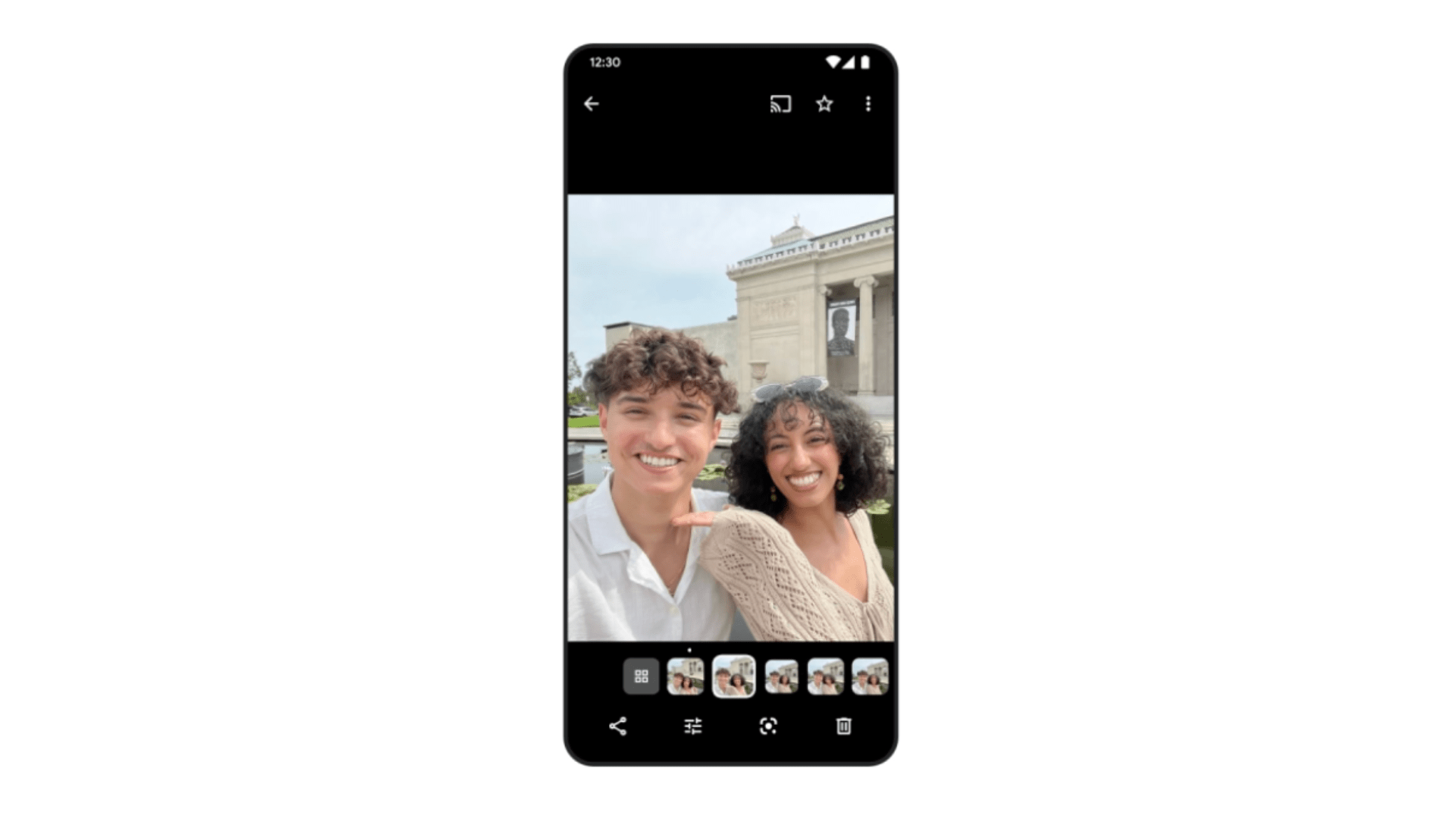
While clicking pictures, users often take multiple shots to get the best one. However, they might forget to clear up the rest. Over time, this adds a lot of clutter to users’ galleries. Hence, to help users keep their galleries tidier, the Photo Stacks feature automatically identifies and groups similar photos into a virtual stack. It also sets the top pick that “best captures that moment” and sets it as the stack image.

Users can also pick their own stack image, modify the stacks by deleting any pictures, or turn off the feature at any time to see everything in the order they clicked. Moreover, Photo Stacks is a great feature for users who click a lot of images using their smartphones and forget to delete the extra shots that aren’t usable.

Screenshot Categorization
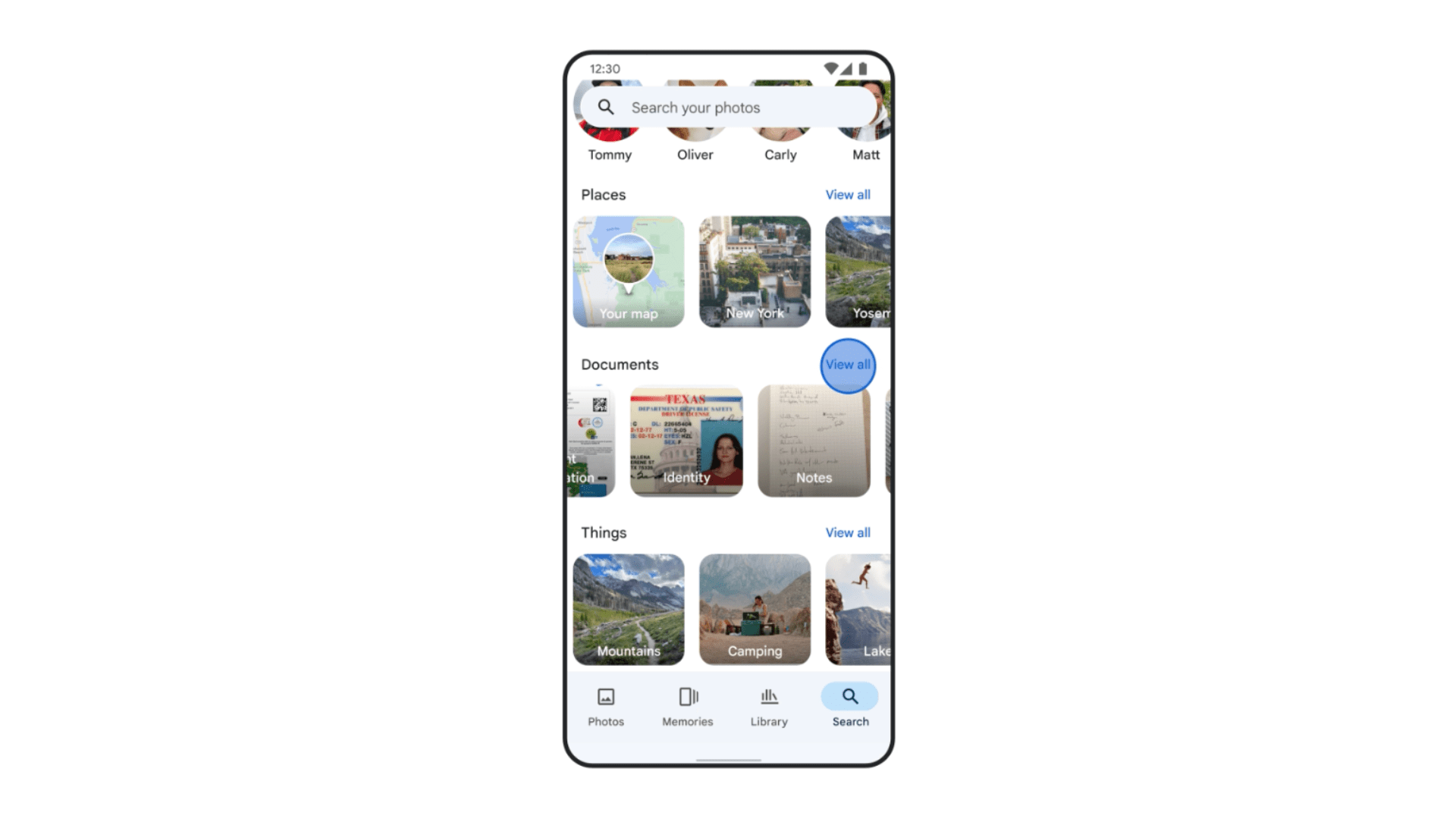
Users often take screenshots of receipts, online payments, timetables, and other important things. However, these screenshots often get lost in the plethora of images in the users’ gallery. To remedy this, Google Photos uses AI to identify and categorize screenshots and documents into albums such as IDs, receipts, event information, etc. This makes it easy to find what users need and when they need it without scrolling through all their photos.

Further, users can even set reminders in Google Calendar from screenshots of a ticket or an event flyer. For example, if users have a screenshot of a movie ticket in Google Photos, they can tap “Set Reminder” to add it to their calendar, and as the movie time approaches, users will get a reminder. Users can also choose to archive their screenshots after 30 days, which helps clear out some space in the users’ gallery.

You can follow Smartprix on TwitterFacebookInstagram, and Google News. Visit smartprix.com for the most recent newsreviews, and tech guides.
Shikhar MehrotraShikhar Mehrotra
Shikhar Mehrotra is a seasoned technology writer and reviewer with over five years of experience covering consumer tech across India and global markets. At Smartprix, he has authored more than 1,700 articles, including news stories, features, comparisons, and product reviews spanning automobiles, smartphones, chipsets, wearables, laptops, home appliances, and operating systems. Shikhar has reviewed flagship devices such as the iPhone 16, Galaxy S25+, and Sennheiser HD 505 Open-Ear headphones. He also contributes regularly to Smartprix’s growing automotive section.

With a deep understanding of both iOS and Android ecosystems, Shikhar specializes in daily tech news, how-to explainers, product comparisons, and in-depth reviews. His DSLR photography in product reviews is recognized as among the best on the team.

Before joining Smartprix, Shikhar wrote for leading publications including Forbes Advisor India, Republic World, and ScreenRant. He holds a Bachelor of Arts in Journalism and Mass Communication from Amity University, Lucknow.

Related Articles

Image5 Reasons the OPPO Reno16c Is Built for Creators, Not Just Buyers

Most phones in the ₹40,000 to ₹55,000 range look impressive on paper but disappoint in daily use. The OPPO Reno16c takes a different approach. It uses the same camera system and AI tools as the full Reno16, not a stripped-down version, and adds IP69K water resistance and India’s first HoloVerse 3D design. If you shoot, …

ImageHow to upload photos and videos to Google Photos quickly

Clicking photos and recording videos have become a part of our daily lives and storing them safely comes attached to this. Mobile phone and camera users often face the problem of limited storage devices which ultimately forces them to lose their images or phones. In such cases, Google Photos or similar storage services work as …

ImageSamsung Galaxy S24 series to gain Ultra HDR support, ISOCELL Zoom Anyplace

Samsung Galaxy S24 series to gain Ultra HDR support, ISOCELL Zoom Anyplace

ImageSamsung’s Home Up Update Adds 36 New Ways to Take Screenshots

Taking screenshots on Samsung phones has always worked, but it hasn’t always been convenient. You either pressed the power and volume buttons together and waited that extra second for the capture animation, or you used Good Lock modules like One Hand Operation+, which often ended up conflicting with back gestures. Samsung finally seems to be …

ImageGoogle Releases Wear OS 7 For Pixel Watch With New Widgets, Live Updates, And Better Battery Life

Google is rolling out Wear OS 7, its wearable operating system, for its Pixel Watch lineup. It announced the update alongside Android 17 on June 16, 2026. It comes after Google showcased some features during The Android Show and the Google I/O 2026. There’s plenty of ground to cover, so, without any further ado, let’s …

Discuss

Be the first to leave a comment.