WhatsApp adds feature to migrate chats using a QR code

Main Image
  • Like
  • Comment
  • Share

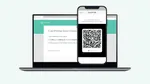
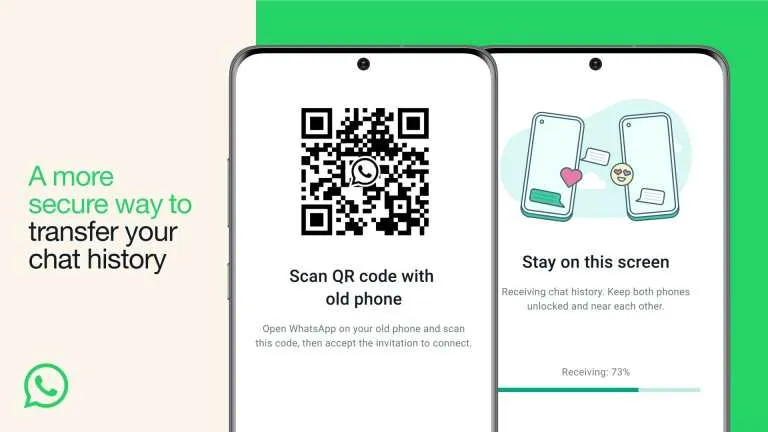
Contrary to the previously available methods, WhatsApp has introduced a hassle-free scan and transfer method to get all your chats from an old device to the new one. Surprisingly, the method uses QR Code. Let’s read more about the new functionality.

As of now, you could migrate chats on iOS to Android or Android iOS using cloud backups and other methods. With the new feature in the frame, you can leverage a local Wi-Fi connection to transfer data. The process is easy to use, encrypted as per WhatsApp, and takes less time than traditional chat migration methods. However, it comes with a limitation that supports two devices using the same operating system such as Android or iOS. If you are trying to hail this method cross-platform, you won’t be able to use it.

WhatsApp has maintained this method is more secure than other solutions. It is also because the chats are encrypted and happen between devices connected to the same local network. 

How To Transfer WhatsApp Chats Using QR Code?

Here’s how you can use this less complicated feature to get access to all the WhatsApp chats from one device to another.

  • Make sure that both devices are connected to the same local network (Wi-Fi).
  • Open WhatsApp on the old phone and proceed towards Settings >> Chats >> Chat Transfer.
  • Next, you will see an on-screen QR code.
  • Take your new phone, open WhatsApp, and scan the QR code to initiate the transfer process.

Related Articles

ImageIce Universe Dismisses Galaxy S27 Ultra 5,800mAh Battery Leak

A recent rumor claiming the Samsung Galaxy S27 Ultra could pack a 5,800 mAh battery has gained traction online, but well-known Samsung tipster Ice Universe says the claim shouldn’t be trusted. In a post on X, Ice said there is currently no reliable information suggesting Samsung’s next flagship will use a 5,800mAh battery. The statement …

ImageHow to make WhatsApp voice and video calls on PCs and Macs

Work from home has made most of us stick to a computer screen for a major share of our day. And while our eyes and workflow are already locked onto the big screen, you might not feel like using a smaller screen phone always. This is true for the purposes of video calls as well. …

ImageWhatsApp Web: How to use WhatsApp Web on your PC through a browser or a desktop app

WhatsApp is undoubtedly the most popular instant messaging and calling app all around the globe with billions of active users. To provide limitless services, the Meta-owned platform allows users to log in on Windows and MacBook with WhatsApp Web support. So, users can access their WhatsApp account on PCs with two methods – downloadable WhatsApp …

ImageMeitY Asks WhatsApp To Pause Its Username Feature Rollout In India Over Impersonation Concerns

Just yesterday, we covered a comprehensive feature on WhatsApp’s new username, how you can reserve it before it goes live later this year, and its potential use cases. Earlier today, the Indian government issued a formal notice to Meta, directing WhatsApp to halt the rollout of its new username feature. The Ministry of Electronics and …

ImageWhatsApp Usernames Are Here: You Can Now Chat Without Sharing Your Phone Number

You can now connect on WhatsApp without giving out your phone number, a feature privacy advocates have wanted for years. WhatsApp started rolling out optional usernames yesterday. This move separates your identity from your SIM card, similar to what Signal did with usernames in 2024. WhatsApp is rolling out usernames in phases over the next …

Discuss

Be the first to leave a comment.